Good news! State Administration of Foreign Experts Affairs announced that they opened an official WeChat account to launch some new functions. It’s really convenient for a great deal of foreigners in China. Let’s see!
Main Functions
Check out which category you are classified from the new work permit system
Query the process of Chinese work permit
Receive your latest notice from the State Foreign Expert Bureau(SAFEA)
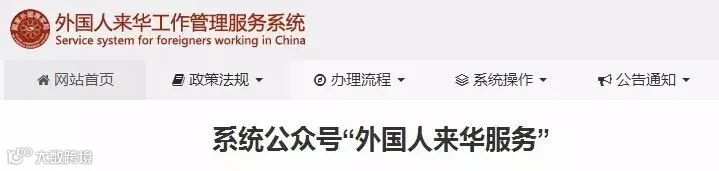
Official Website
Service system for foreigners working in China
 http://fwp.safea.gov.cn/
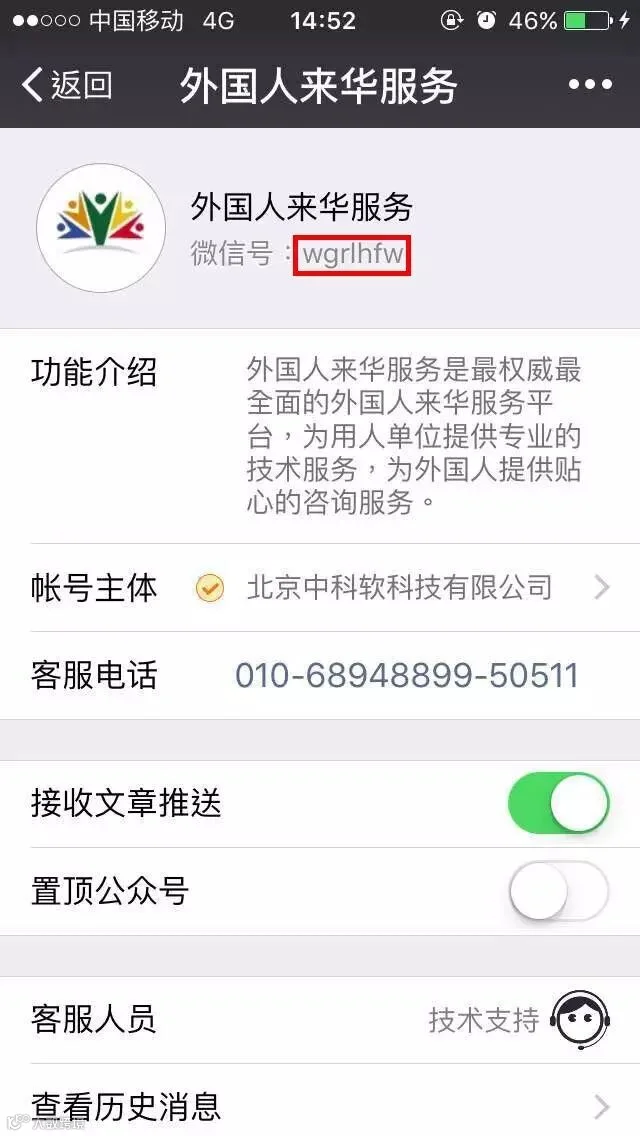
Official WeChat Account

↑↑↑ Extract the QR code to follow
Or you can search the WeChat ID wgrlhfw to follow them.
Function 1
Category Classified From
Work Permit System
As we all know, The new work permit system has been implemented for some time. If you haven’t know it, click the link below to know more.
 New Points System to Get Work Visa in China!

Now you can check which type you are via their official WeChat, let’s see!
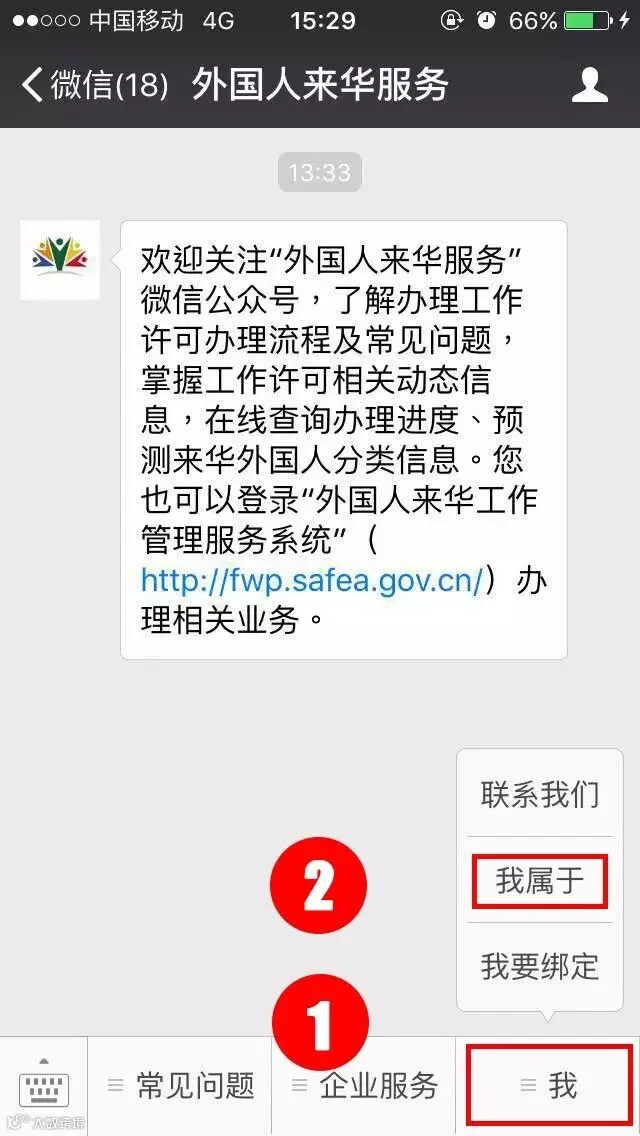
Step 1
Click "我" -- "我属于".
Step 2
Fill in the form.
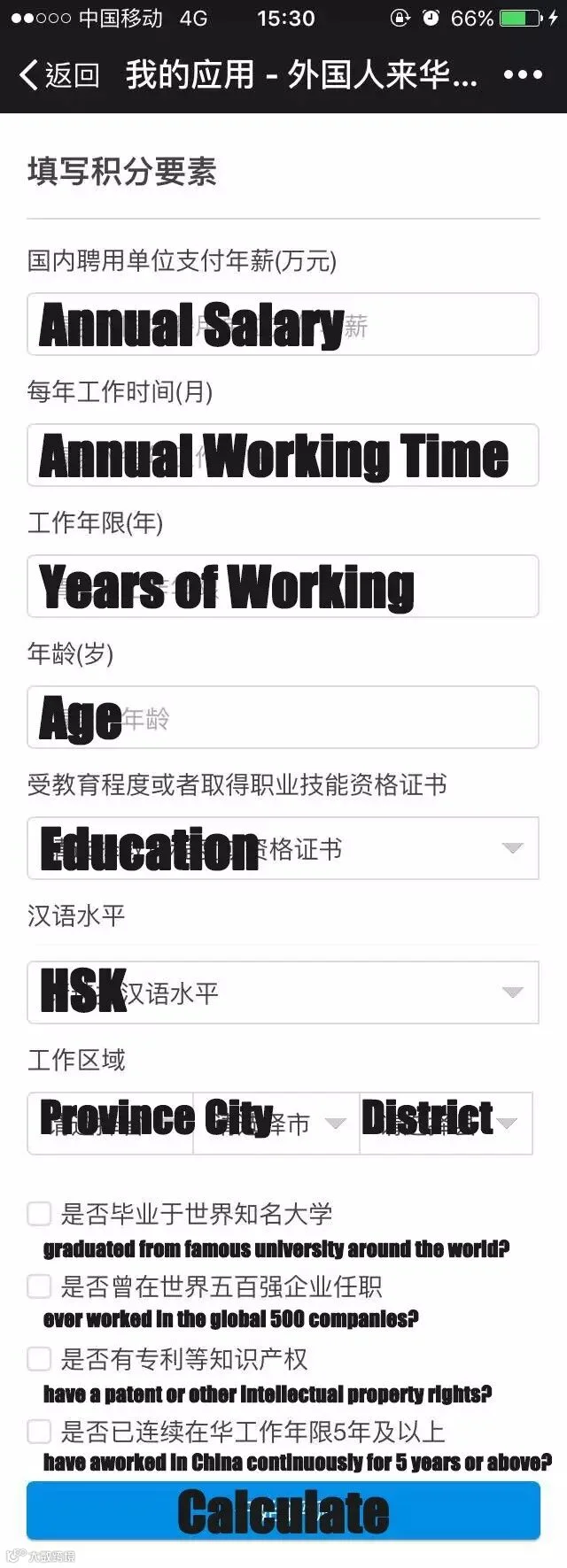
Step 3
Check out the result.
Here is an example
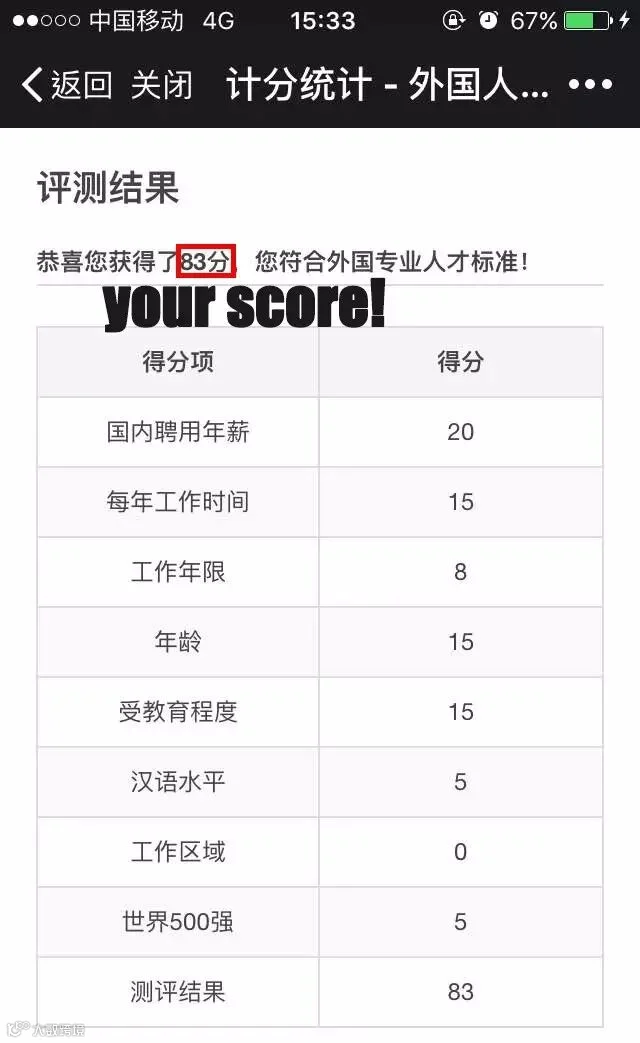
Type A: >85 points
Type B: ≥60 points
Type C: <60 points
You may really wish it was in English! Why not try HACOS mini program to calculate your scores!
 Just click below to have a try!
# Please notice that, this test is just for reference, only the government has right to decide whether you can get the Z-Visa or not.
Function 2
Query the process of work permit
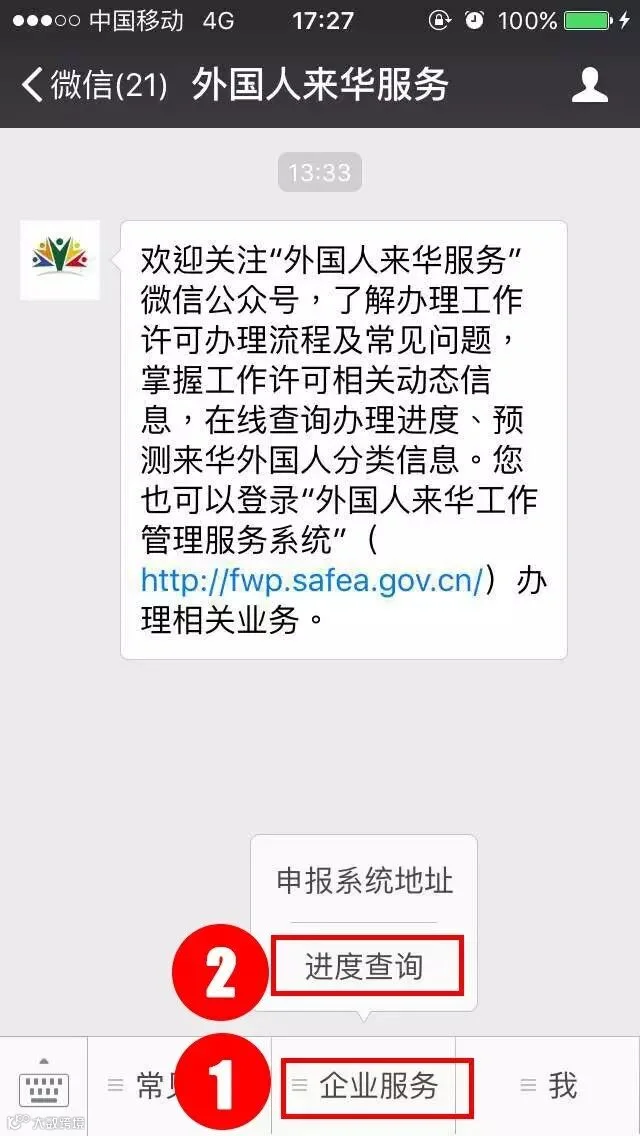
Step 1
Click "企业服务" -- "进度查询"
Step 2
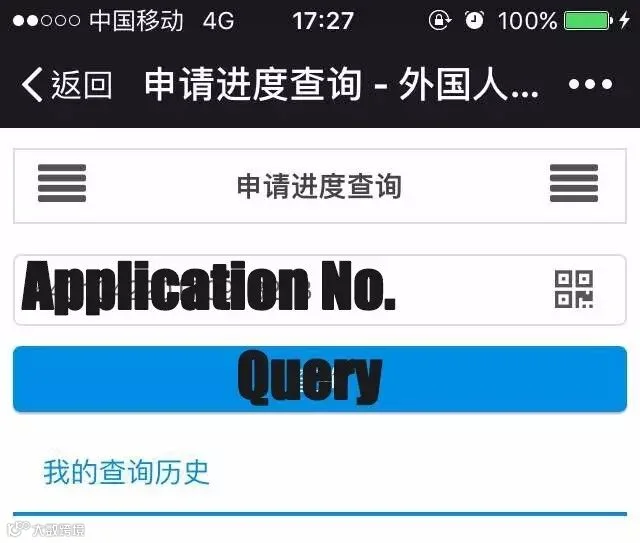
Input your application No. and click "查询"
Step 3
Check the handling process.
Here is an example
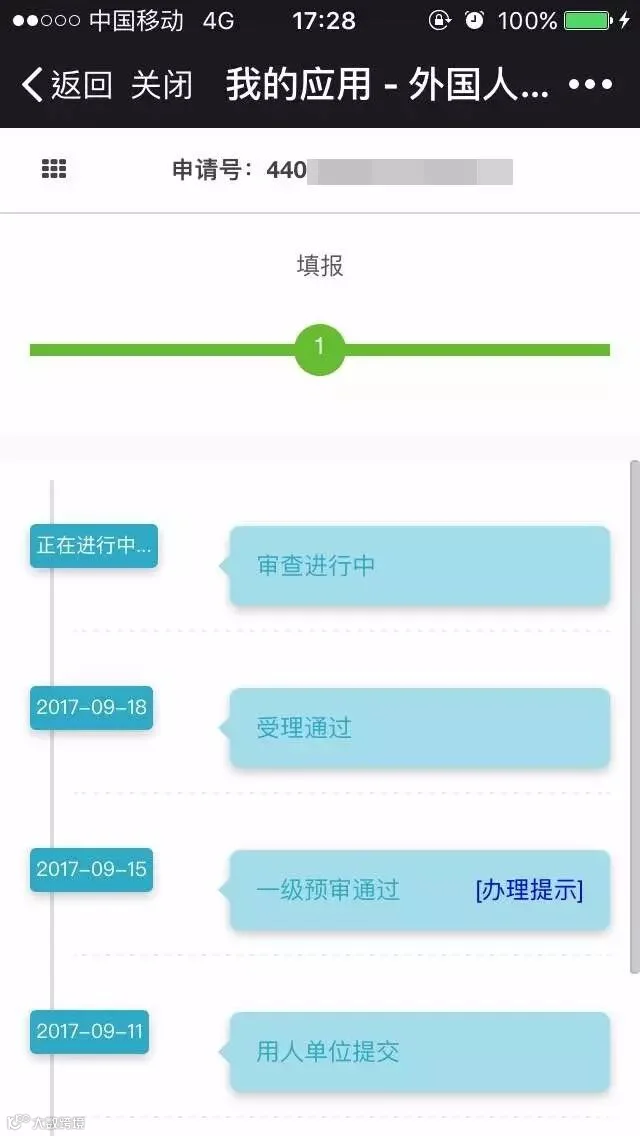
Now you can see all the process of your Chinese visa application. But what’s a pity that it’s inconvenient for foreigners to read the information since they’re only in Chinese. It's time to ask your Chinese friends for help!
Function 3
Receive latest notice from SAFEA
Step 1
Click "我" -- "我要绑定"
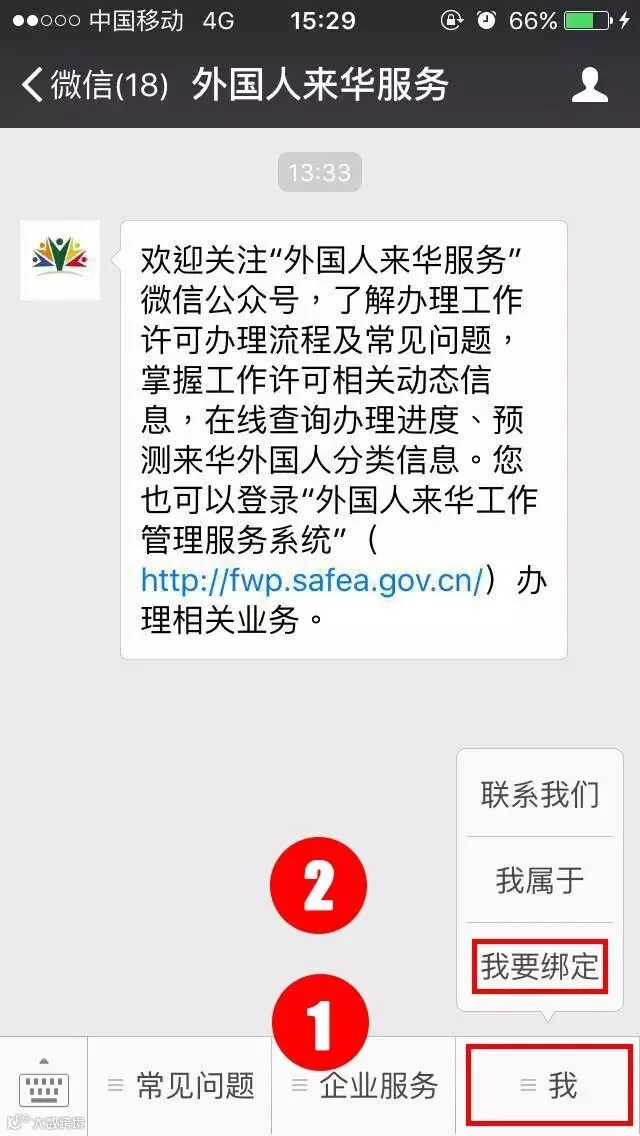
Step 2
Click "我是用人单位经办人" -- input phone No.&Verification Code-- input company name--click "绑定"
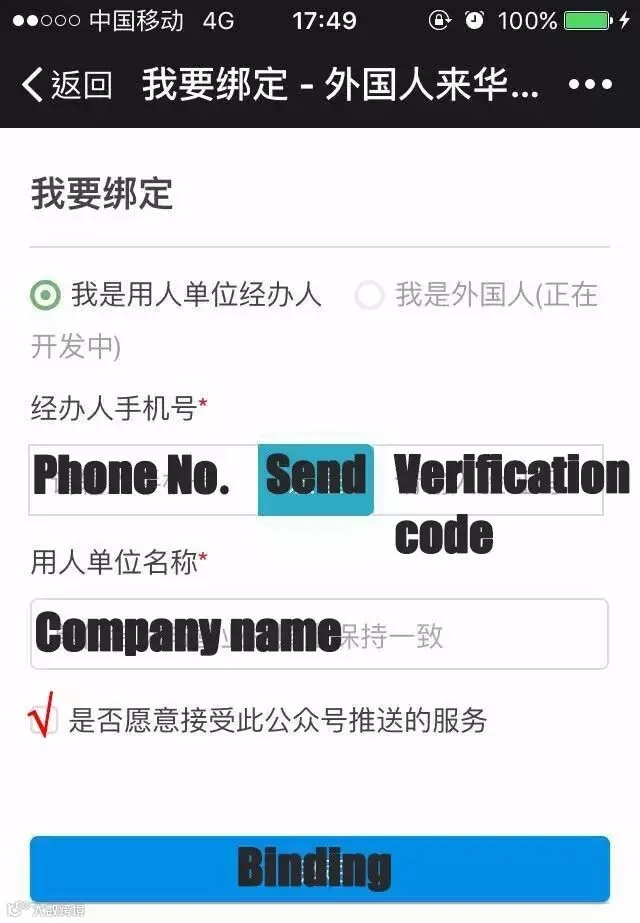
Step 3
It’s done! Now you can receive all the latest notices from the official!

At last, hope the system develop more functions and the English version coming very soon!






HACOS,Business Services Solutions Master