
As one of the China’s top mobile payment platform, I bet that Alipay isn't a strange thing for you. It has become "must have" for people living in China.
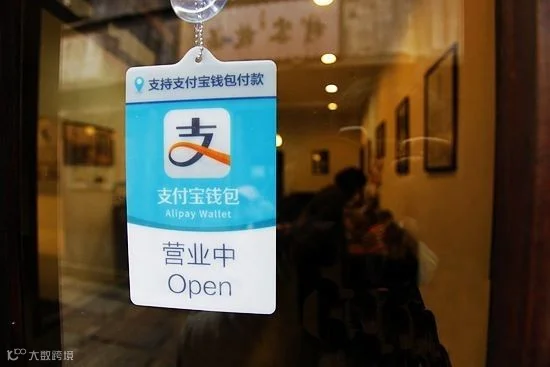
If you’ve already got a bank card account in China, it’s time now to set up your Alipay account!
1
-Bind a Bank Card with Alipay-
It is recommended that you add a bank card to your Alipay. If not, you can pay through your Alipay balance.
For unverified Alipay users, if monthly transfer value is less than RMB 500 (including RMB 500), it is free. If monthly transfer value is more than RMB 500, Alipay will charge 1% of the exceeded part.
Step 1
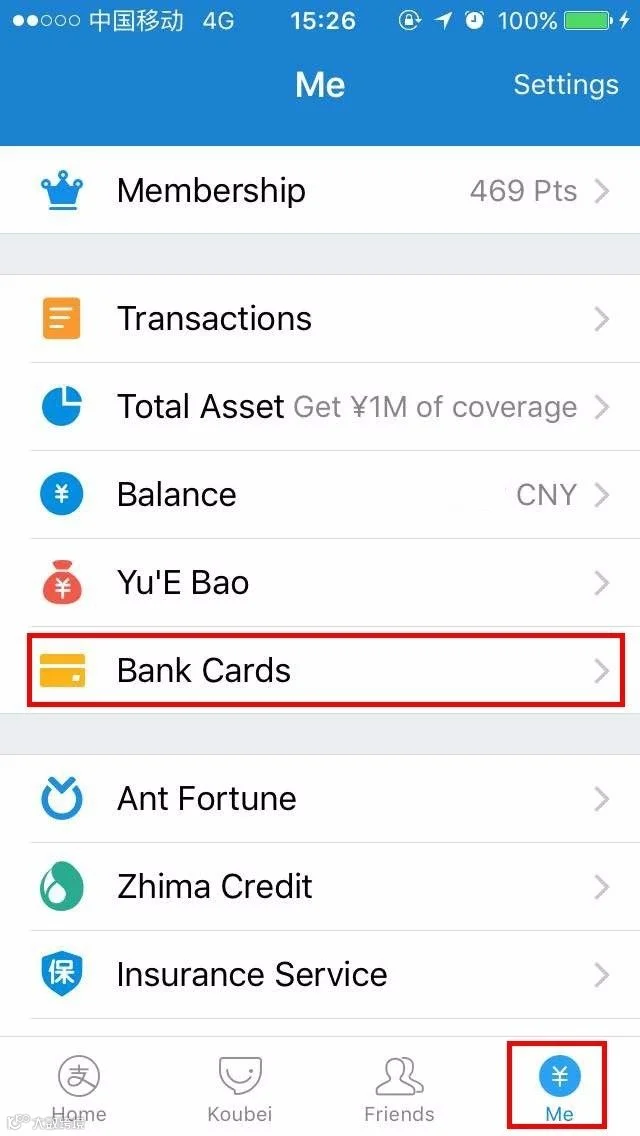
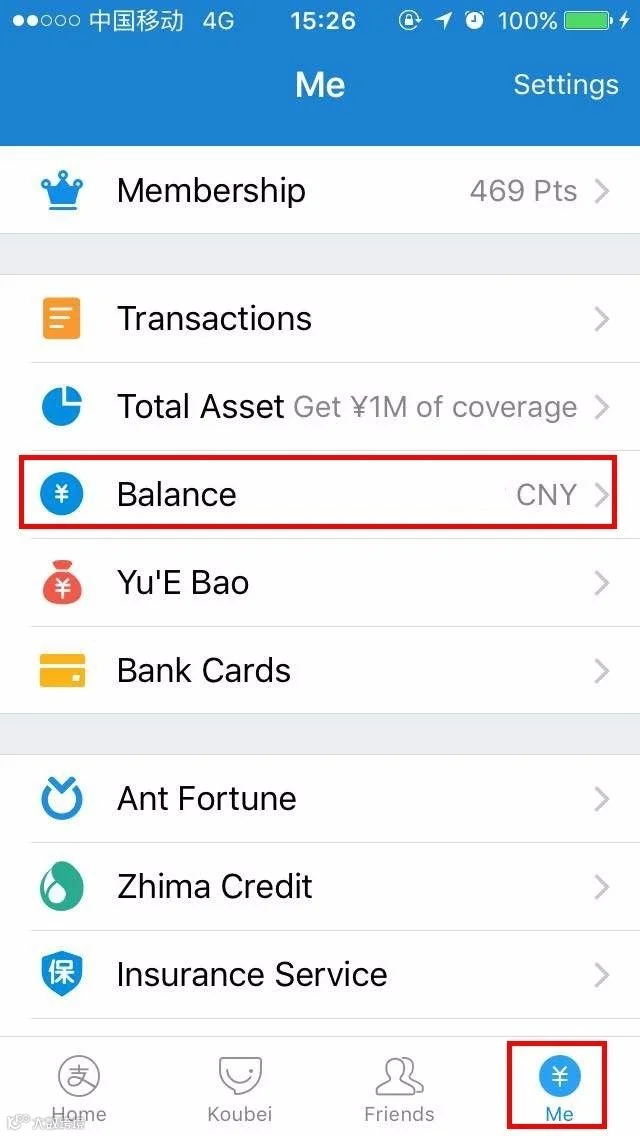
Tap "Me" and find Bank Cards
Step 2
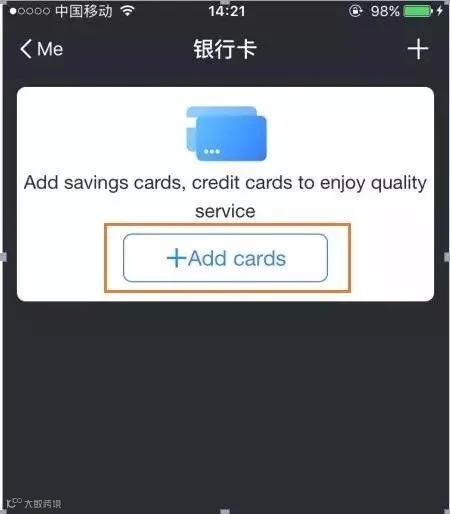
Tap "Add Cards"
Step 3
Input your name and bank card No.
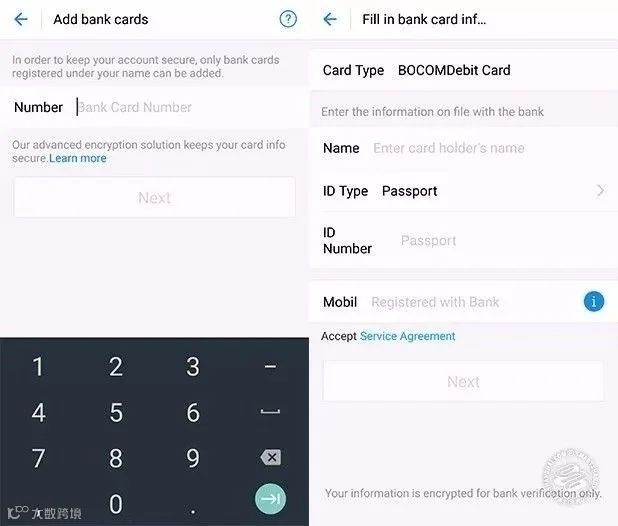
Name, passport ID, phone number. Make sure the bank has your current phone number in its record. Change the "ID Type" to "passport" and input your passport No.
Tips
● You are only allowed to bind one person’s bank account with each Alipay account.
● China Guangfa Bank (Debit Card), PSBC and Citi Bank ( Credit Card) don’t support using your passport as a form of ID. If you find that you can’t change the ID type to a passport, you may need to change a bank account.
Step 4
Add your mobile phone No.
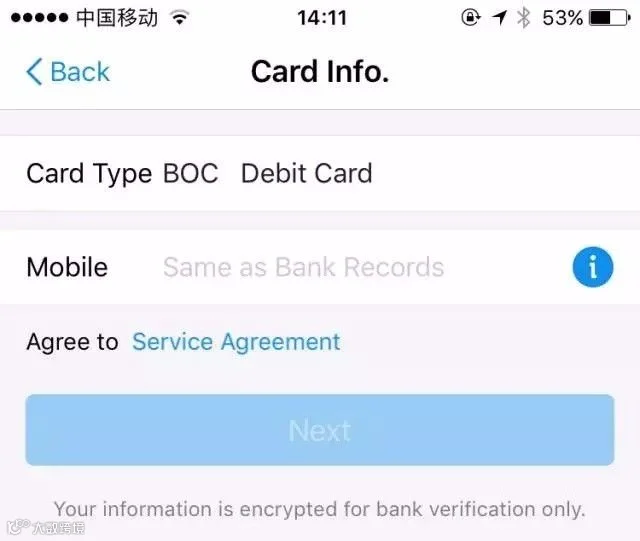
*The phone No. you add has to be the No. that your bank has on file.
Step 5
Enter the confirmation code.
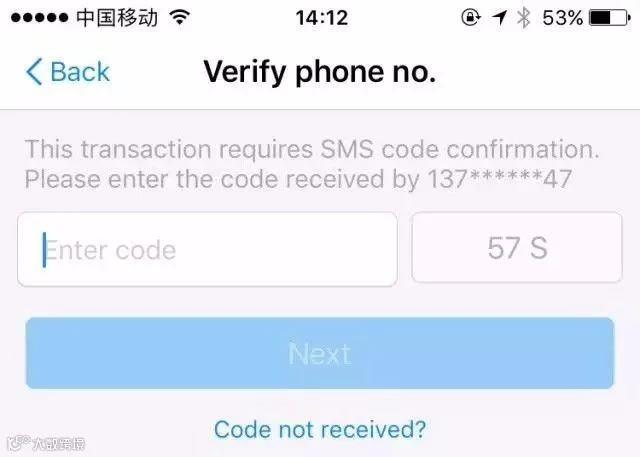
You will receive an SMS with a code which should be 6-digits. Just enter it and tap “Next”
Step 6
Set a payment password.
Set a 6-digits security password to verify payments. It’s very important so you’d better choose an easy one and don’t forget it.
Tips
You can bind more than one bank accounts to your Alipay.
2
-Top Up & Withdrawal-
Tap “balance” and then tap “Top Up” to transfer money from your bank card to your Alipay balance. Or tap “Withdrawal to do the opposite.
Tips
Alipay charges a 0.1% commission when you make a withdrawal
3
-Transfer-
In terms of Alipay, there are three main ways to transfer money to other people.
1. Transfer to Friends
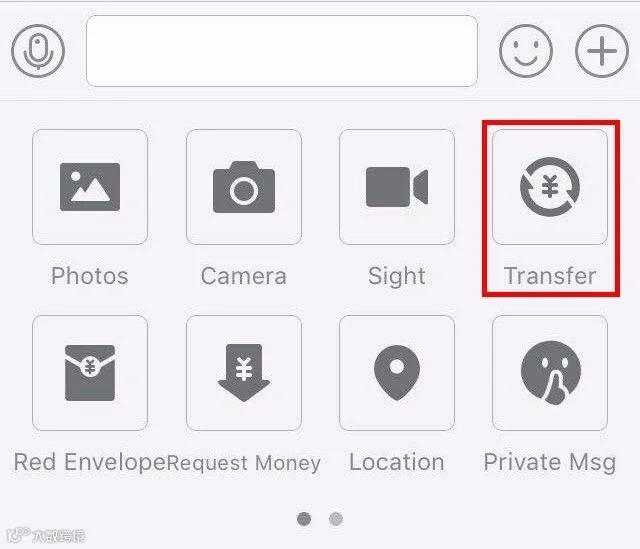
Tap “transfer” in a dialogue to send money to your friend.
2. Transfer by scanning QR code.
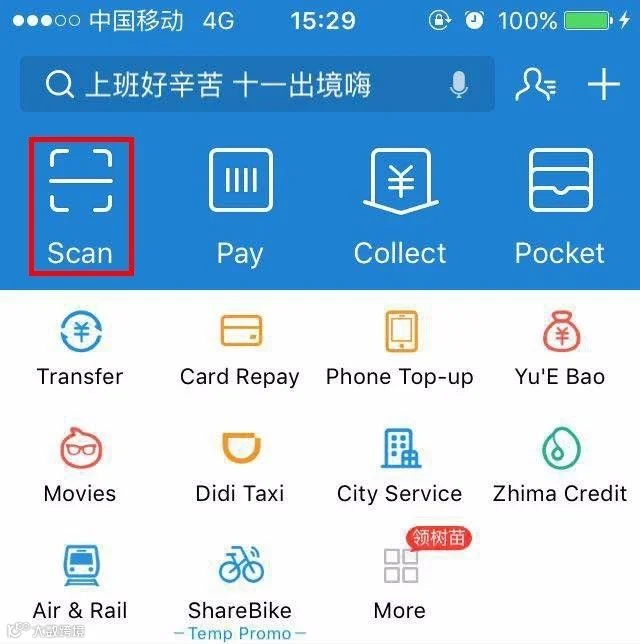
When transacting, people who receive the money will provide you with their Alipay QR codes. Scan the QR codes to transfer money.
3. Pay Vendor
If you find Alipay logo at the cashier or in a store, it is possible for you to pay the vendor by providing your Alipay QR code.
Tap “pay” and show the QR code to the cashier.
The Cashier will input the amount and scan your code.
Your expense will be automatically deducted from your Alipay account.

Tips
Double check the amount of money deducted from your Alipay every time after the cashier scans your QR code.
4
-Make Collections-
1. Receive money by showing QR code
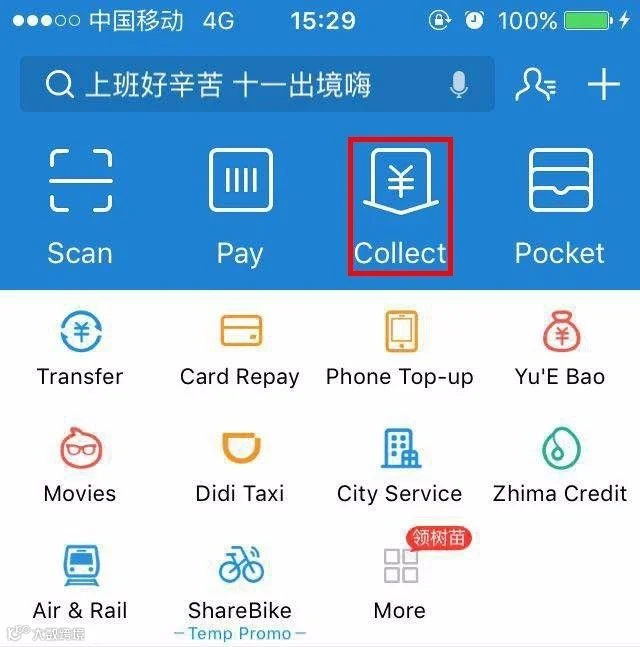
You can receive money from others by providing your receiving QR code.
As can be seen from the following picture, tap “Collect” then your QR code will be available to the others
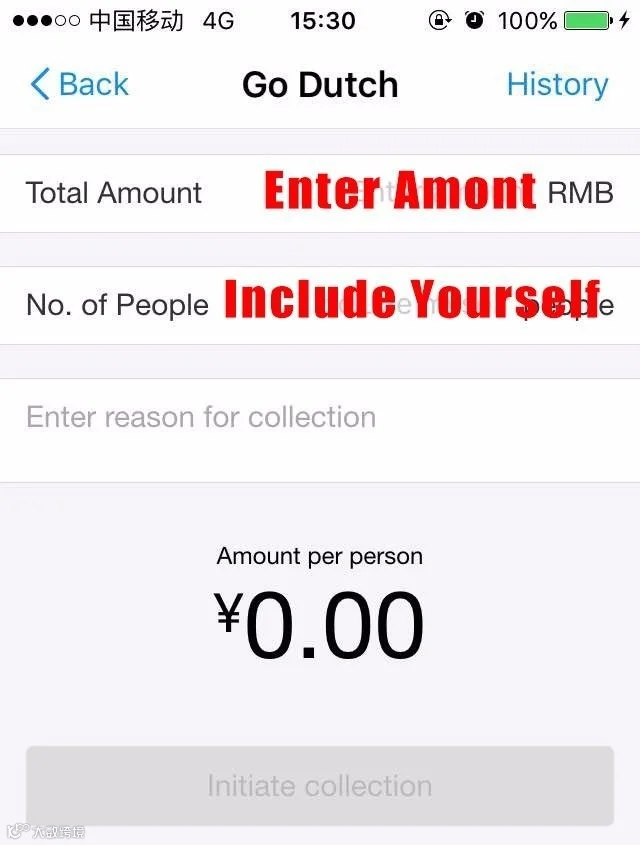
2. Receive money by Go Dutch
1. Tap more-“Go Dutch”(under Fund Transfer)
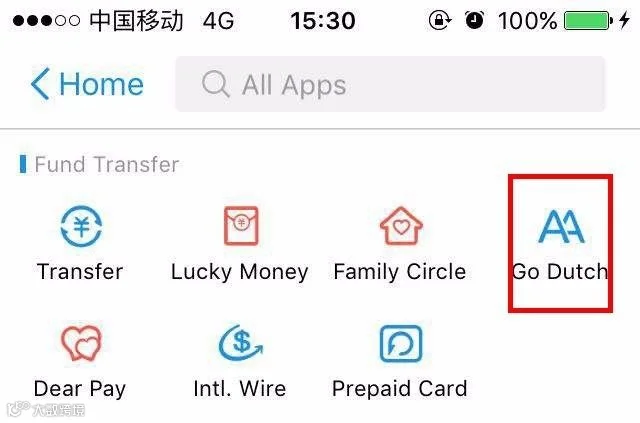
2. Input the total amount of money you would like to collect and select the number of people, finally, tap “Initiate collection”.
5
-Check the Transaction Limit-
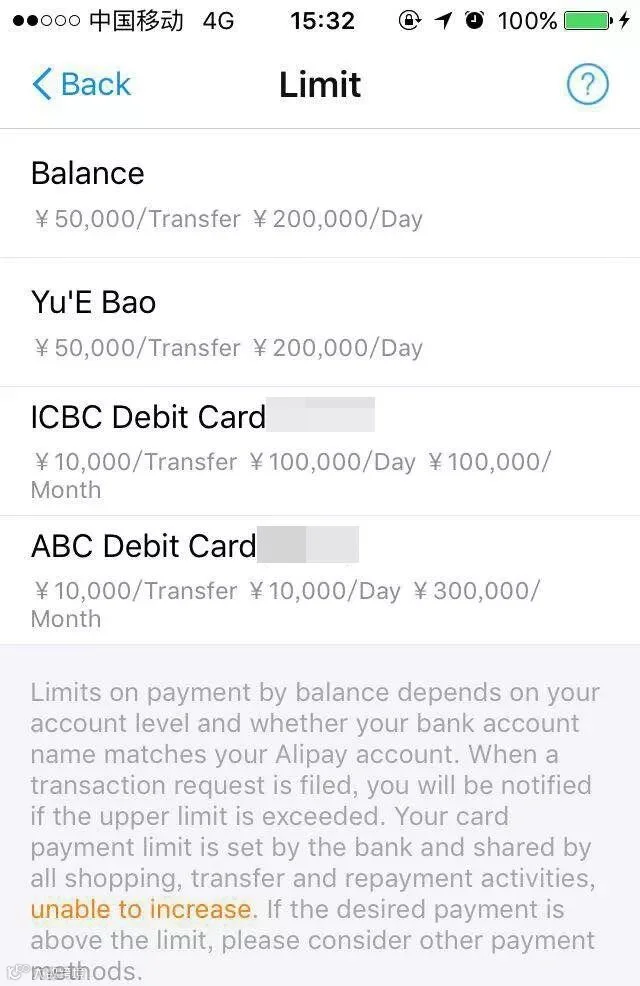
The transaction limit depends on the bank you are using. You could check the transaction limit in your “Bank Cards”.
“Me”→ Band Cards → press any of your bank card → “Transfer” → “Limit”.

More Alipay functions are waiting for you to discover. Just share the information with your newbies friends!
Source: fortunecookie







HACOS,Business Services Solutions Master