
A new function has been launched in Wechat recently! That is, you have access to unlimited free WiFi via Wechat mini program from now on! Surprisingly, public free WiFi in some places including metro, buses, airport stations, Mcdonalds, Starbucks can be connected without downloading APP or opening a webpage.
Unlimited WiFi via WeChat
Step 1
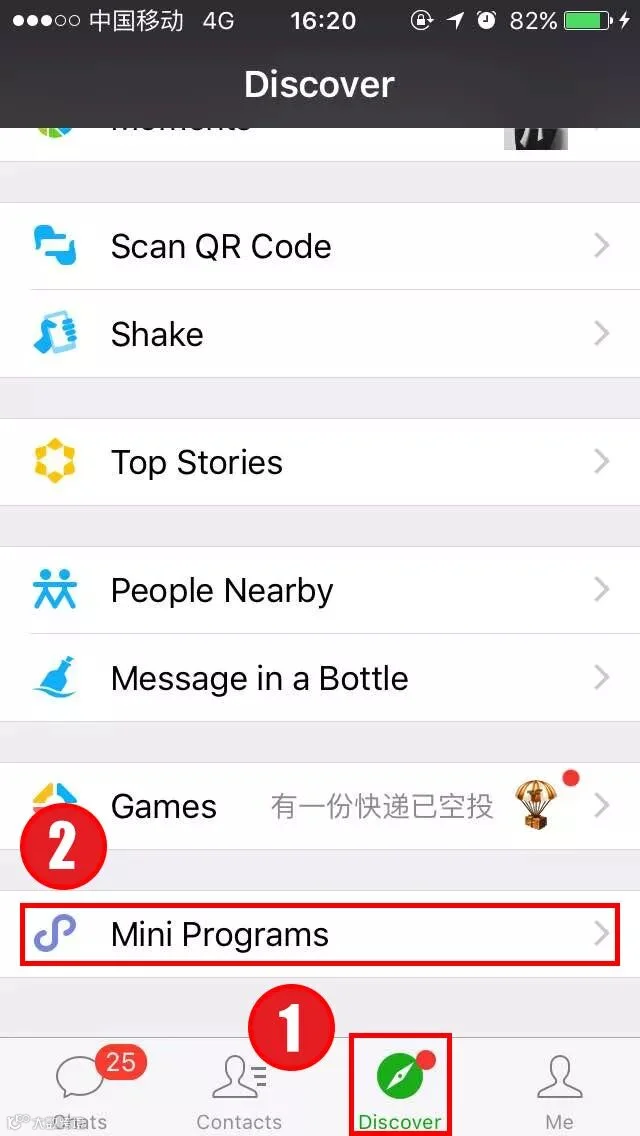
Click "Discover"-- Click "mini programs"-- Search "WiFi一键连".
Step 2
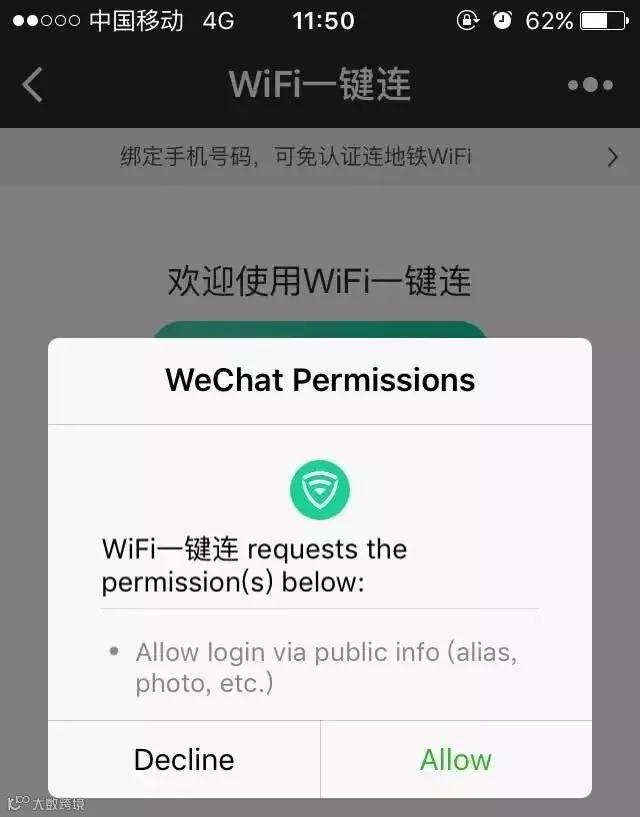
The mini program can search for the surrounding free WiFi and detect the Internet environment automatically. Now, just choose one of the free WiFi and surf the net!
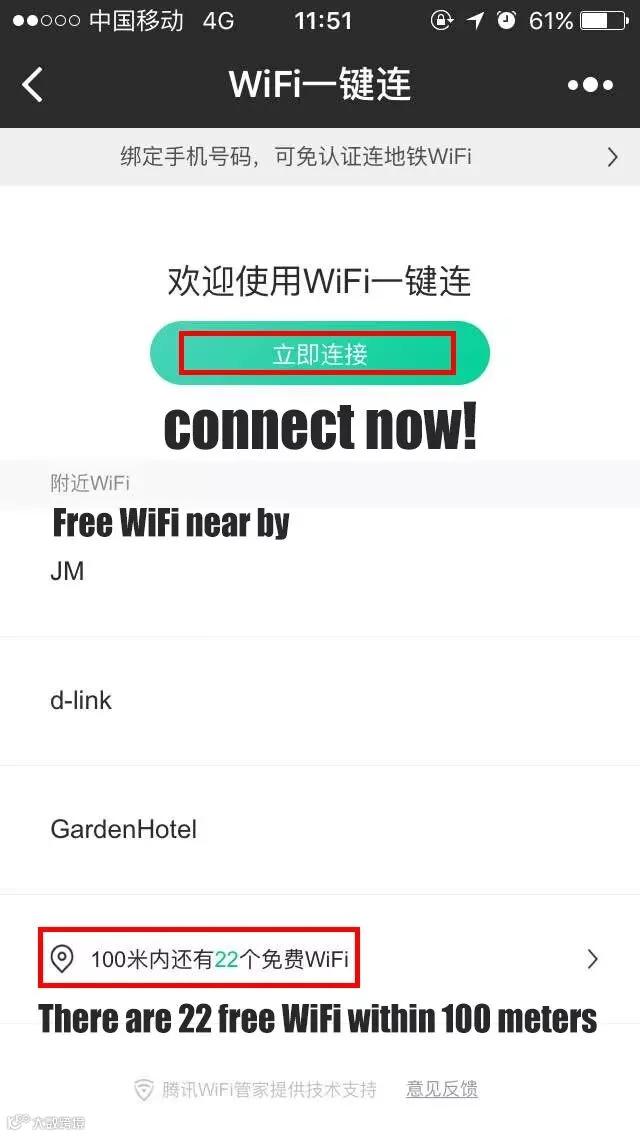
We found that only after the mini program is bound with phone number could we connect the WiFi immediately in metro!
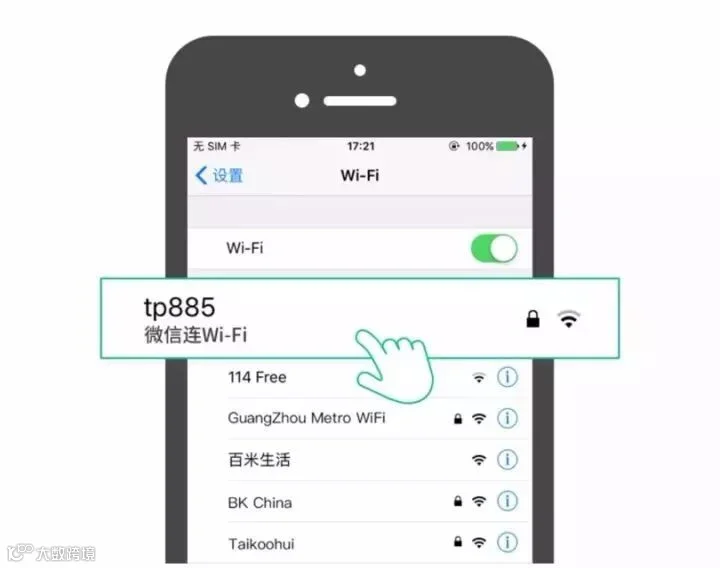
In addition, if you want to connect other free WiFi, click "setting", choose the WiFi you intend to connect, then hit "微信连Wi-Fi (connect WiFi via Wechat)".
Taking Metro by WeChat QR-Code
Besides, since 16th this month, passengers can enter gate machine in Guangzhou Metro directly by scanning Wechat QR code (except for APM Line). Moreover, you are allowed to pay the tickets after getting on the metro!
So, how?
Step 1
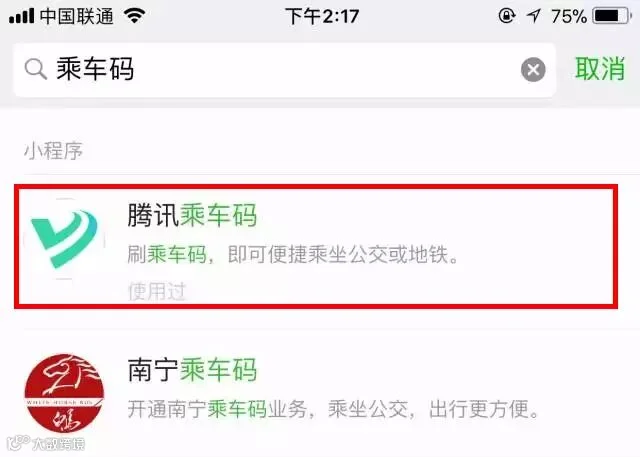
Click "Discover"-- Click "mini programs"-- Search "腾讯乘车码" or "乘车码" (You can just copy the Chinese characters from here.)
Step 2
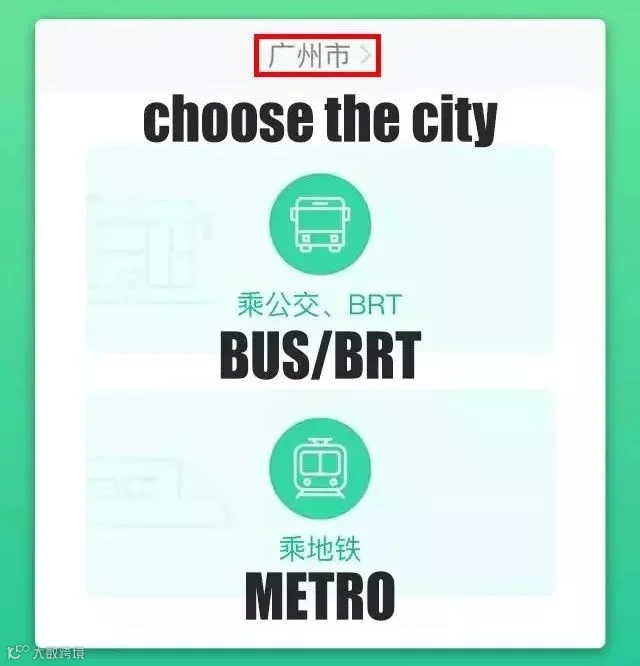
In the mini program "乘车码", choose the city as the current location, click "乘地铁"。
Step 3
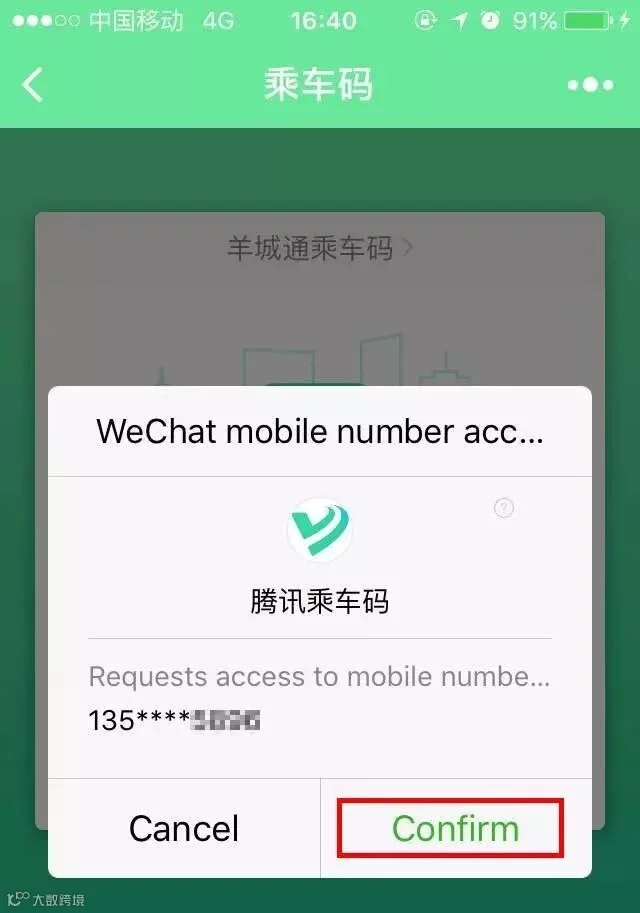
Activate the service for your phone and turn on "Wechat payment without password", then type password of your Wechat Payment just once for verification.
Step 4
Going through the gate machine by using WeChat.
For IOS
Before going through the gate machine, find the code in "Card & Offer".
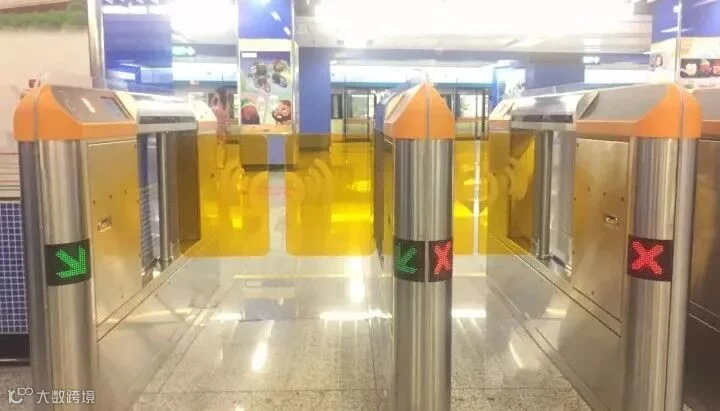
put the code on sensor of the orange gate machine. Then, the gate opens.
For Android
Paste the code onto the desktop and click it before going through the gate machine.
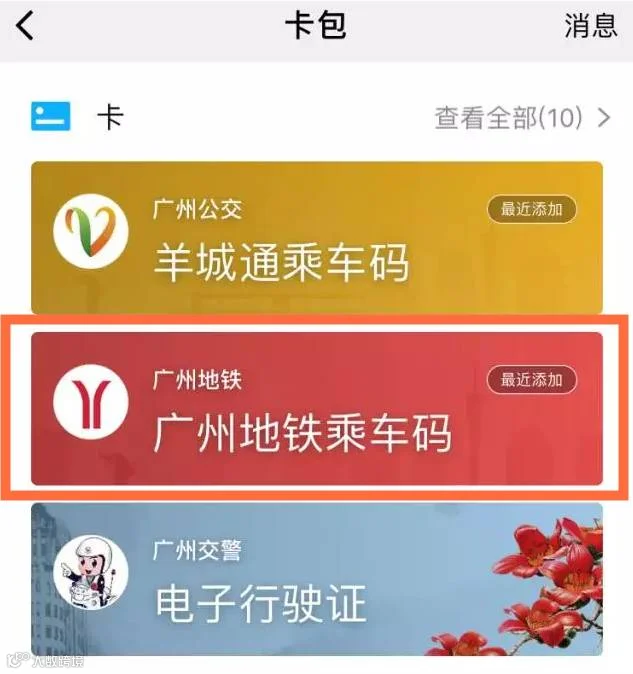
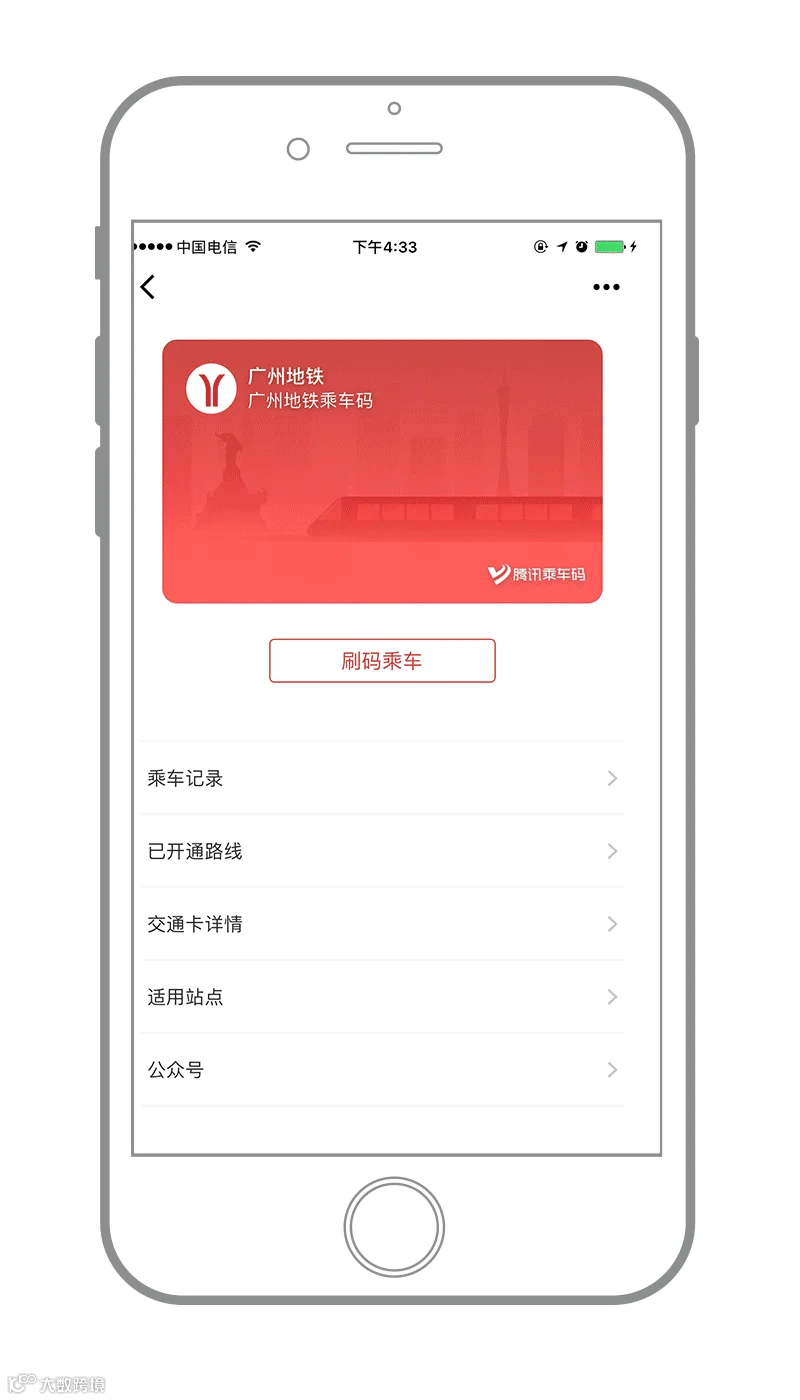
Select "广州地铁乘车码" → Click "刷码乘车".
Still get confused? Let the Tencent CEO shows you how!
↓↓↓

So far, only QR code for taking bus is available since 100,000 quotas in first batch for Metro have been run out. But before long, all of us will have access to take metro in such convenient way!
Do you like the new functions?
Share to let your friends know!
Source:
NewsGD, apptoday





HACOS,Business Services Solutions Master