Mobike declared to cooperate with WeChat yesterday. It means that you can use mobike by WeChat without downloading the app from now on. Much more convenient! But how to do it?
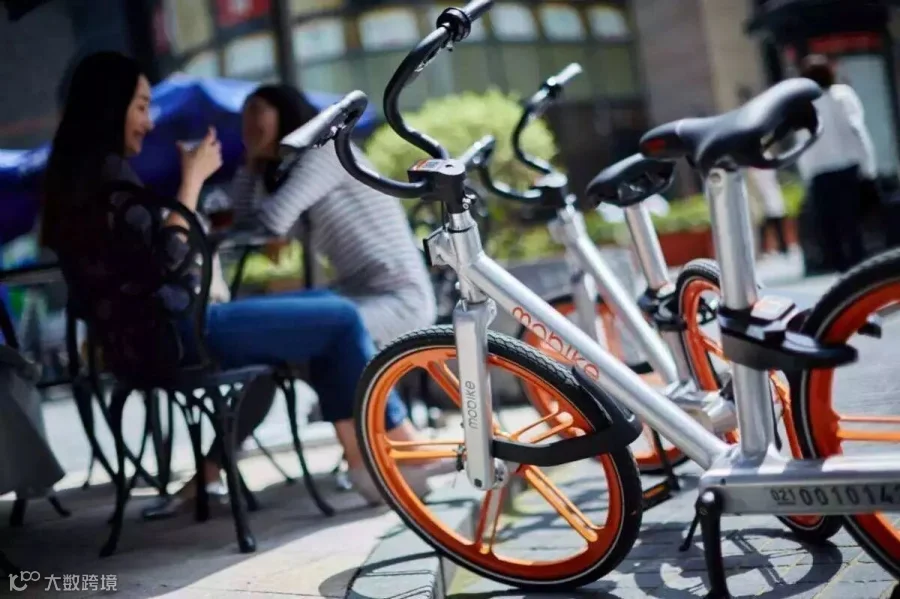
Let HACOS teach you step by step! Here we go!
Steps
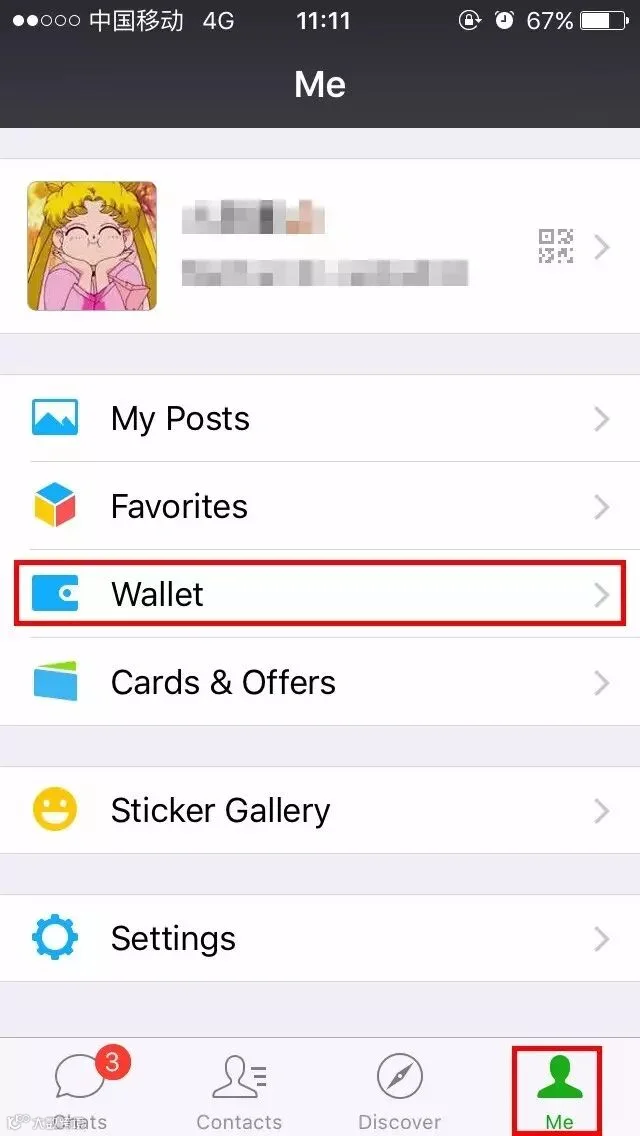
1. Find “Me” on WeChat and then click “Wallet”.
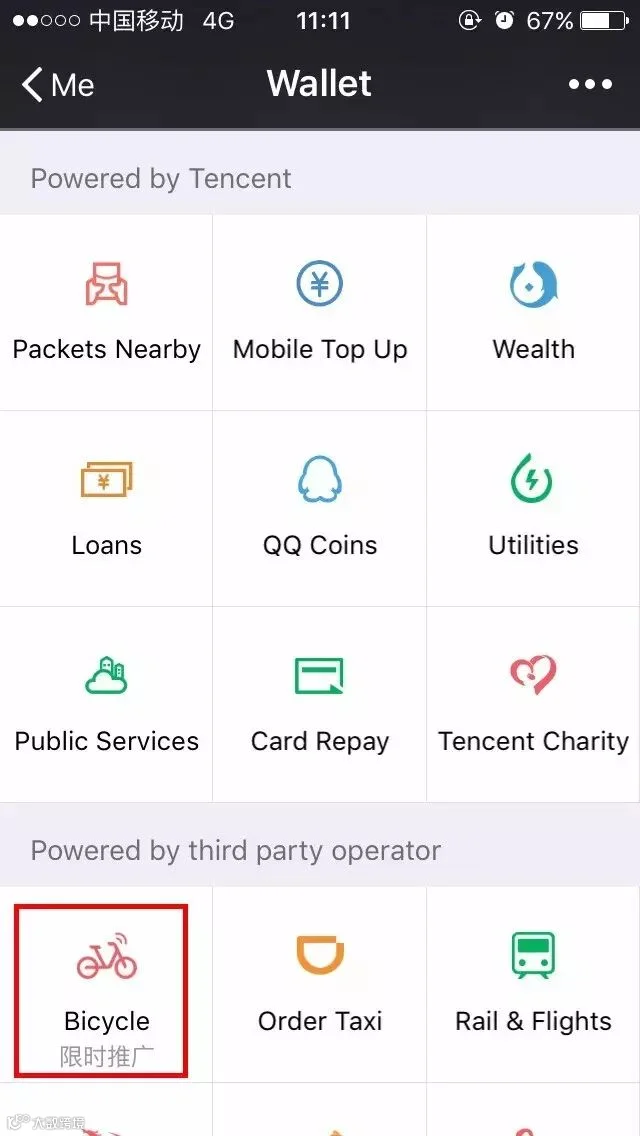
2. Find “Bicycle” and then it will turn to the rental page of mobike.
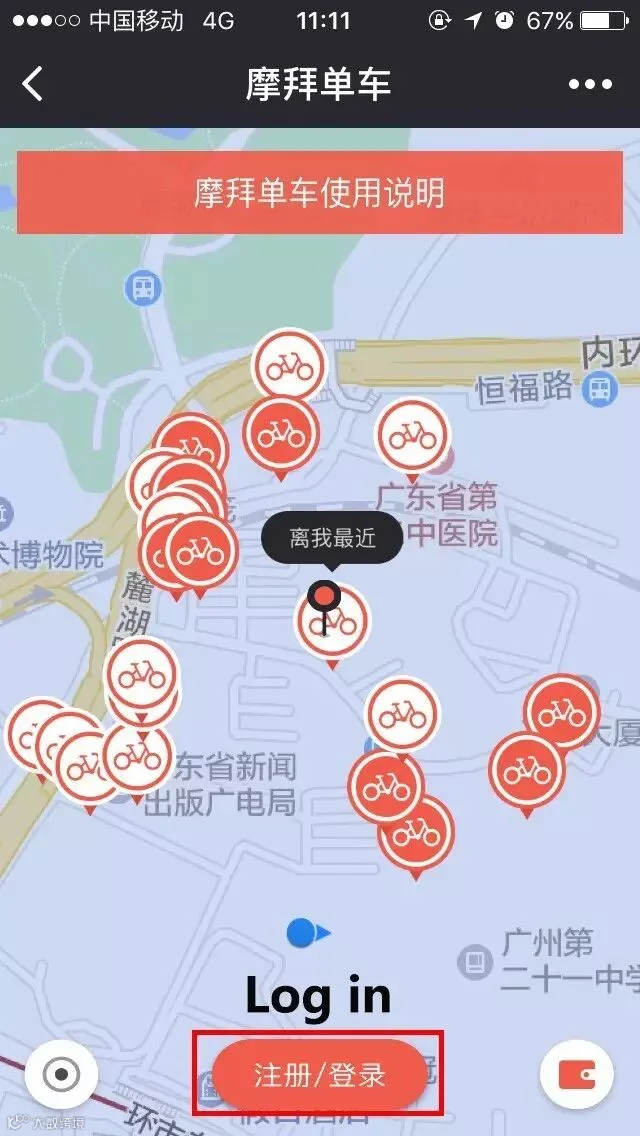
3. Click “Log in”(in Chinese注册/登陆).
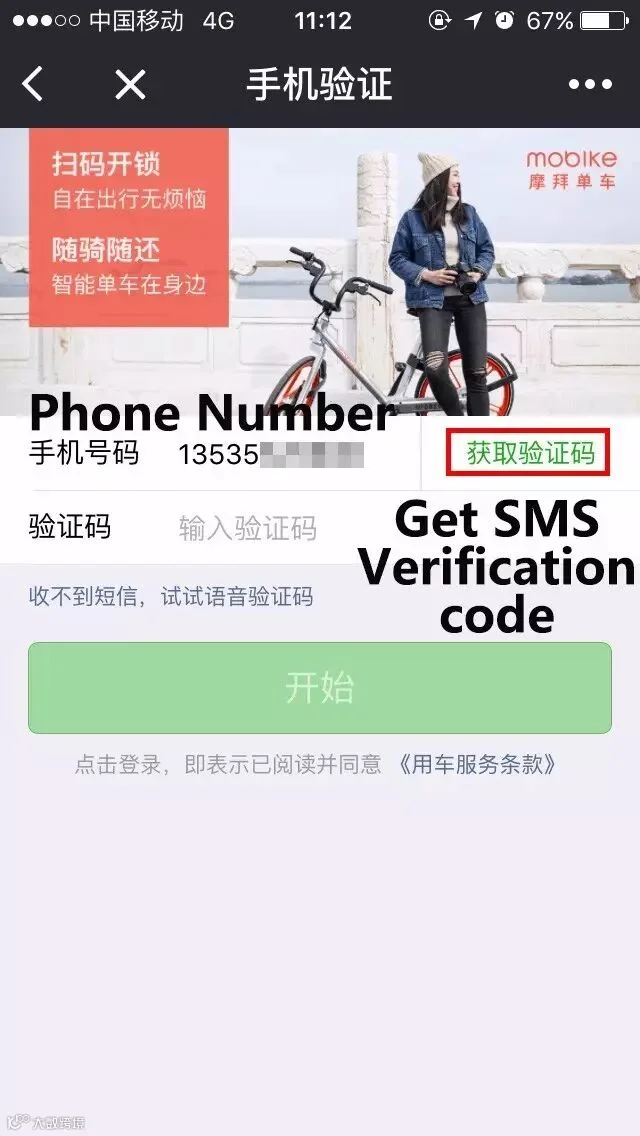
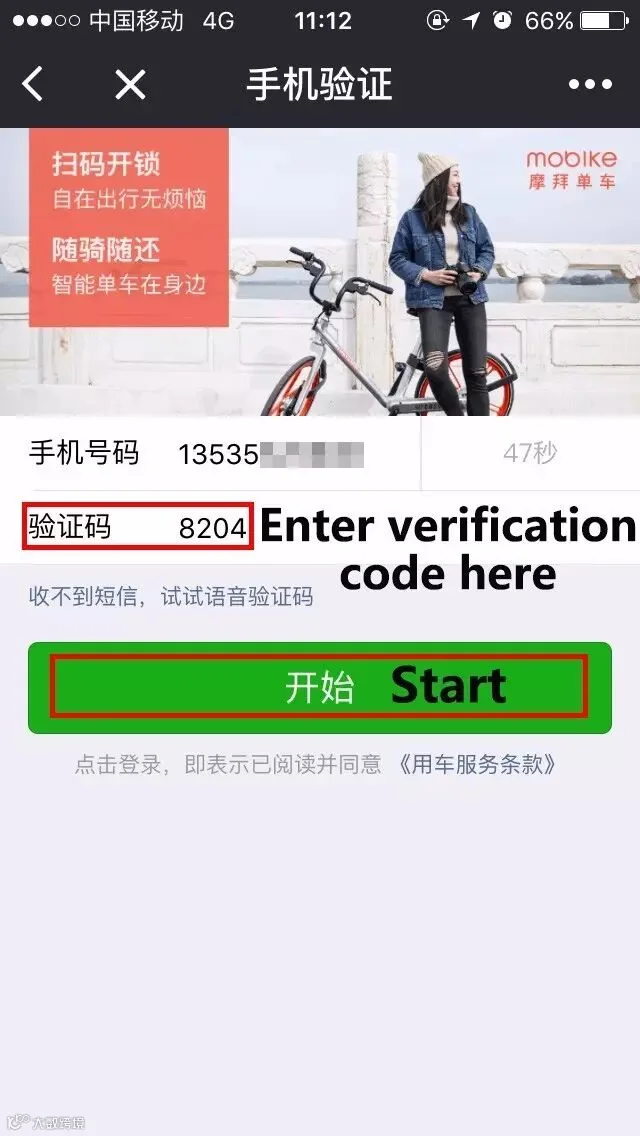
4. Enter your phone number and then enter your verification code according to the message you received.
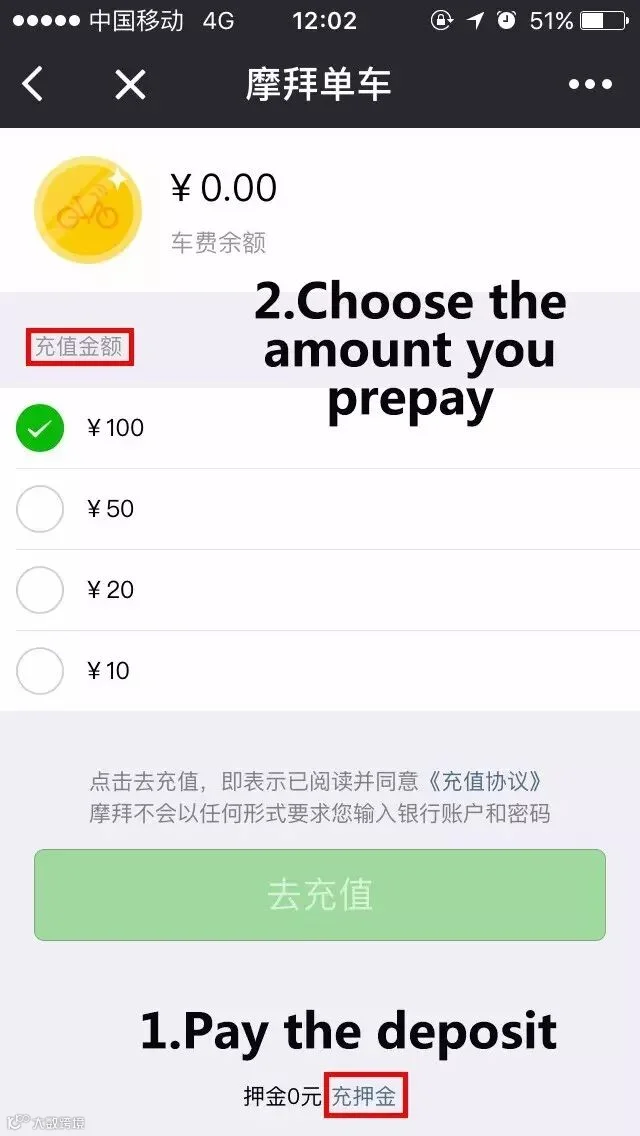
5.Click to the payment page to pay the deposit and prepay the rental expenses.
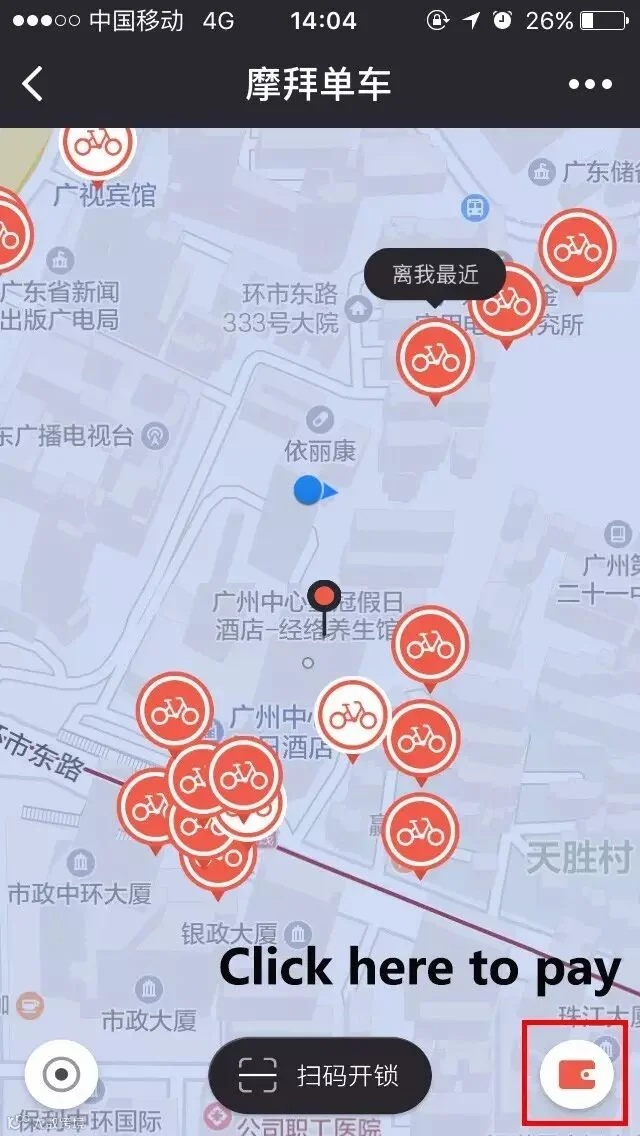
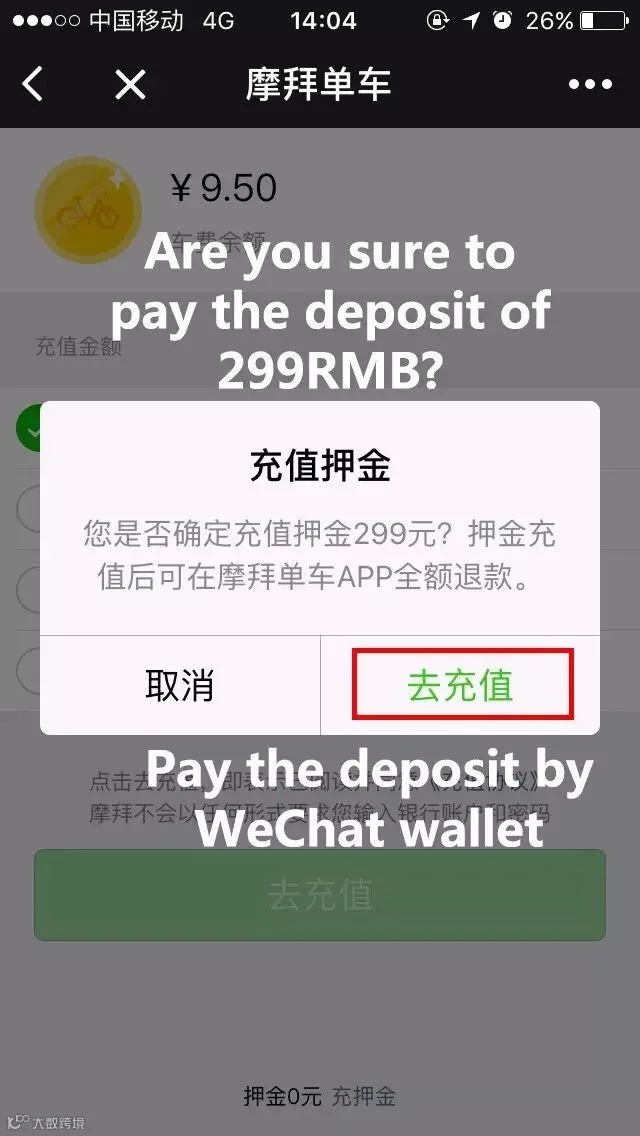
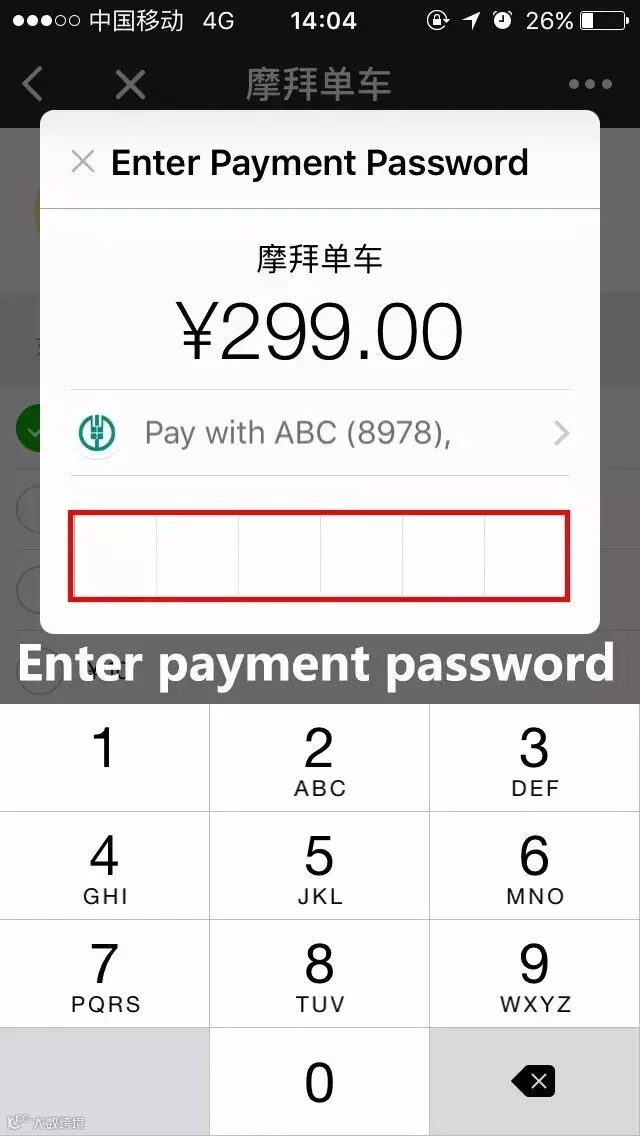
6. Click the bottom as below to unlock the mobike by scanning the QR code on the bike.
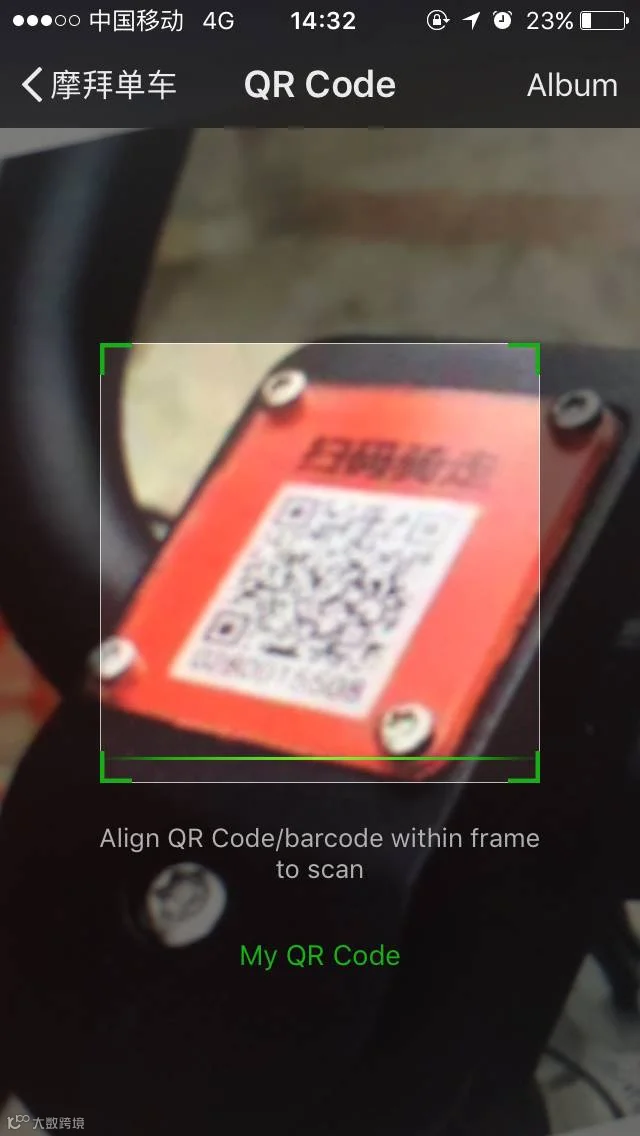
7. You can ride the bike after unlocking. The charge begins as soon as the lock opens.
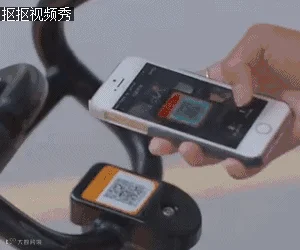
8. Lock the bike when you finish using it and then the charge will stop.
Fee
Deposit 299RMB
Rental Expenses 1-2RMB/hour (according to different mobike types).
Notice
1. The deposit will be refunded to your account immediately after you return and lock the bike.
2. You can choose the amount to prepay the rental expenses according to your usage.(10RMB/ 20RMB/ 50RMB/ 100RMB)
3. If you rent mobike by WeChat then you need to use mobike app to apply for deposit refund currently. That’s a disadvantage.
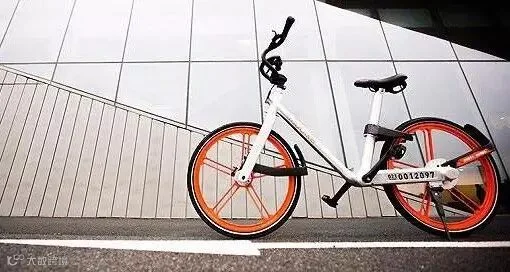
On the whole, it sounds really convenient and awesome,right? Just have a try and tell it to your friends! Start your mobike journey right now!
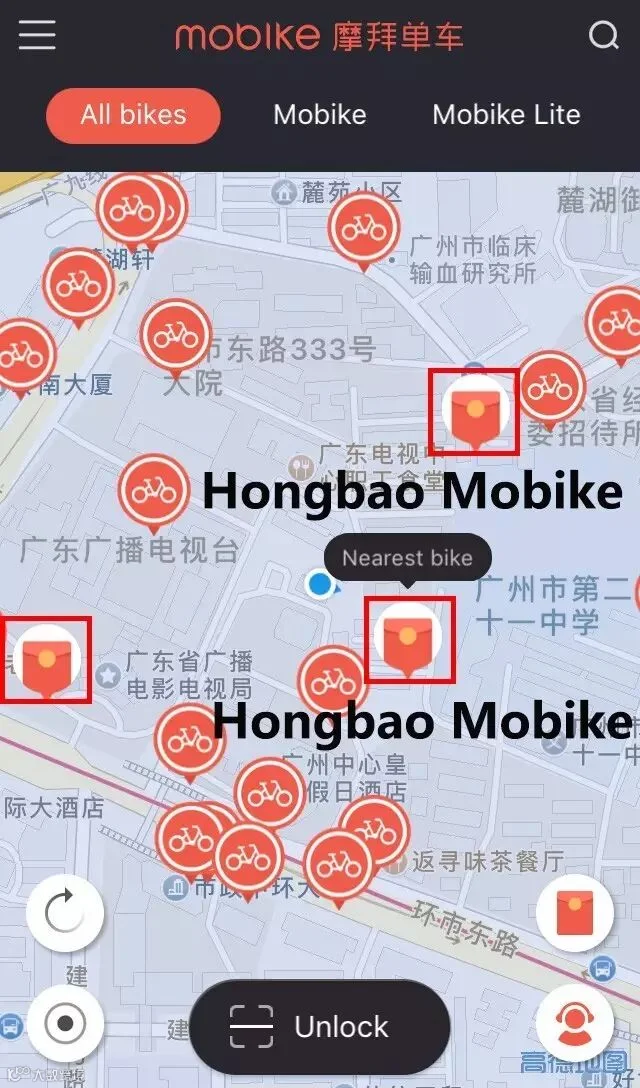
Shh, tell you a secret! If you find a "Hongbao bike" at mobike app, you can get a free ride up to 2 hours and a red packet(in Chinese 红包) for 1-100RMB!
👇To Know About Car-sharing
pics from the internet
HACOS is the original author
please inform us before repost
and indicate the resource
HACOS,Business Services Solutions Master