Recently, WeChat has released a new version of 6.5.10.

As we all know, every time WeChat updating new version will fix the bugs and bring a lot of new features. So what’s fresh of the new version this time? Let’s see!
Disable Moments Notifications
You may feel annoyed when you click "like"  or "comment"
  to someone’s post then receive many many notifications after the mutual friends do the same thing. Now you can disable the Moment's Notifications.
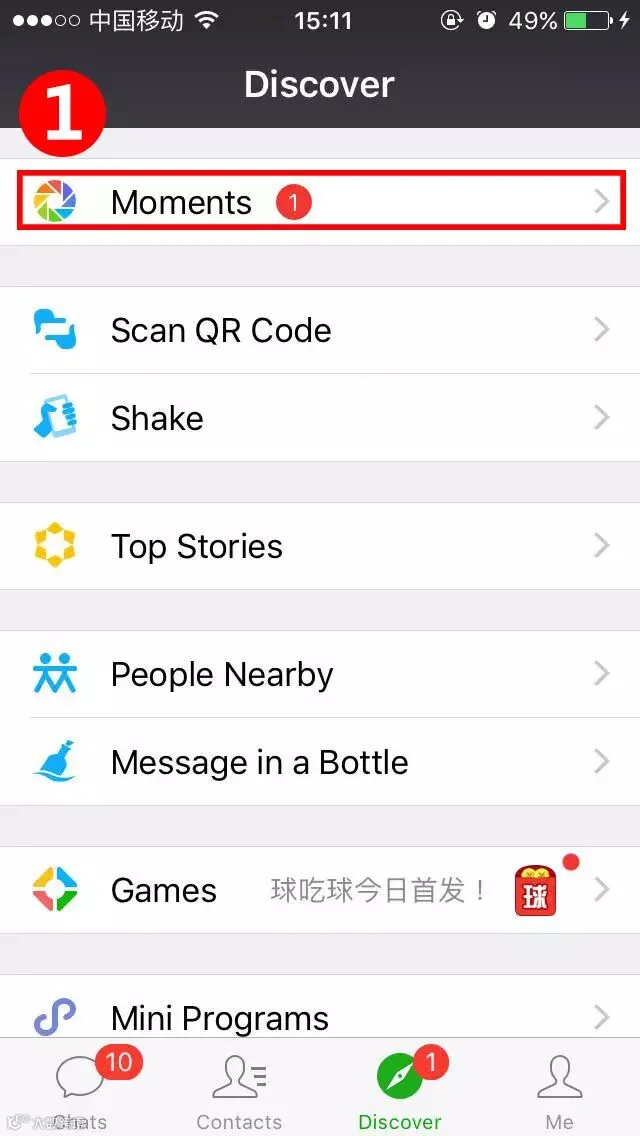
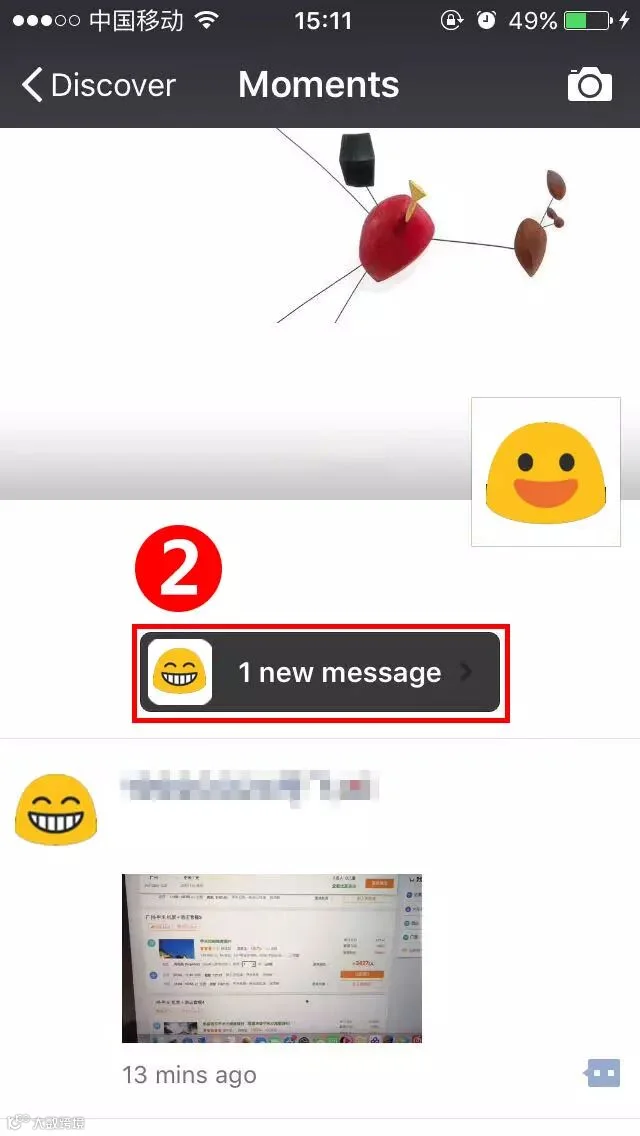
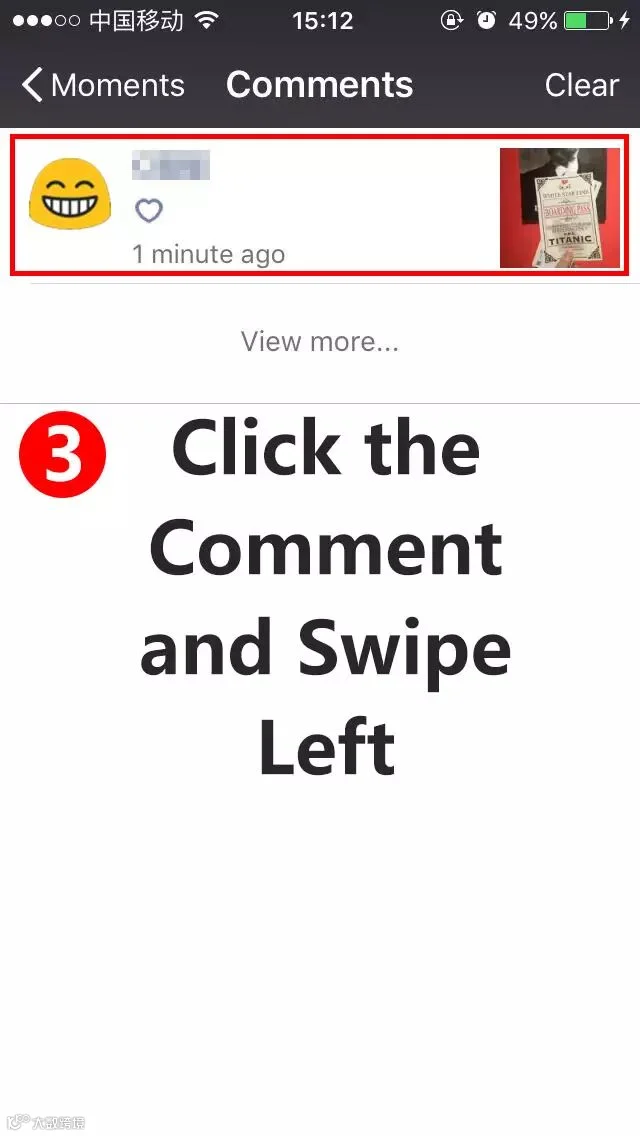
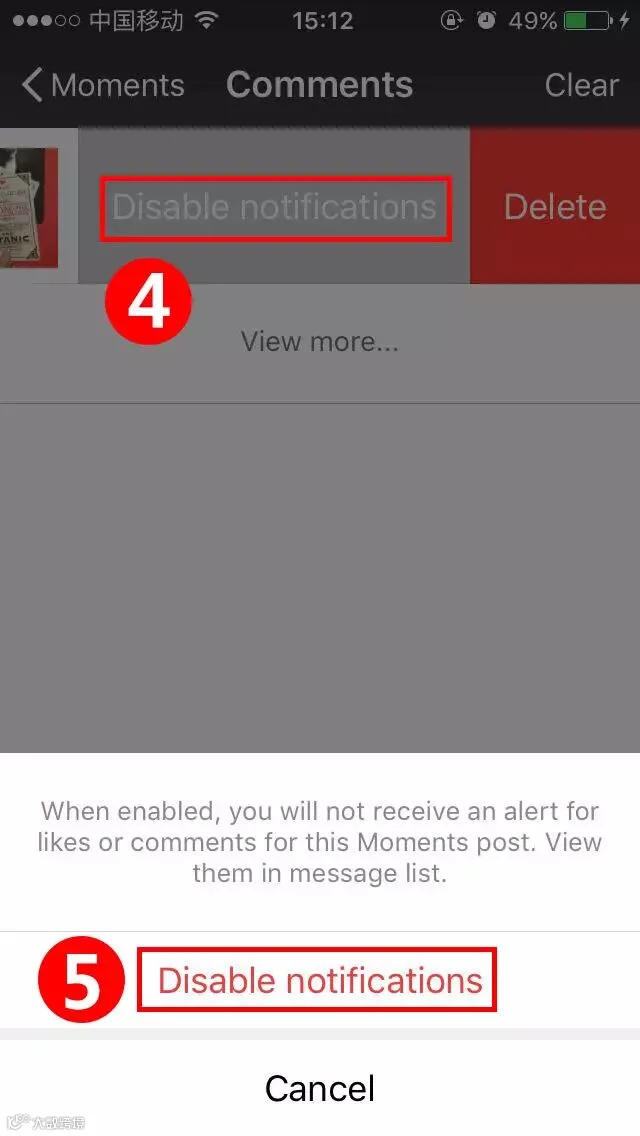
 Roll Down
❶ Tap on "Moments"- "New Messages" you have received then it will turn to a "Comments" page.
❷ Long press to one of the notifications, select "Disable Notifications".
❸ Now it's done. The nitifications will not bother you again and comments or “like” on the message will have a "Grey Bell" icon.
Video Editing Function
Before posting a video to the "Moments", you can add some words, stickers or graffitti on it now!
 Roll Down
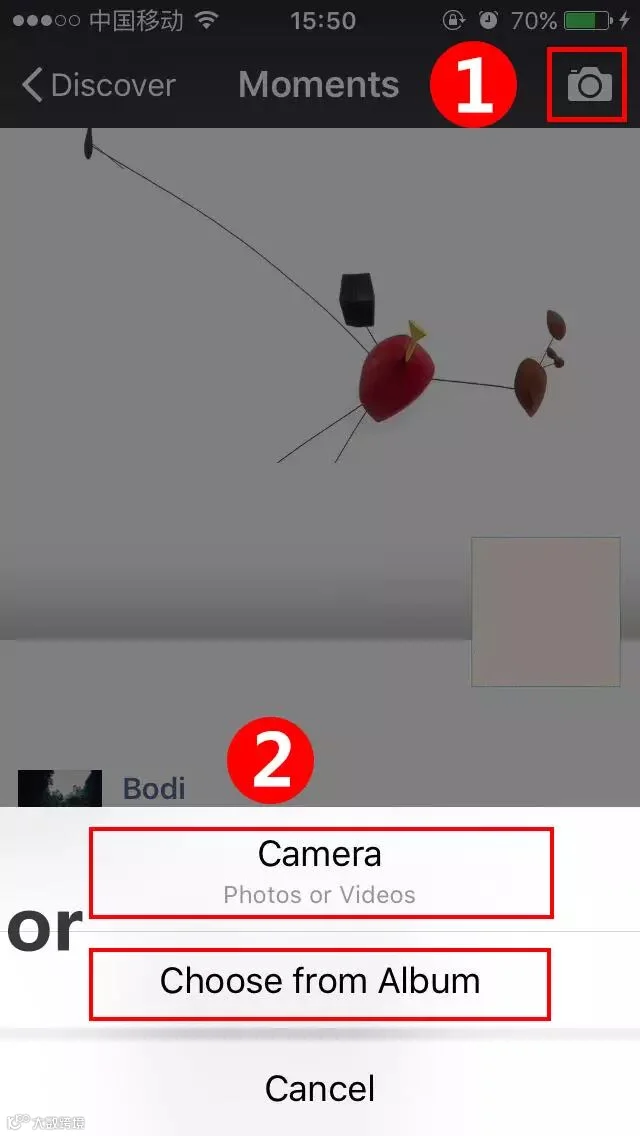
❶ Tap on top left button of "Moments", make a video or choose from album.
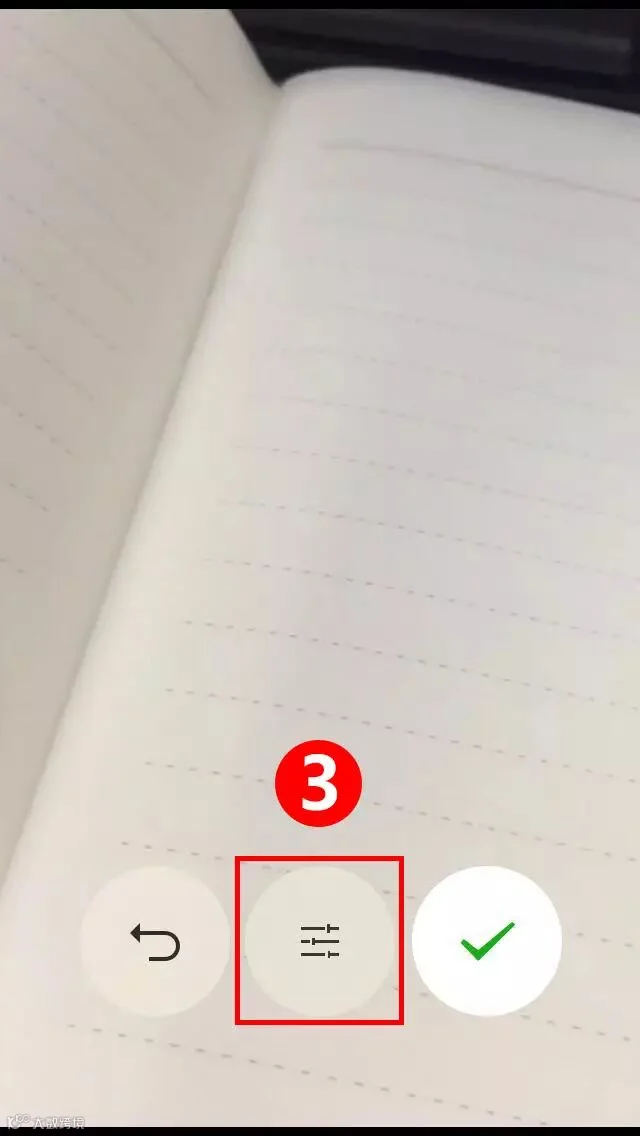
❷ If you choose a video from album, tap on "edit". If you make a new video, tap the middle button to edit.
Now you can make full use to create!
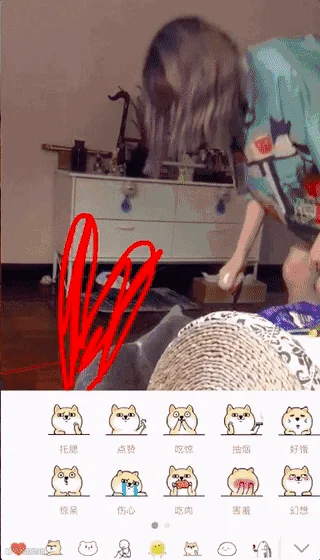
*Only video with a duration less than 10s may be shared via Moments.
Color of Red Packet(Hong Bao)
Sometimes there are a great deal of red packets in the group, especially on the festivals. But you can’t distinguish which one you have opened since all the red packets are the same color.
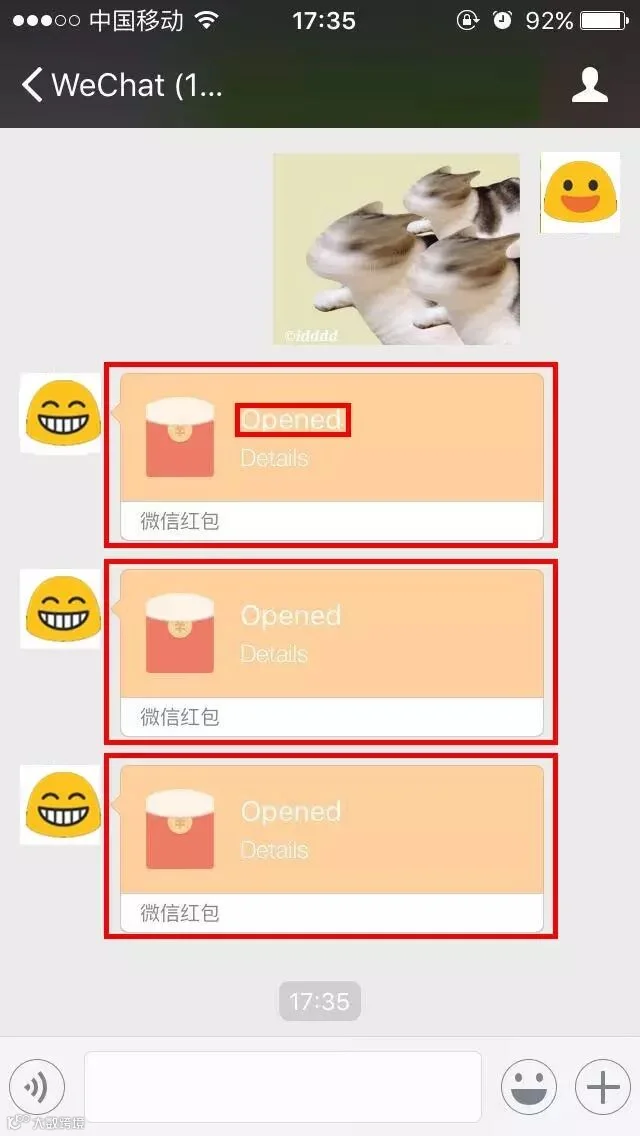
In the WeChat new version, the color of opened red packet will turn into a lighter color and show “Opened”.
Edit Photos More Conveniently
Now you can edit photos from “Moments” or the photos sent by others more conveniently. You don’t have to save the photo, just long press the photo and choose edit. After that, you can choose to send, add to “Favorites” or save to phone album.
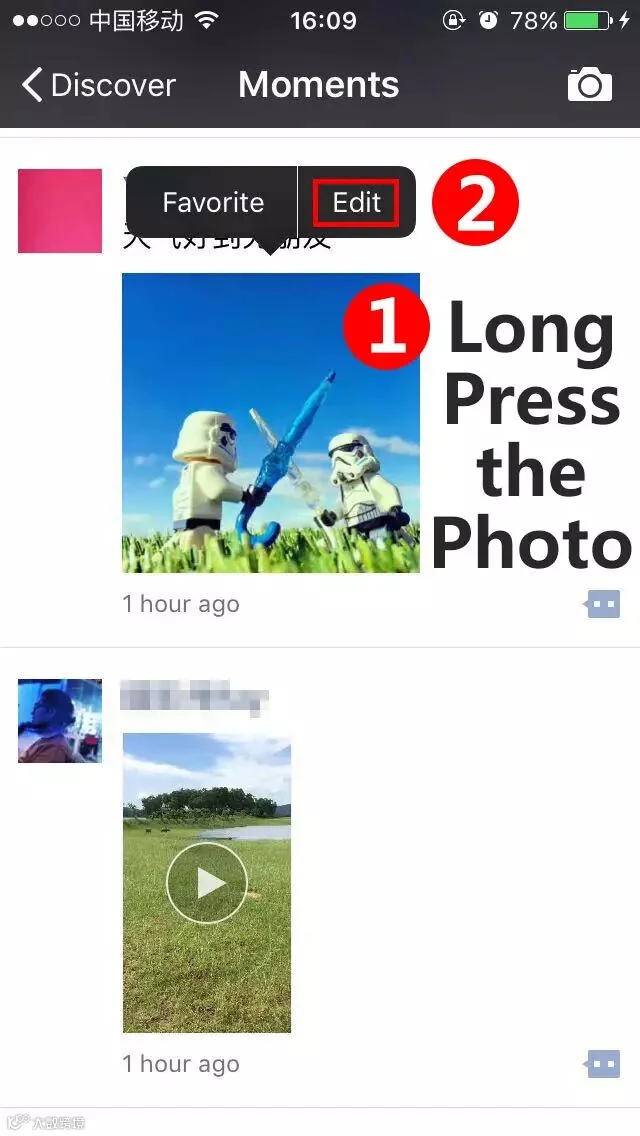
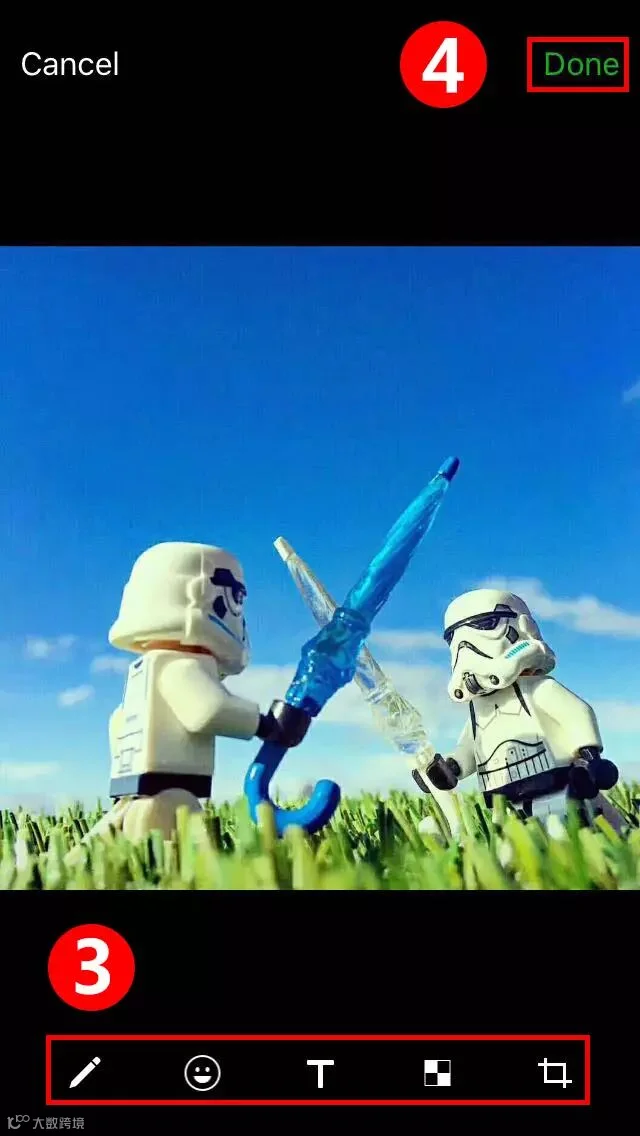
 Roll Down
*If you do not select "Save Picture", the edited picture will not be saved to your phone album. But if you select a picture in the dialog box and send it, then the edited picture will still be automatically saved to the phone album.
Send Note To Others
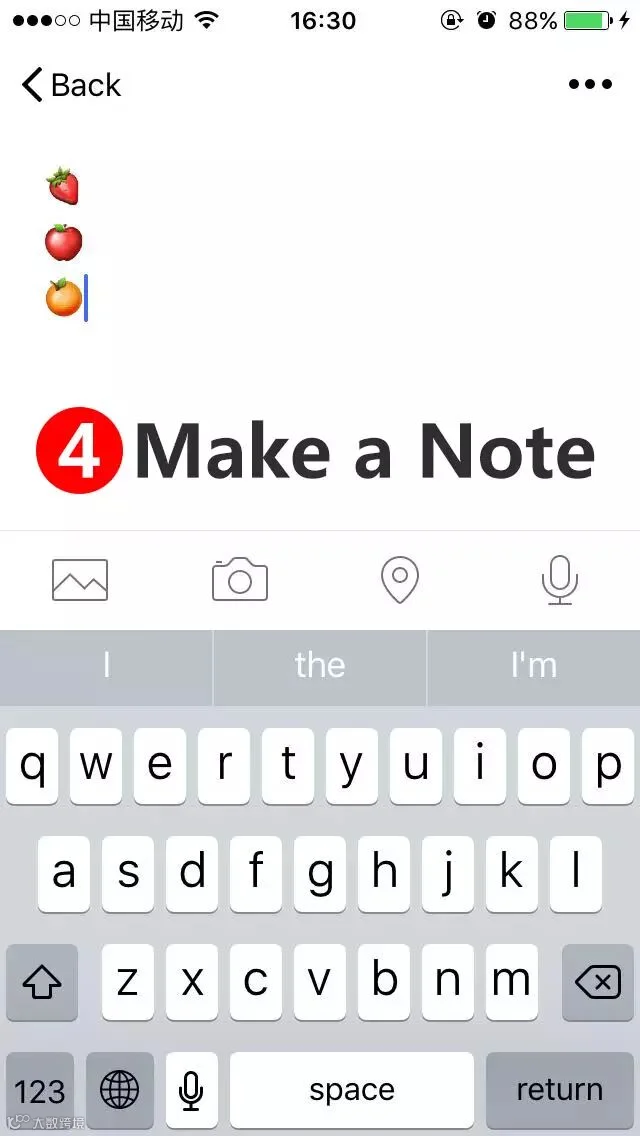
Have you know that you can make a note in "Favorites"?
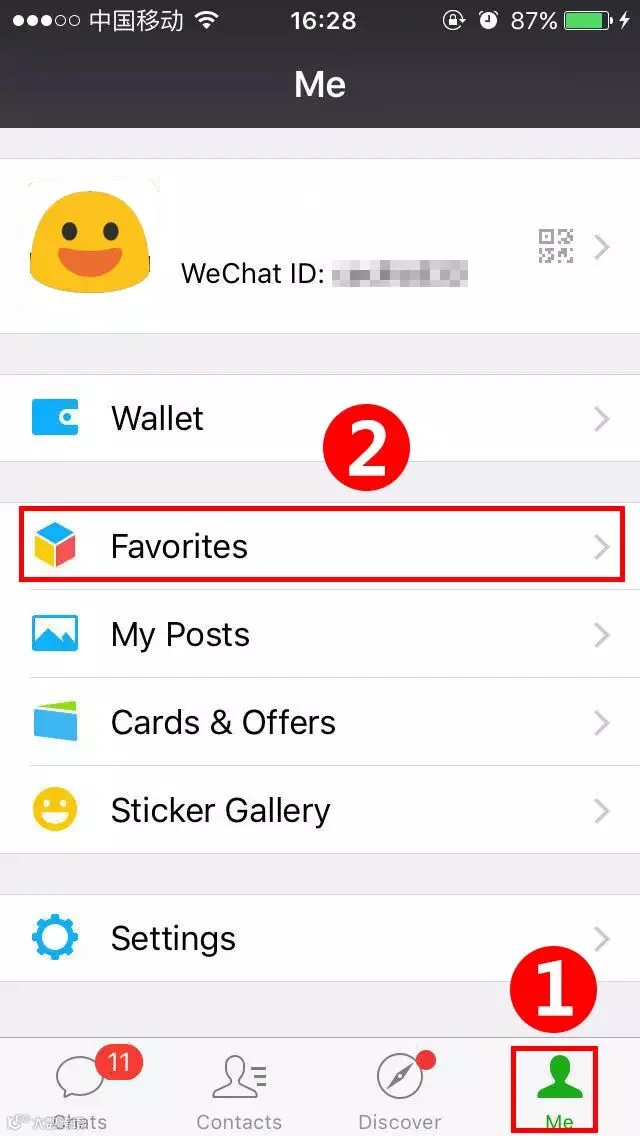
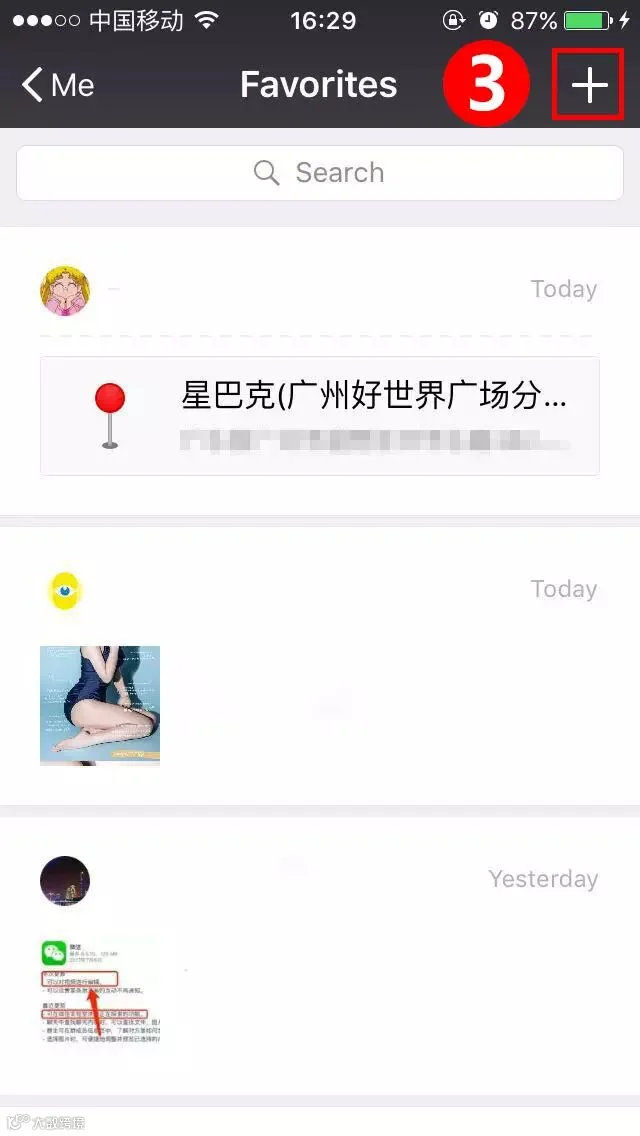
 Roll Down
Click "Me"→"Favorites"→"+" (top right), then you can make a note!
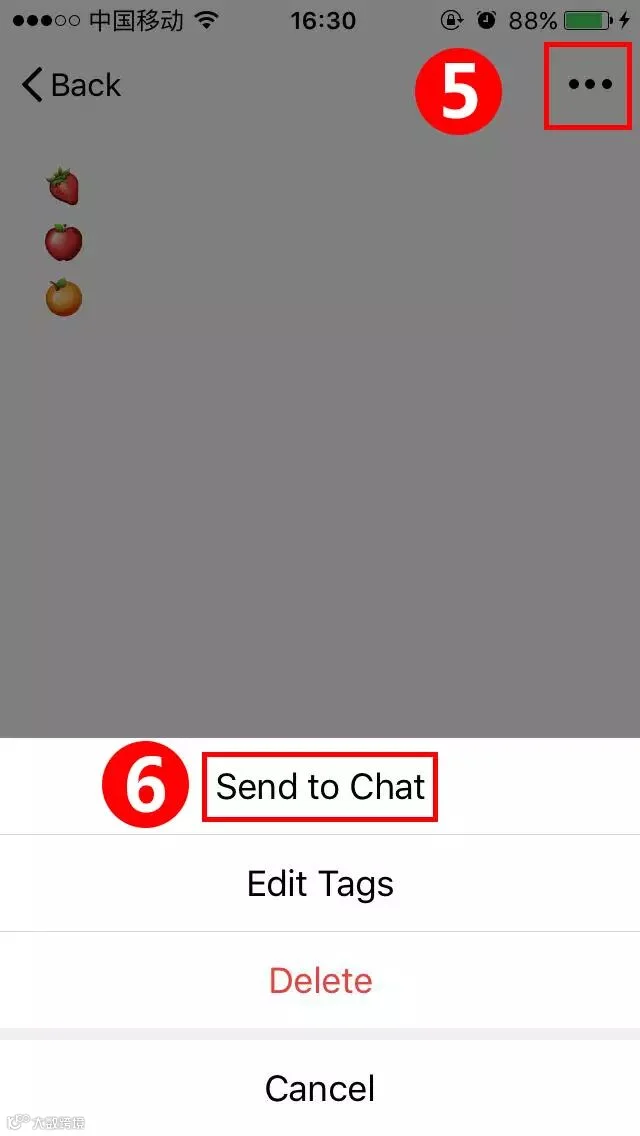
After you finish making a note, you can click "..."(top right), choose "Send to Chat" to send to others.
Are you satisfied with the new features?
Welcome to share with your friends.
Are You Qualified For China Z-visa!
 This 1 Minute Test Can Tell!







HACOS,Business Services Solutions Master