
The WeChat Team has just released WeChat version 6.6.2 for iOS and it contains five new improvements.

1
English Voice Input
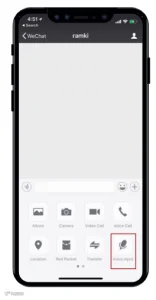
English and other non-Chinese interface users can now use “Voice Input” from within the chat“+”menu to send text messages. Voice input allows users to speak into WeChat in English and immediately convert their words to text so you can send a text message instead of a voice message.
As shown below, tap on “Voice Input” and a “Hold to Talk” button will appear.
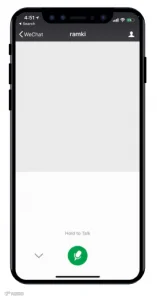
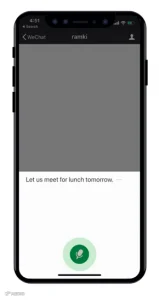
Press and hold the “Hold to Talk” button and begin speaking your message and you’ll see the converted text appear on-screen in realtime.
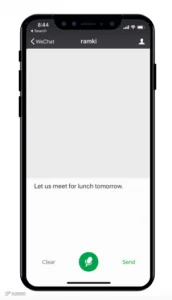
Once your done speaking, you can check and edit you message as necessary before sending the text to your friend. This not only saves time, but is also a convenient way to text long messages or to send text messages when on-the-go.

2
Login Manager
Do you frequently switch two different WeChat accounts on the same device. Now you can use Login Manager by going to “Me” > “Settings” > ”Login Manager” to easily switch to another account.
You will be logged out of your current account (meaning that you will no longer receive system notifications when you receive a message on the prior account) and logged in to the new account.
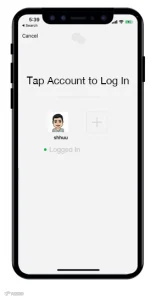
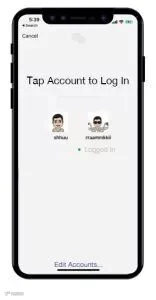
Tap the “+” button and enter your login credentials to log in your second WeChat account.
After logging in to your second account, return to this screen by going to “Me” > “Settings” > “Login Manager” again to easily switch back to your original account.
For your account’s safety, you’ll need to verify your identity by entering a password, SMS confirmation code, or Voiceprint verification each time you switch between accounts.
You can also tap “Edit Accounts…” to remove an account from the Login Manager screen.
3
“Discover” tab management
At WeChat, we work hard to bring you innovative, new features that enrich your app experience. In order to make the WeChat experience more suitable for all users, we’ve added the ability for you to show or hide features that appear in your WeChat “Discover” tab.
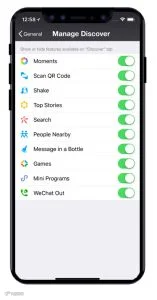
Go to “Me” > “Settings” > “General” > “Manage Discover” and you will have the option to show or hide the various optional features displayed within your “Discover” tab.
4
File size limit raised:
Now send files in chats
up to 100MB in file size
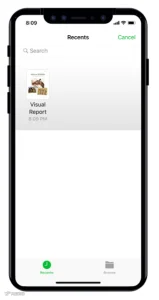
Share files up to 100 MB in size when sending from WeChat’s mobile app . On iOS, a “Files” button has been added to the “+” menu in chats which allows you to select a file from iOS “Files”.

5
Animated GIFs saved to Favorites
will be animated as well
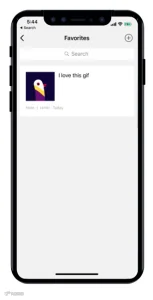
Animated GIFs saved to Favorites will display animated. Previously, saved GIFs would only show the first frame of the animation, but now you can have the whole animated experience within Favorites.
As seen below, adda GIF image from your Photos Album to your Favorites.


Once saved to Favorites, the GIF image will be shown animated.
Source:
Wechat/ ExpatLife.







HACOS,Business Services Solutions Master