WeChat continues to push forward with more ways to connect and communicate. In the latest version, WeChat 7.0.4 is now available on both the iOS App Store and Google Play.

Registration and Login via Facebook Login
Are you registering for WeChat for the first time? In that case, we’ve added a new option that will make Facebook even more convenient: When tapping “Sign Up”, you can now select “Sign up via Facebook” to link your WeChat account to your Facebook account.
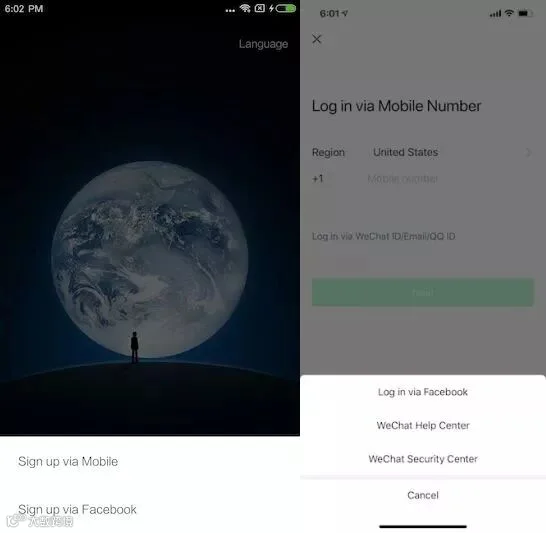
After verifying your Facebook account, you will still need to provide and verify your mobile number. Sometimes, when you opened a new sim card, it may be blocked or registered by others already. So, you can't use it to register.

However, subsequent to signing up via Facebook, you will be able to easily log in to your WeChat account via your Facebook account instead of having to type in a password.

Note: This feature isn’t available in this version now, but we can see it in “What’s new” from App Store”. Hope this available feature will be issued soon to improve communication and make WeChat globally.
Translate images in chats
WeChat is used around-the-world and we want to make communication even easier for our users. Previously, we offered chat message translation-if you receive a text message in WeChat in a foreign language, just long press the message and select “translate” to translate it to your language.
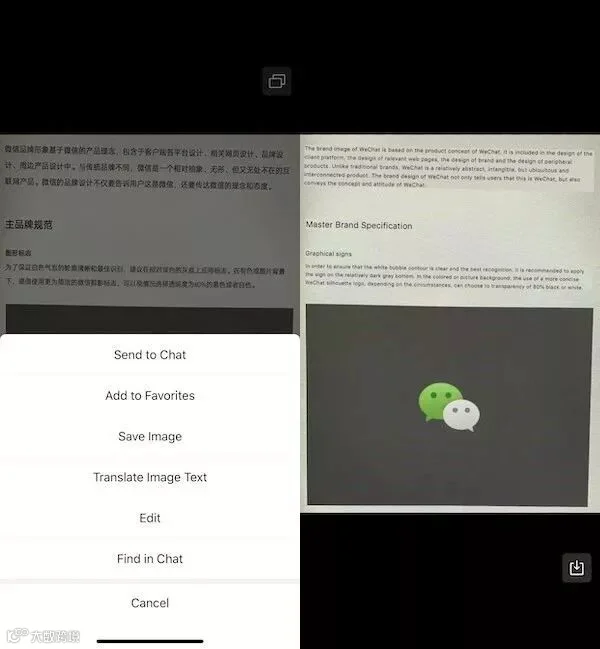
Now, you can do the same for photos in your chats. Open any image in your chat that contains Chinese text, long-press the image, select “Translate Image Text”. Your image will be automatically scanned for Chinese text and will be translated for you in an instant.
NOTE: This feature is initially being released for a select number of users and will be available to all users soon. Translating image in chats is currently only supported for English and Simplified Chinese users. Hope to support this valuable feature in additional languages soon.
Moments privacy options
Now, by going to “Me” -> “Settings” -> “Privacy” you can also set your Moments to only be viewable to others for one month.
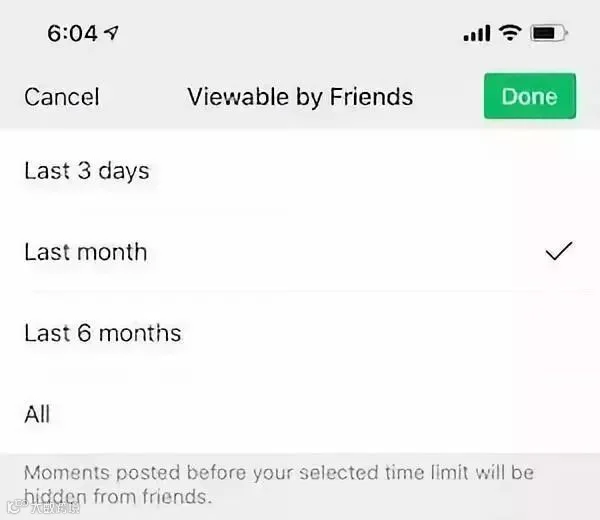
Together, these Moments and Time Capsule offers the best way for you to record your everyday life while still maintaining your personal privacy.
Improvements to Time Capsule
From the “Me” tab, tap the camera icon in the upper right-hand corner to begin recording your own Time Capsule and it will be shared with your friends for 24 hours.
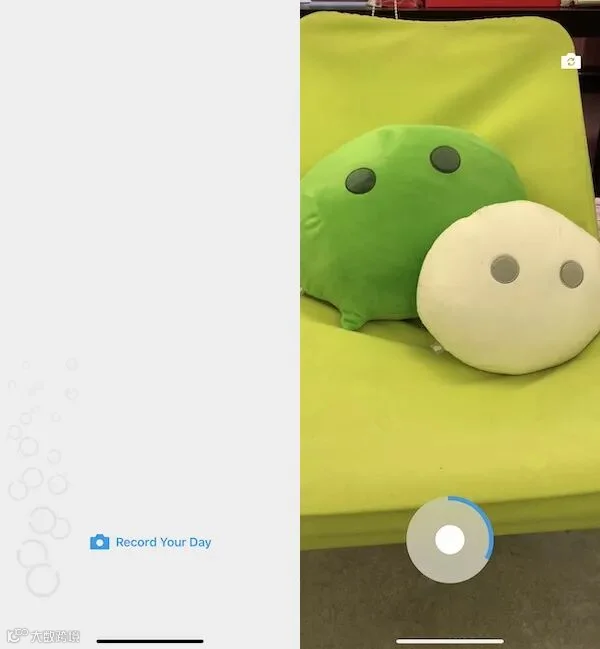
With the latest version of Time Capsule, after capturing a video, tap the music note button to receive a smart recommendation about what song to accompany your Time Capsule. You can swipe left or right to sift through the recommendations.
Already know what song you want? Tap the search bar and search for the song that you want to play in the background of your Time Capsule.
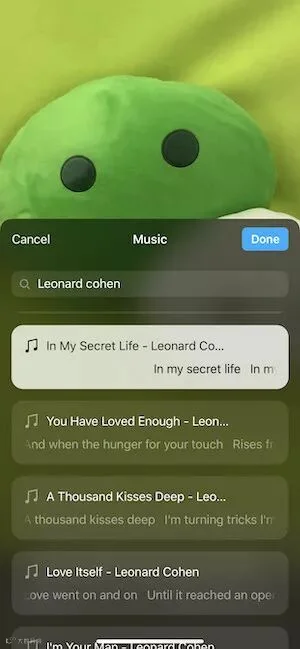
Music makes your short Time Capsule videos even more lively and interesting!
Check out your friends’ Time Capsules by tapping the “Time Capsule” area at the top of Moments. When viewing their Time Capsule, you can now leave a private comment by tapping the Comment bubble at the bottom.
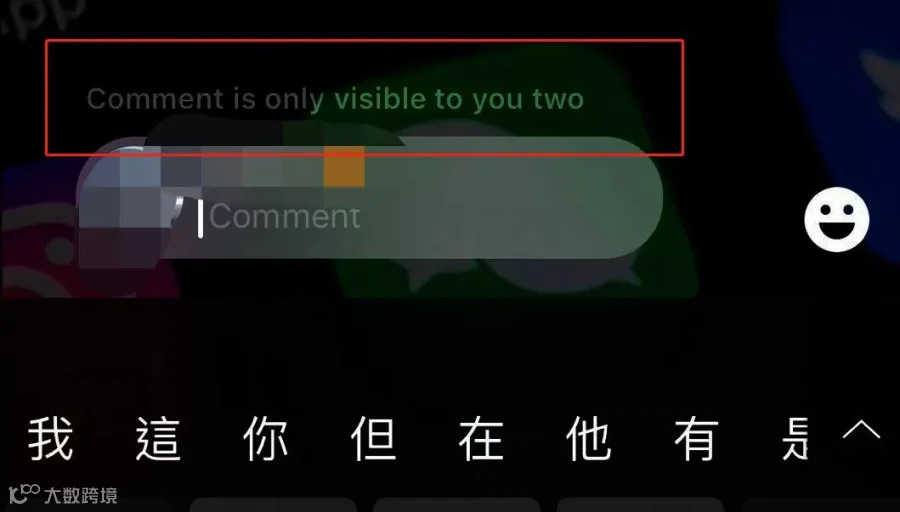
Any comments that you leave will only be viewable by the owner of the Time Capsule so all your comments and “bubble” likes remain completely private!
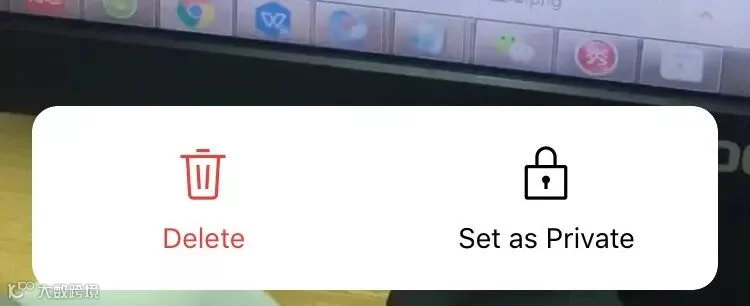
We’ve also added the ability for you to mark a Time Capsule as “private” so that only you will be able to view it. This is a great way to use Time Capsule as your daily video diary available for your viewing only.
Share to let your friends know!

SOURCE |WeChat Chatterbox
 |
Guidelines: Transfer Money Overseas Via Alipay! |
 |
RMB With These Numbers Are All Fake! Pay Attention! |
 |
How Much Money Can I Bring When Entering China? |