If you want to open an HK account, HSBC may be always the first choice. Recently, it has launched the WeChat Banking Service where you can enquire your business account and commercial card information as well as incoming fund transaction details from HSBC via WeChat.
Following features are available via WeChat Banking Service
HSBS WeChat Banking Service offers you a faster and secure way to access to your business account with the following features:
Instantly view and receive information about your business account and commercial card balance, and the latest 3 incoming fund transactions in your Business Internet Banking profile.
Enquire available credit limit, minimum payment and payment due date of your commercial card(s).
Free service available on both Android and iPhone platforms.
Step by step binding guide
1
Step
Follow HSBC Hong Kong Business WeChat Official Account 「滙豐香港商業理財」 (HSBCHKBusiness)
(i)– Search on WeChat
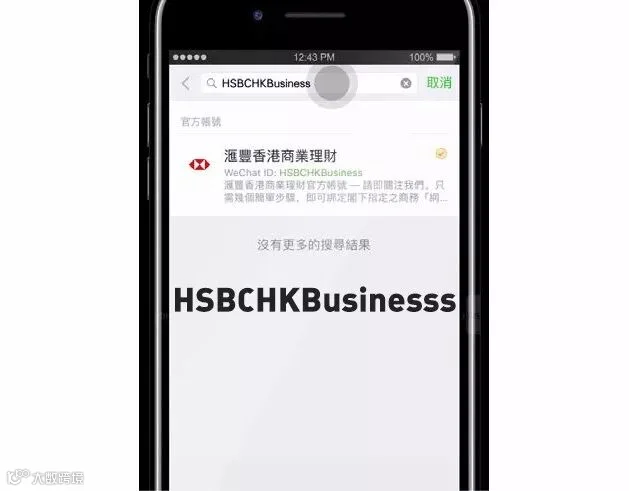
To start, open your WeChat Account on your mobile phone, search Official Account 「滙豐香港商業理財」 or ‘HSBCHKBusiness’, then click ‘Follow Official Account’.
(ii) – Log on to your Business Internet Banking
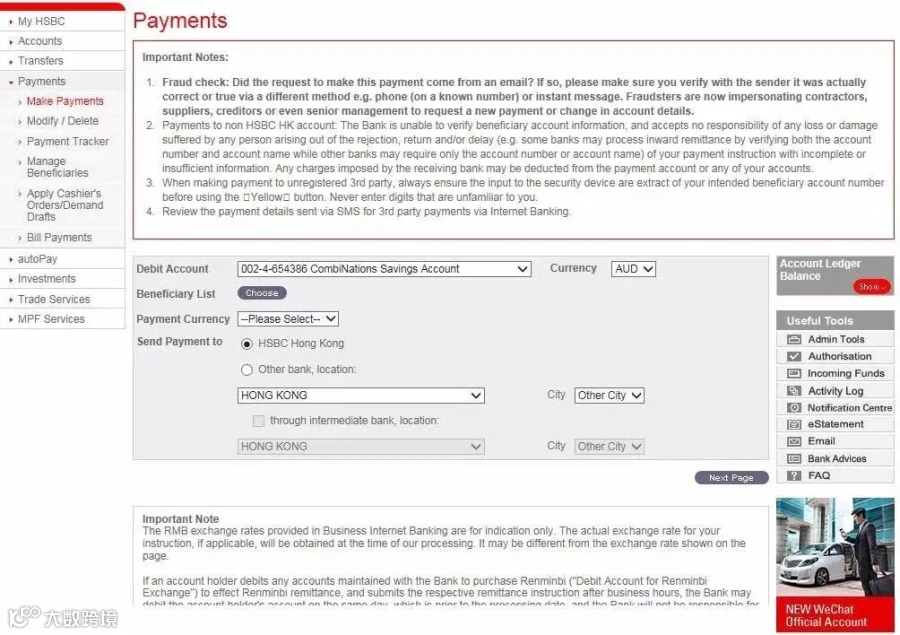
To start, log on to your Business Internet Banking account, click the WeChat service banner on the Payments page in Business Internet Banking and you will go to WeChat Service Maintenance page.
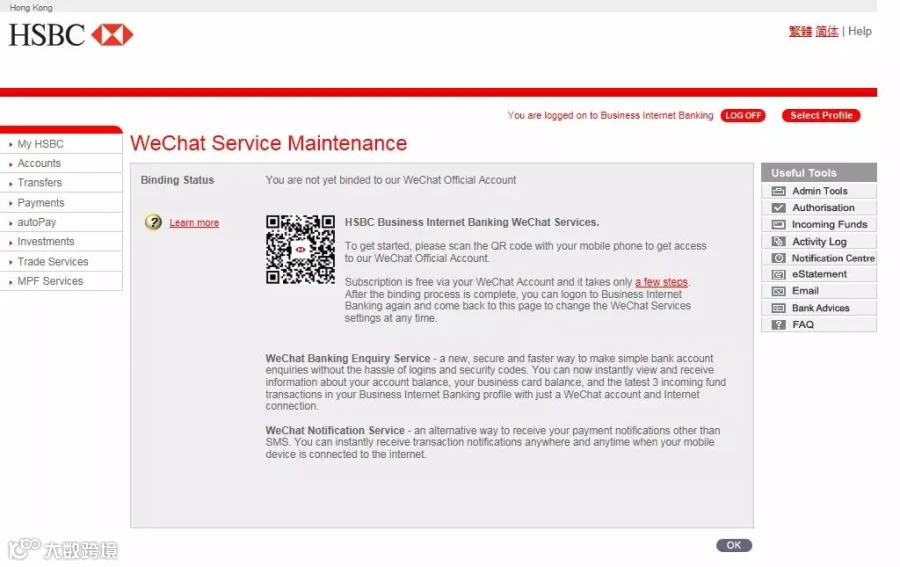
Open your WeChat Account in your mobile, click ‘+’, ‘Scan QR code’ and scan our Official Account QR code on the WeChat Service Maintenance page.
2
Step
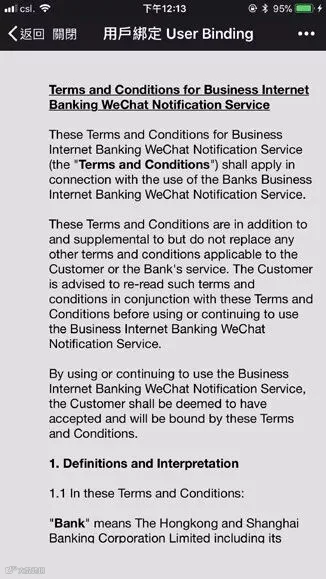
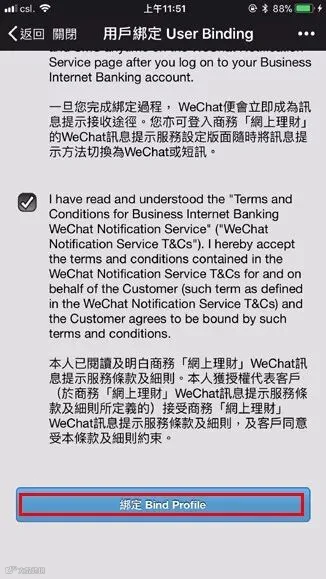
Bind your WeChat account with Business Internet Banking
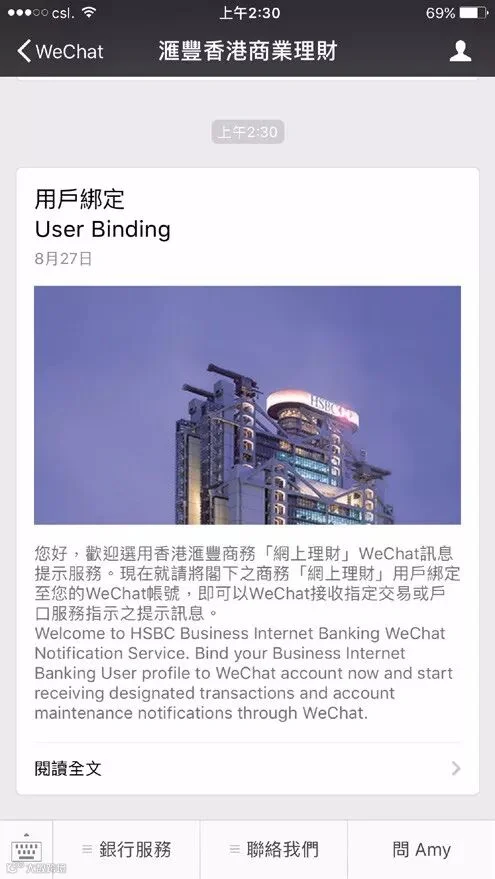
Click User Binding (用戶綁定), follow the instructions and input your Business Internet Banking login to your WeChat account to complete the binding process.
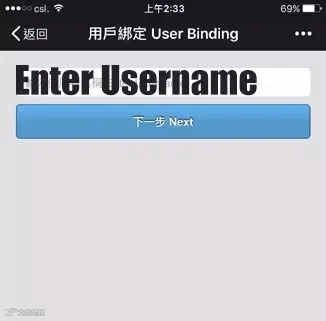
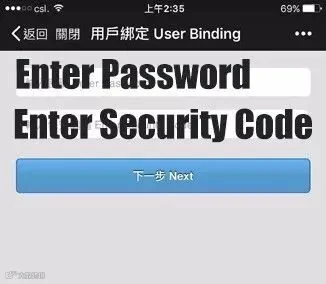
3
Step
Change your WeChat Service Settings (if needed)
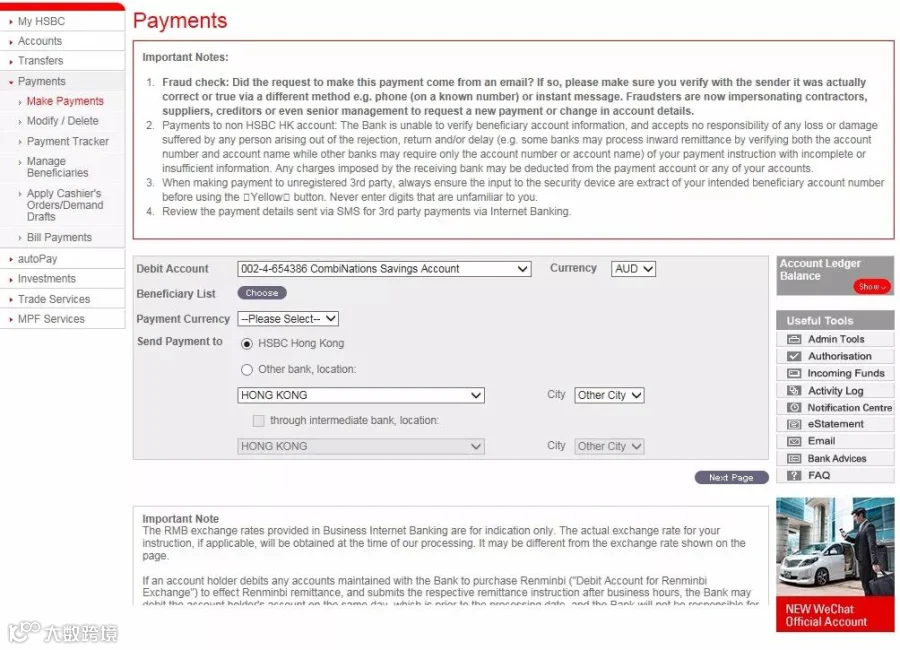
WeChat service banner on Payment page or WeChat Service Maintenance link under Administration Tools in Business Internet Banking.
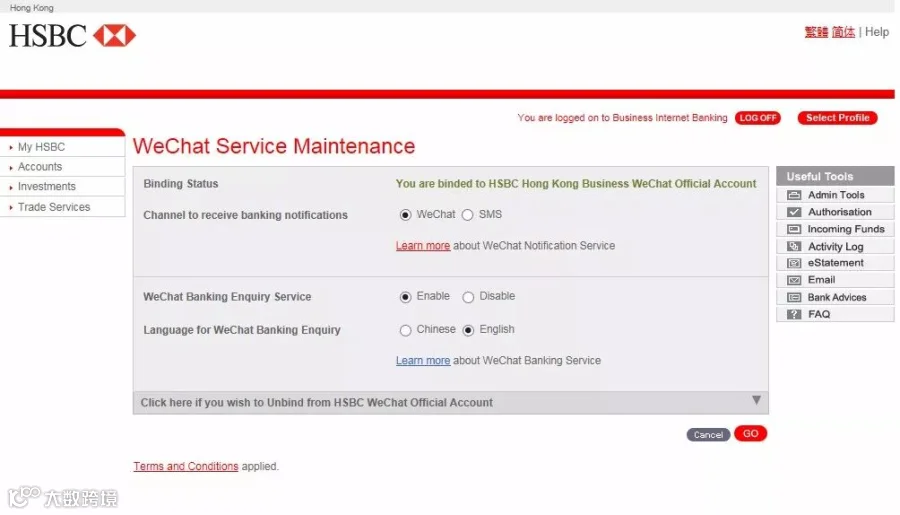
WeChat Service Maintenance Page
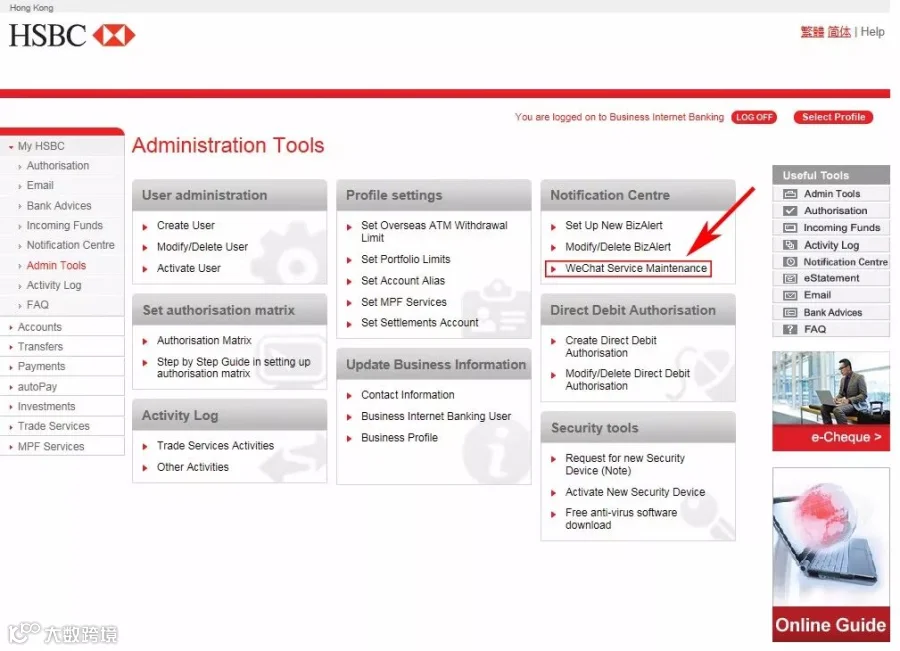
WeChat Service Maintenance
Once you have completed the binding process, WeChat will be the default notification channel and the WeChat Banking feature will be enabled automatically. You can logon to Business Internet Banking again and go to the WeChat Service Maintenance page to change the WeChat Services settings at any time.
Seven Services After Binding
Notice
General notification service can be chosen between WeChat or Message.
Services
Set specified payee
Set payment instruction to other payee
Submit auto pay indication
Handle the auto pay instruction ( generally for payoff )
Issue electronic invoice
Update the Contact Info (Corporation or individual)
Update the notification receiving channel (WeChat or Message)
But the notification of BizAlert sends to user by SMS or e-mail still (1 yuan for per message)
For more information, you can click the link below to know more ↓
https://www.commercial.hsbc.com.hk/1/2/commercial_zh/online-services/faq/wechat
Issued by The Hongkong and Shanghai Banking Corporation Limited







HACOS,Business Services Solutions Master