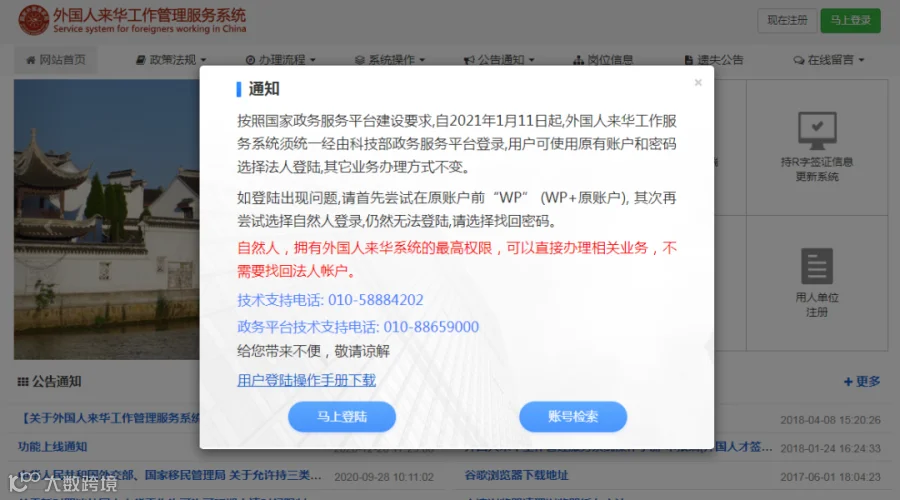
The Chinese government has updated the Foreign Work Permit system. Now those who want to apply for the work permit need to get to a new entry. Let's check the details!
If you want to apply for Foreigner's Work Permit and browse the website of Service System for Foreigners Working in China (外国人来华工作管理服务系统), you will find that the system has been updated and you need to enter the platform via another website.
According to the requirements for building national government services platform, from January 11, 2021, the Foreign Work Permit (FWP) system must be logged in via the government affairs services platform of the Ministry of Science and Technology (MOST).
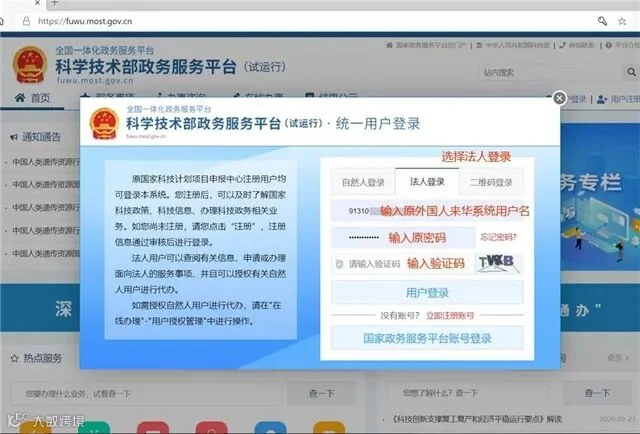
Users can select the “Legal Person” tab and use the original account and password to log in. Process and procedures of other businesses remain unchanged.
Why update?
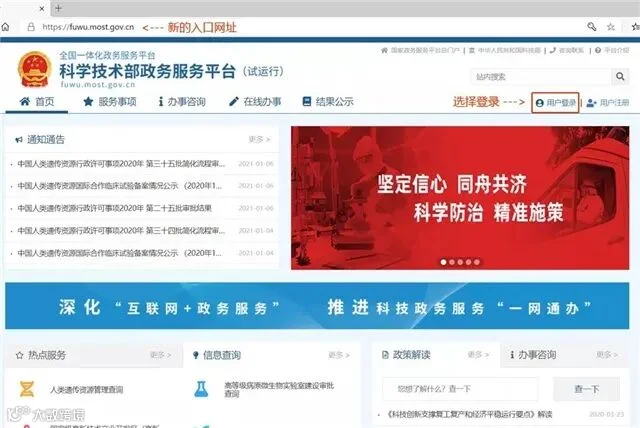
The government has changed the entry of FWP system, the website of the new entry is as follows. For this reason, every company’s FWP account needs to be verified again.
Web: https://fuwu.most.gov.cn/
Which documents and information are needed in advance?
1. Company business license – color scan, up to date.
2. Front and back of Legal representative’s ID card (for Chinese) or Passport (for foreigner) – color scan.
3. Legal representative’s mobile number, office address, email address.
4. Office assistant’s ID card front and back (for Chinese) or Passport (for foreigner) – color scan.
5. Office assistant’s mobile number.
Here are the simple steps to verify the employer's information.
1. Open to the FWP system’s new address:https://fuwu.most.gov.cn/
2. If you cannot log in, please try to add "WP" before your account (WP+username), then select to log in. Still can't log in,try to click “forgot password”.
© Image | GD Today
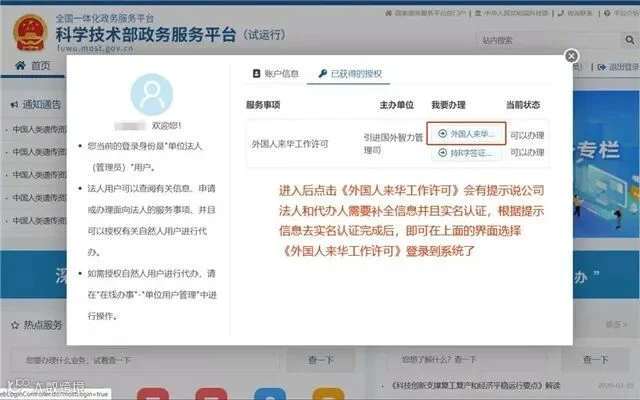
3. Click "外国人来华工作许可" (Foreigner's Work Permit), then you will be asked to complete the information of your company and verify the account. After the verification is finished, you can log in to the system. Your original username and password is still usable.
© Image | GD Today
Last week, we've posted an article about the new guidelines for work permit application in Guangzhou. You can check the following link to get the details.
You can click the "read more" to get to the website. If you want to apply for a Z visa and work permit, please scan the following QR code to contact HACOS consultants!

We will keep following the updates on the latest entry measures and visa policies. Stay tuned!
If you have any questions about coming to and working in China, please feel free to contact HACOS!

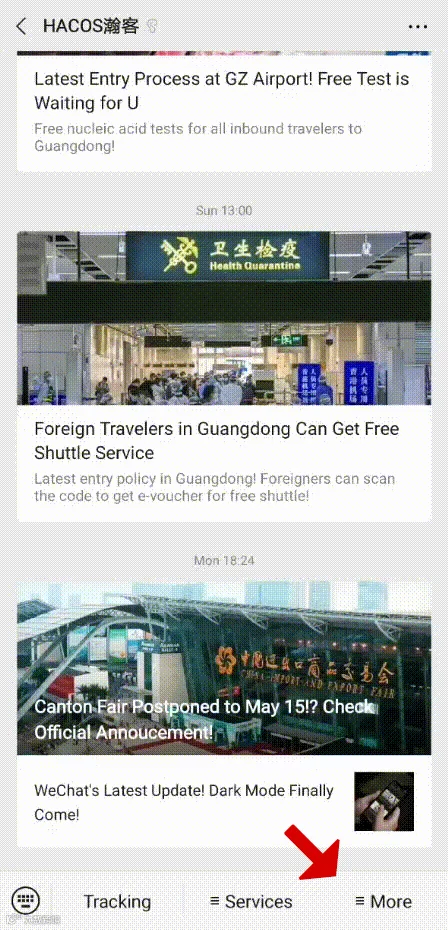
In order to help you reach the latest update on the global pandemic situation, HACOS has set a quick link on the menu of our WeChat page. Follow us, you can check it whenever you want!
Share to let your friends know!

SOURCE | GD Today / China Gov