
In case you haven’t noticed, there are a lot of products on baopals. And by “a lot”, we mean over 800 million. That’s because Taobao is (by far) the world’s largest online marketplace, and we’re bringing it all to you.
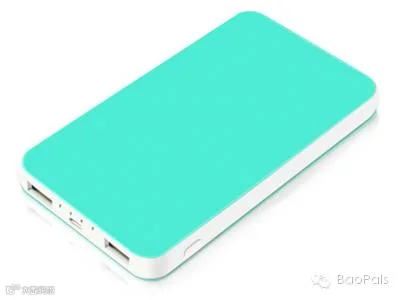
Navigating all of these products from Taobao can present some challenges. For example, let’s say you’re looking for a power bank for your mobile phone – something like this:
¥81.40
Your search might involve some trial and error, as so:
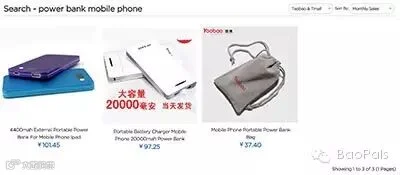
Exact Search for power bank mobile phone. Just three results. Hmmm.
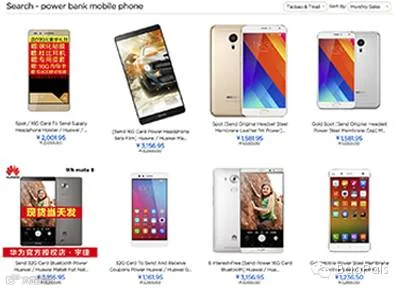
Switch to Translated Search. Lots of results, but they’re mostly mobile phones. Argh!
Filter Tmall Only. Ah! Over 10,000 power banks. Now we're talking!
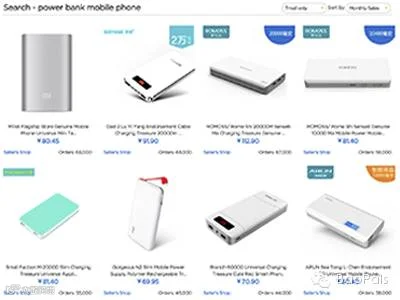
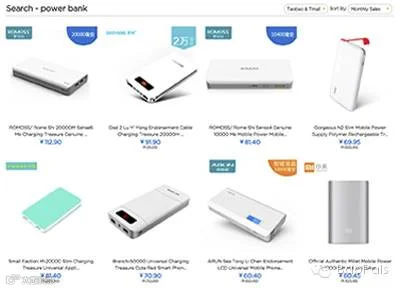
Translated Search for power bank also gives great results. When in doubt, cut words out!
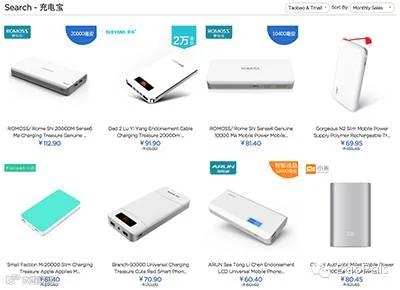
And Exact Search using Chinese words (充电宝 for power bank) also works very well.
So with a bit of experimentation, you should be able to find what you’re looking for. But since searching can at times be troubleseome, we’ve created a wide range of departments and categories to cover every product you might want. And sure enough, we’ve made a category for mobile phone power banks. You can get to this category through baopals’ Electronics department.
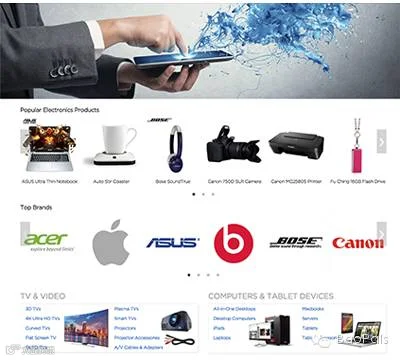
Cell Phones & Accessories Category:

Power Banks category (over 10,000 products):
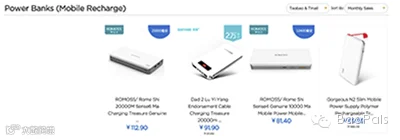
When viewing search results or a specific category, you can filter by Taobao & Tmall or Tmall Only. Products for Taobao & Tmall are automatically sorted by monthly sales volume. If you prefer, you can choose Tmall Only to filter by verified sellers. If you choose Tmall Only, you’ll see additional filters for product types, as well as more sorting options (popularity, price, etc.).
To sum up, searching for products on baopals isn’t perfect, but there are a few things you can do to make life easier:
Make use of baopals’ departments – we’ve done the hard work so you don’t have to!
Keep the number of words you enter in the search bar to a minimum.
You’ll typically find more results with Translated Search, though some things get lost in translation. If this happens, try Exact Search.
When searching for a specific brand or product name, or when using Chinese, use Exact Search.
Using Tmall Only gives you more filters and options for sorting products.
Currently on mobile phones, all searches are translated search, but exact search will also be available on mobile soon.
Welp, that’s it! Head on up to the search bar, or to the department of your choosing, and find all the things!
Follow baopals on WeChat for updates, promotions, and live support: