导读:You can now save your favorite sellers and more with Baopals Favorites.
GO TO BAOPALS
You asked, we listened. In addition to saving your favorite products to Collections, you can now save all of your favorite sellers on Baopals too!
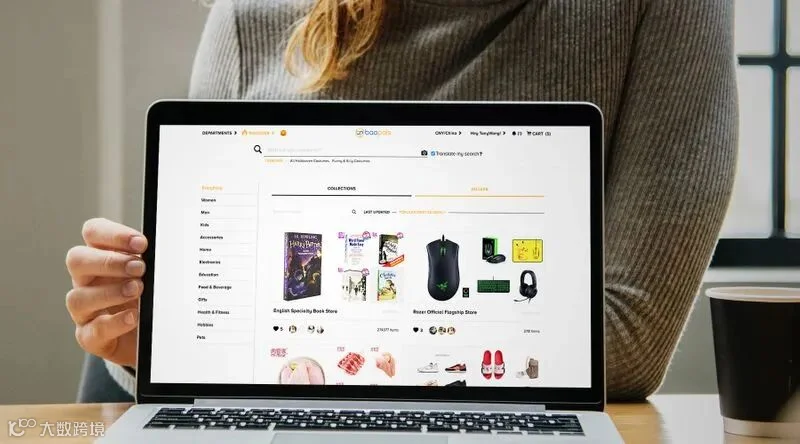
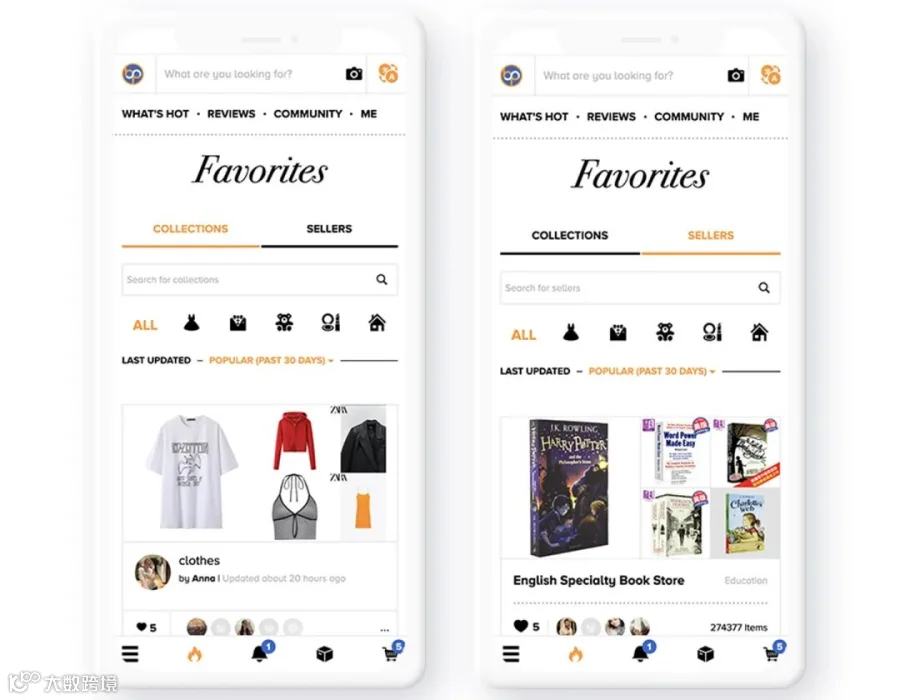
You can browse the most popular sellers as well as public collections in the Baopals community through the all new Discover Favorites page. Sort by popularity over different time periods and also filter sellers and collections by categories such as Women, Men, Health & Fitness, and many more.
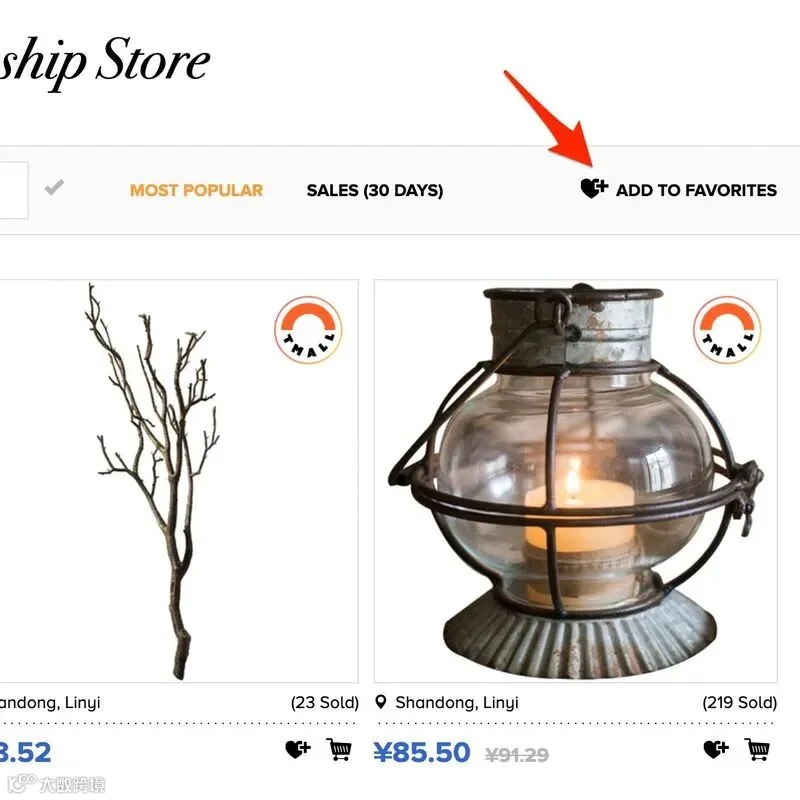
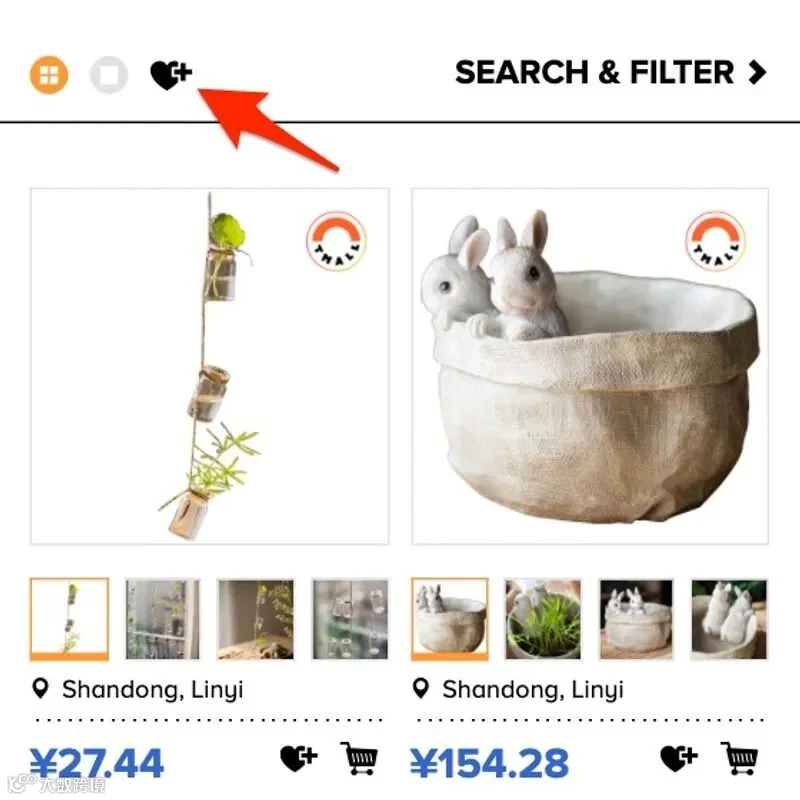
Adding a seller to your favorites is simple. Go to a seller's shop page and look for the "Add to Favorites" at the top right of the page on a desktop screen, or use the heart icon at the top left on your mobile device.
You can get to a seller's page by clicking a seller name wherever you see one, such as on a product page or your order history. When searching for products, you can also click the Taobao, Tmall or Express badges to go to a seller's page.
From the Discover Favorites page, you can also click the heart icon on any sellers to quickly add them to your favorites.
Your favorite sellers will be saved on your Profile & Favorites page along with your collections. Just use the "collections" and "sellers" tab to switch between the two.
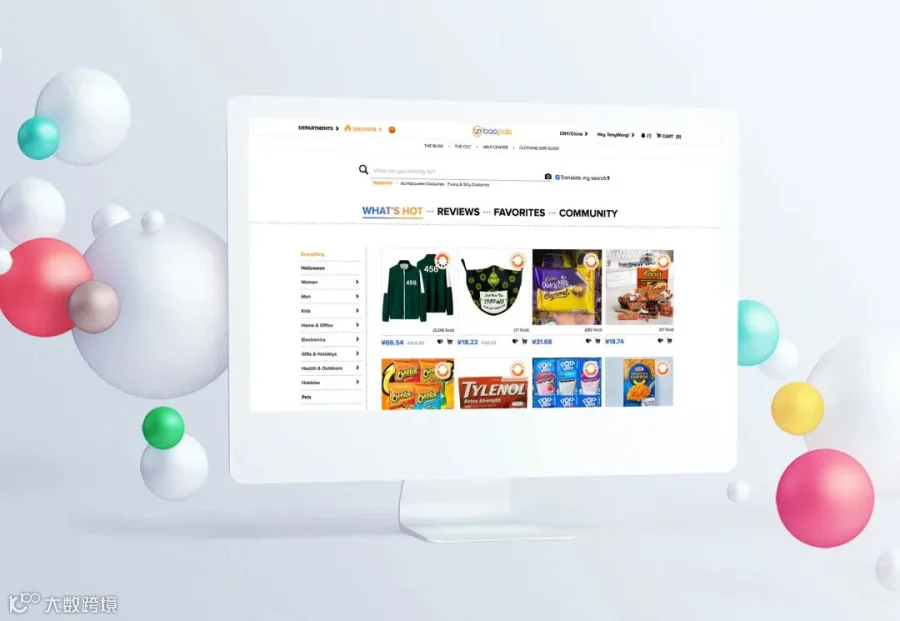
If you haven't yet, be sure to explore the rest of Baopals Discover. On What's Hot, check out the latest trending products across dozens of categories. On Reviews, browse the latest and most upvoted Baopals customer reviews and even search key words to find reviews of specific products. Community is where Baopals shoppers can ask and answer questions to help one another find anything and everything on Baopals.
As an added bonus, all of your activity in Discover earns you Baopals commissions for any sales, and Fortune for upvotes and comments!
You can always find Discover by clicking the fire icon 🔥 in our menu on desktop or mobile devices.
MORE FUN! BAOPALS IS NOW SHIPPING TO THE USA!Read5 EASY WAYS TO EARN MONEY ON BAOPALSReadUSE PICTURES TO FIND PRODUCTS ON BAOPALS!Read
【声明】内容源于网络
0
0
Baopals
We’re here to help you find and buy whatever you want in China.
内容 1559
粉丝 0
Baopals
We’re here to help you find and buy whatever you want in China.







 Baopals