


You probably find most products on Baopals in one of two ways: searching for them, or browsing Baopals' departments. But there's another useful way to find products, especially when searches aren't yielding the right results, or enough of them.
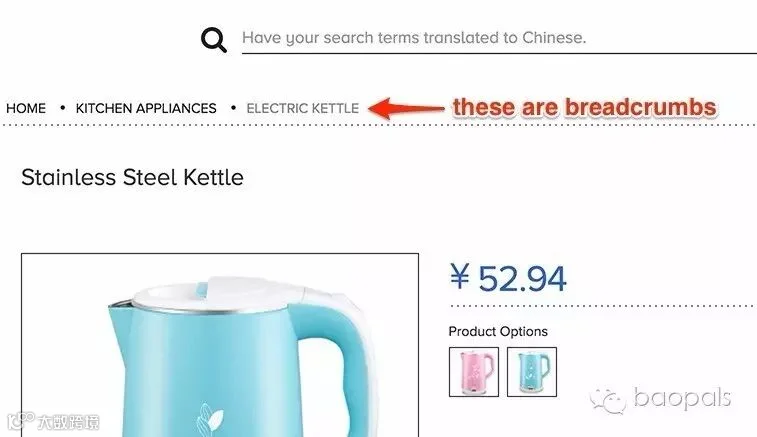
Breadcrumbs are what we call the navigation links near the top of any product page. They show you Taobao/Tmall categories and subcategories that your product is grouped in.
In some cases, breadcrumbs can be the best way to discover products in a particular category. For example, let's say you're a fan of all things business and tech, and you want to browse English books on these topics. Searching isn't bringing much luck because most of the results are Chinese, and when you add "English" to the search you often get English-learning books.
So you get more specific and try a search for business magnate Elon Musk - and, being the savvy searcher you are, you deselect "Translate my search" to keep his name in English.

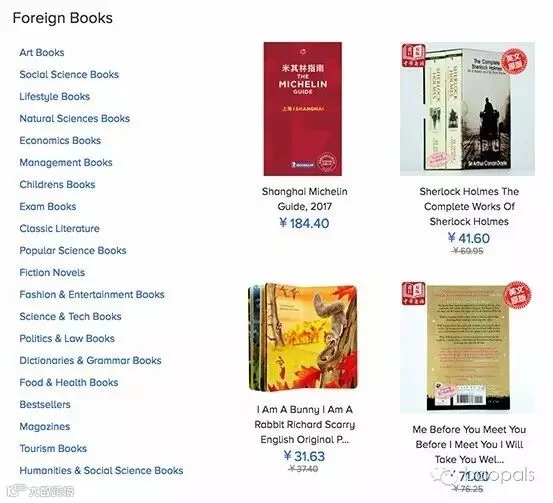
Take a look at one of the Elon Musk books, and you'll notice some tasty breadcrumbs leading you to the categories for Foreign Books and Science & Tech Books.

From there, you can explore thousands upon thousands of books in the language of your choice (most are English).
Thanks, breadcrumbs!
Like what you see?
Go to baopals.com and shop from over 800 million more cool, cheap, and crazy products!

baopals.com