
建银亚洲开户纯分享笔记
2026 CCB Asia Account Opening Guide
2026 建银亚洲
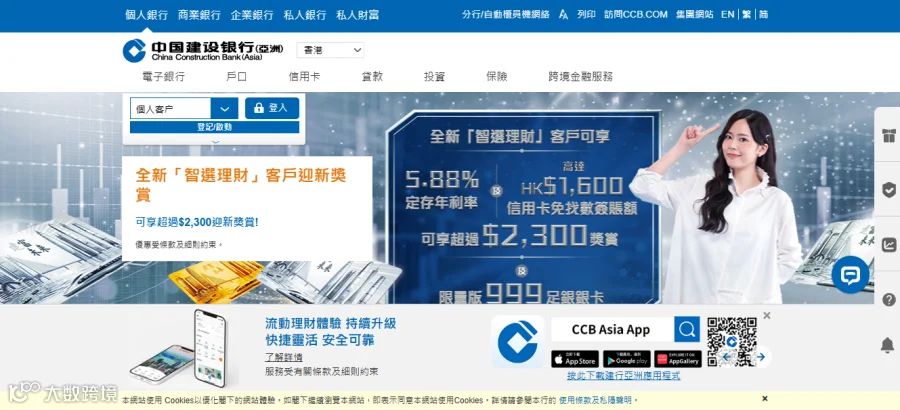
On March 2, 2026, China Construction Bank (Asia) officially launched its e-account service. After a two-month wait, many applicants successfully opened their accounts and received physical cards by mail, with full access to all banking functions—marking a successful "comeback" for a hassle-free Hong Kong bank account.
2026 年 3 月 2 日,中国建设银行(亚洲)正式启用 e 账户服务。不少用户历经两个月等待成功开户,实体卡邮寄到手即可正常使用所有功能,成为便捷办理港卡的 “逆袭之选”。
5 Core Advantages of CCB Asia Account
建银亚洲账户 5 大核心优势
1.Zero ATM withdrawal fees in Chinese Mainland
You can withdraw up to HKD 20,000 equivalent per day (max HKD 3,000 per transaction) at mainland CCB ATMs, directly withdrawing offshore RMB without currency exchange or exchange rate losses.
1. 内地 ATM 取现零手续费
在内地建行 ATM 每日最高可取等值 2 万港币(单笔上限 3000 港币),直接提取离岸人民币,无需换汇、无汇损。
2.Competitive offshore RMB exchange rate
CCB Asia offers a more favorable offshore RMB exchange rate compared with most Hong Kong bank cards, bringing tangible long-term cost savings.
2. 离岸人民币汇率更具优势
对比多数香港银行卡,建银亚洲离岸人民币汇率更划算,长期使用可节省可观成本。
3.Priority use of CCB branch ATMs
Street ATMs may have lower withdrawal limits; using ATMs inside CCB branches ensures a smoother experience.
3. 优先使用建行网点 ATM
街边 ATM 易出现取现限额缩水,选择建行网点内机器更稳妥。
4.Efficient and low-cost cross-border remittance
Remittance from mainland CCB to CCB Asia arrives within minutes, with a fixed fee of just RMB 50 per transaction.
4. 跨境汇款高效低成本
内地建行转账至建银亚洲账户几分钟到账,单笔手续费仅 50 元人民币。
5.No account maintenance pressure
No minimum deposit requirement and no monthly management fees. Bind with UnionPay Cloud QuickPass (with a Hong Kong mobile number) for full mobile payment coverage online and offline.
5. 无账户管理压力
无最低存款要求,免账户管理费;绑定香港手机号开通云闪付,线上线下移动支付全覆盖。
Required Documents for Account Opening
开户必备材料
1.Mainland Resident ID Card & Exit-Entry Permit for Travelling to and from Hong Kong and Macau (valid for at least 30 days from application date)
2.Entry-exit record issued by the National Immigration Administration via the "12367" WeChat Mini Program (within 7 days of application)
3.NFC-enabled mobile phone with international roaming activated in advance
4.Valid Hong Kong mobile number & email address
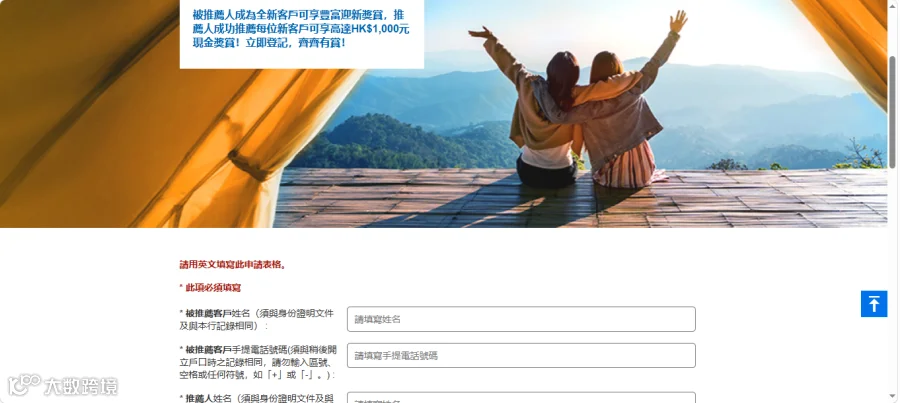
5.Currently, you may add my WeChat: NBWcat.Please provide your full name in uppercase Pinyin and mobile phone number, and I will complete the new customer referral registration for you.Referees who successfully register as new customers can enjoy a wide range of welcome rewards.Register now to receive exclusive benefits together.
1. 内地居民身份证、往来港澳通行证(自申请日起有效期≥30 天)
2. 国家移民局 12367 小程序开具的近 7 日内出入境记录
3. 支持 NFC 功能的手机,提前开通国际漫游
4. 有效香港手机号、电子邮箱5.目前添加我的绿泡泡:NBWcat,提供你的姓名大写拼音和手机号码,我帮您登记全新客戶推薦, 被推薦人成為全新客戶可享豐富迎新獎賞,立即登記,齊齊有賞!
8-Minute Online Account Opening Process
8 分钟线上开户流程
1.Download the CCB Asia App
Android users: Search "China Construction Bank (Asia)" via a browser to download. iOS users: Switch Apple ID to Hong Kong/US region, then download from App Store.
1. 下载建银亚洲 APP
安卓:浏览器搜索“中国建设银行(亚洲)” 下载;苹果:切换 Apple ID 至港区 / 美区,在 App Store 下载。
2.Enter account opening portal
Open the App → e-Account Services → Open Account, select "People's Republic of China Resident ID Card".
2. 进入开户入口
打开 APP→e 账户服务→开立户口,选择 “中华人民共和国居民身份证”。
3.NFC document verification
Enable NFC on your phone, scan your ID card and Exit-Entry Permit in sequence with sufficient lighting and no shaking.
3. NFC 证件验证
开启手机 NFC,依次识别身份证、往来港澳通行证,保证光线充足、无晃动。
4.Upload entry-exit record
Access the National Immigration Administration Mini Program on WeChat, query your 7-day entry-exit record, send it to your email, and upload the PDF file.
4. 上传出入境记录
微信进入国家移民局小程序,查询近 7 日出入境记录,发送至邮箱后上传 PDF 文件。
5.Face recognition
Complete face verification by following instructions (blink, nod, shake head) to finish identity check.
5. 人脸识别
按提示完成眨眼、点头、摇头等动作,完成身份核验。
6.Fill in personal information
Provide accurate personal details, residential address, employment status, income, and account purpose, then enter the SMS verification code.
6. 填写个人信息
如实填写个人资料、住宅地址、就业状态、收入、账户用途,接收并输入短信验证码。
7.Select services & sign compliance declarations
Choose your preferred branch, e-statement service, sign tax and compliance declarations, and select marketing communication channels.
7. 选择服务并签署合规声明
勾选预设分行、电子月结单服务,签署税务及合规声明,选择市场推广信息接收方式。
8.Set online banking credentials
Verify all information, set a username and password (8–16 digits, letters + numbers) for electronic banking, and submit your application.
8. 设置网银账户密码
核对所有信息,设置 8-16 位字母 + 数字组合的网银用户名与密码,提交申请。
Account Review & Activation
账户审核与激活
1.Review period
The review takes about 10 working days. A CCB Asia official callback (+852 3718 3604) will be made during this period—please answer the call.
1. 审核周期
申请审核约需 10 个工作日,期间会有建银亚洲官方回访(+852 3718 3604),请留意接听。
2.Account activation
Once approved, your physical card will be mailed to the mainland. Log in to the App and transfer funds to activate full services. The card requires no extra activation; ATM password can be changed later in Hong Kong.
2. 账户激活
审核通过后实体卡邮寄至内地,登录 APP 转入资金即可正常使用。卡片无需额外激活,ATM 密码可赴港后修改。
3.PIN letter
There is no time limit for activating with the PIN letter. You may change the ATM password at a CCB Asia ATM when visiting Hong Kong, which does not affect normal use.
3. 密码信使用
收到密码信无激活时限,赴港时可在建银亚洲 ATM 修改密码,不修改不影响账户使用。
Cross-Border Usage Tips
跨境使用小贴士
1.Use CCB branch ATMs first for mainland withdrawals to avoid limit issues.
2.Mainland CBU remittance to CCB Asia is fast and low-cost for capital turnover.
3.Bind a Hong Kong mobile number to enable Cloud QuickPass for local payments in Hong Kong.
1. 内地取现优先选择建行网点 ATM,避免限额问题
2. 内地建行跨境汇款至建银亚洲,到账快、手续费低
3. 绑定香港手机号开通云闪付,支持香港本地线上线下支付
CCB Asia features a simple account opening process, zero threshold, and low costs, making it an ideal choice for mainland users to open a Hong Kong bank account for cross-border investment and daily use.
建银亚洲开户流程简便、零门槛低成本,是内地用户办理港卡、开展跨境投资与日常使用的优质选择。
中银香港公开渠道:M23756872072
恒生银行公开渠道: GXHDSQ
众安公开渠道:VUJ474
https://mobile.za.group/act/MGMShare/MGMShare_2025_Jan/?language=hk&inviteCode=VUJ474&name=Ran*n
汇立银行公开渠道:FPJYXH
信银国际(中信银行国际)公开渠道:1G2T4Y2
https://www.cncbinternational.com/inmotion_mgm/tc/?r=1G2T4Y2
天星银行专属公开渠道链接:https://app.airstarbank.com/apph5/friendsInvite_appLink.html#/detail
wise专属公开渠道 https://wise.com/invite/arhn/4v9di89
英国奕丰环球银行公开渠道链接:https://www.ifastgb.com/tellafriend/yuanyuanc6480
澳门蚂蚁银行公开渠道:LPE22RM9
专属公开渠道:https://render.alipay.com/p/c/180020570000149153/index.html?invite-code=LPE22RM9
【数字货币】
❥ 币BN安公开渠道码:CPA_00N0KYMEP1
❥ 币BN安公开渠道:https://www.bsmkweb.cc/activity/referral-entry/CPA?ref=CPA_00N0KYMEP1&utm_source=referral_entrance
❥ 欧OY意专属邀请码:67834863
❥ 欧OY易专属邀请链接:https://www.nzdcvhpxqwy.com/join/67834863
❥ 火HT币专属邀请链接:https://www.htx.com.ph/invite/zh-hk/1f?invite_code=48qfd223
可以寻找我的绿泡泡:NBWcat
想和大家一起讨论港美谷,办理,可以添加裙