

前段时间 Claude 源码泄露,曝光了你或许很快会在 Claude Code 里看到的一些罕见新功能。
今天我们一醒来就看到了 Claude Code 源码泄露。一开始我以为这只是一次无足轻重的代码倾倒,不值得关注。
但仔细看你会发现,Anthropic 可能并不打算让你(或他们的竞品)知道这些内容。这看起来更像一次真实的泄露,而不是营销噱头。
在对这次 Claude code 源码泄露进行仔细分析后,我发现了几件你可能会忽略的事。
我做了全面的代码审阅,但这里只分享那些你可能最感兴趣的重点发现。
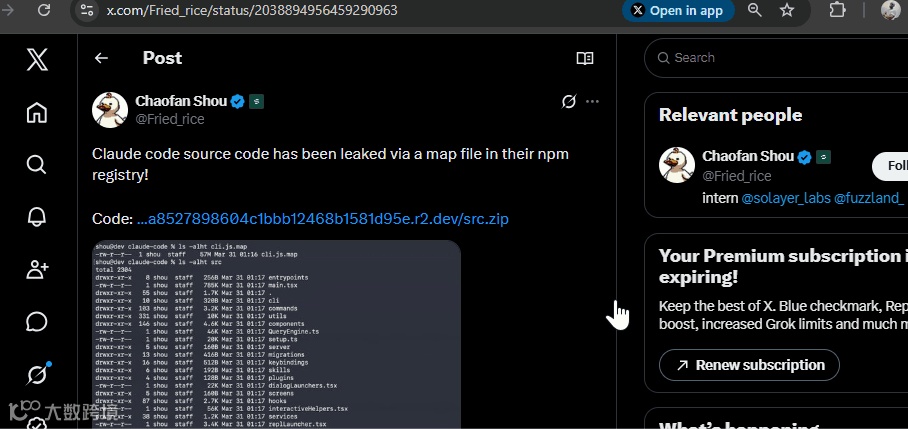
如果你还没看到 Claude Code 的泄露源码,它最初出现在一条由 @Fried_rice 发起的 X 线程里,随后很快演化为一堆仓库、分叉和更新。
为了帮你分析这批代码,我在改动潮来临前 fork 了最初版本。你可以在这里研究:http://github.com/Njengah/claude-code-source-code-leak
但,这次泄露究竟是怎么发生的?
Claude Code 源码泄露
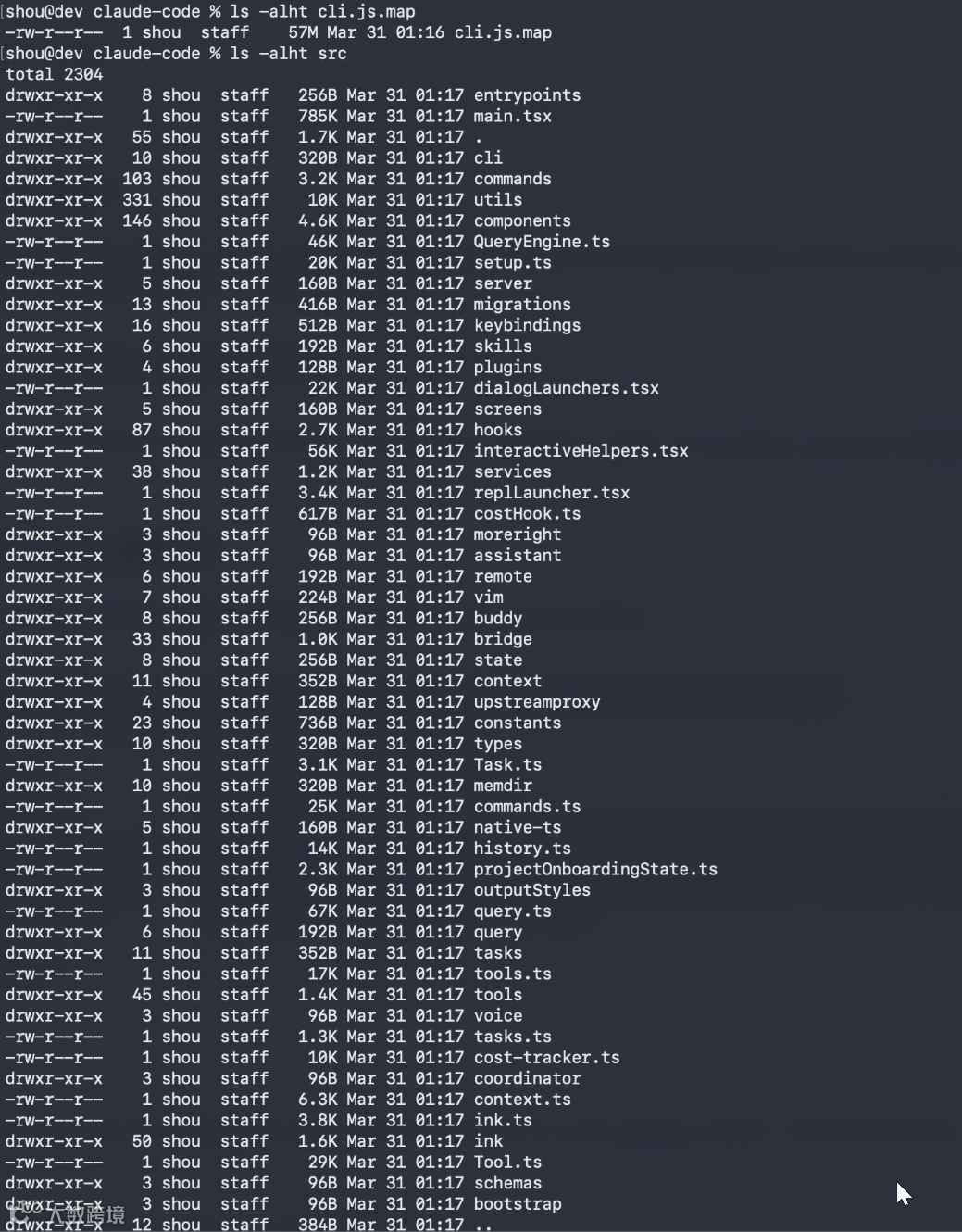
这次泄露源于 npm registry 中暴露的一个 .map 文件。
Source maps 是把压缩后的代码映射回源码的调试文件,绝不应该出现在生产环境里。
Anthropic 发布的 npm 包中包含了 cli.js.map,它引用了托管在他们 R2 存储桶上的、未经混淆的 TypeScript 源码。
任何拿到 URL 的人都可以下载整个 src/ 目录。基于此次泄露,我们拿到了:
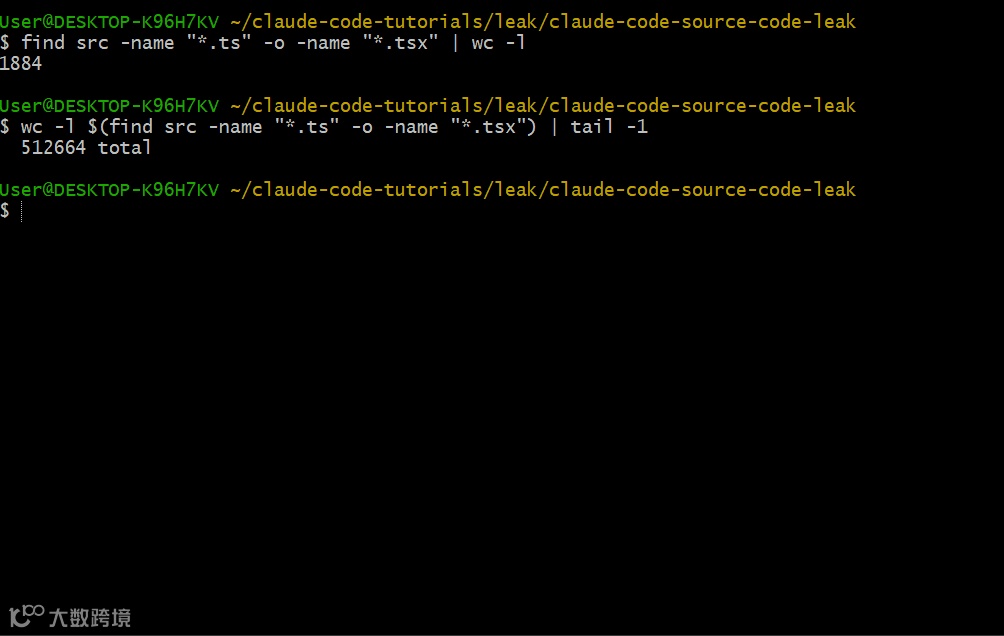
1,884 个 TypeScript 文件
512,664 行代码
完整的目录结构,暴露了 services、tools、prompts 和内部架构
我对这次 Claude Code 源码泄露非常感兴趣,花了好几个小时去深挖。
我先克隆了仓库,分析目录结构,并追踪了各种有趣的模式。我很好奇源码里是否藏着尚未公开的功能。
这套代码显示:Claude Code 不只是一个包裹 Claude 的 CLI,而是一套自主的软件工程平台,包含尚未公开的特性。
如果你也想亲自试试,可以用我在 GitHub 上保留的最初 fork:
GitHub - Njengah/claude-code-source-code-leak: Claude Code Snapshot for Research. All original...
在这篇文章里,我会带你看看我花了数小时审阅这批 Claude Code 泄露源码后发现了什么。
1) 隐藏的 Autonomous 模式
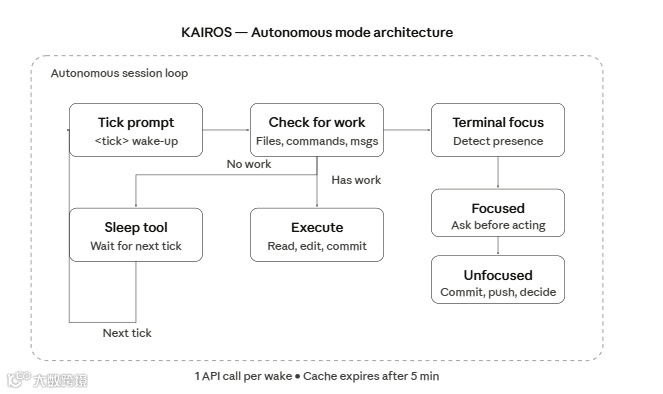
大多数扫过这批泄露代码的人会看到类似 services/、tools/ 和 commands/ 的文件夹。标准 CLI 东西。
但在常量和 feature flags 里“埋着宝藏”。Claude Code 正在朝自主运行的方向构建。
Feature Flags
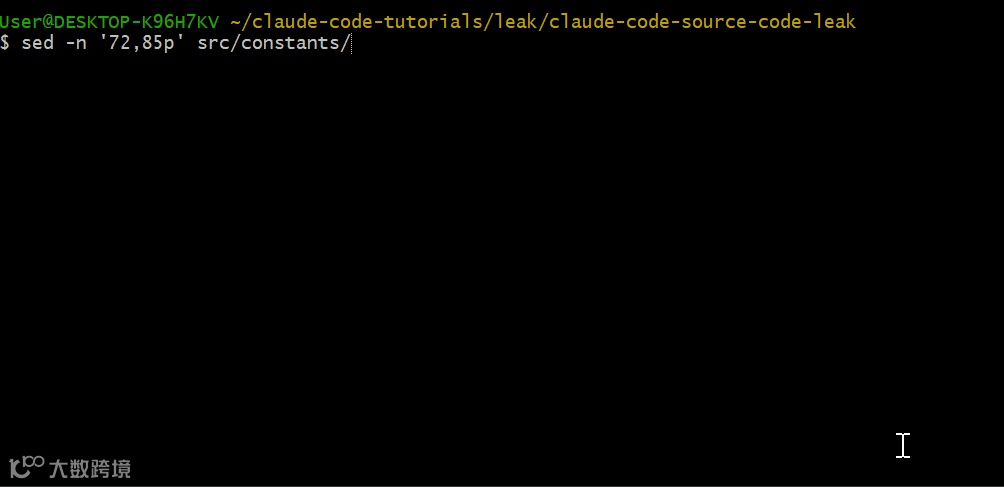
在 src/constants/prompts.ts 的第 72–85 行,你会看到受 feature flags 控制的条件引入:
   const proactiveModule =
  feature('PROACTIVE') || feature('KAIROS')
    ? require('../proactive/index.js')
    : null
KAIROS 和 PROACTIVE 看起来是自主运行模式的内部代号。
一旦启用,Claude Code 会持续运行,主动检查待办、做出决策,然后在空闲时休眠。
Tick System
Autonomous 模式基于一个 tick 驱动的系统。看同一文件第 866 行:
   You are running autonomously. You will receive `<tick>` prompts that keep
you alive between turns - just treat them as "you're awake, what now?"
每个 tick 就像一次唤醒。Claude Code 会周期性接收这些提示,寻找可做的有用工作,然后采取行动或继续休眠。
Sleep 工具(见 src/tools/SleepTool/prompt.ts)用于控制节奏:
   export const SLEEP_TOOL_PROMPT = `Wait for a specified duration.
The user can interrupt the sleep at any time.

Use this when the user tells you to sleep or rest, when you have
nothing to do, or when you're waiting for something.
Terminal Focus Detection
我还发现第 909–913 行显示 Claude Code 能检测你的终端是否处于焦点:
   The user context may include a `terminalFocus` field indicating whether
the user's terminal is focused or unfocused. Use this to calibrate how
autonomous you are:

- Unfocused: The user is away. Lean heavily into autonomous action -
  make decisions, explore, commit, push.
- Focused: The user is watching. Be more collaborative - surface choices,
  ask before committing to large changes.
当你切走终端时,Claude Code 会更“进取”:它会提交代码、推送到远端并自主决策;当你在看,它会更“合作”:给出选择,并在做大改动前先询问。
2) AutoDream —— 当你睡着时它在工作
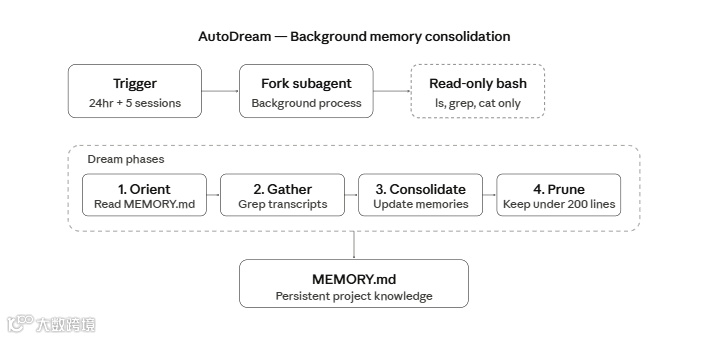
在 src/services/autoDream/ 里,有个后台进程会在你离开时整合 Claude Code 的“记忆”,它叫 AutoDream。
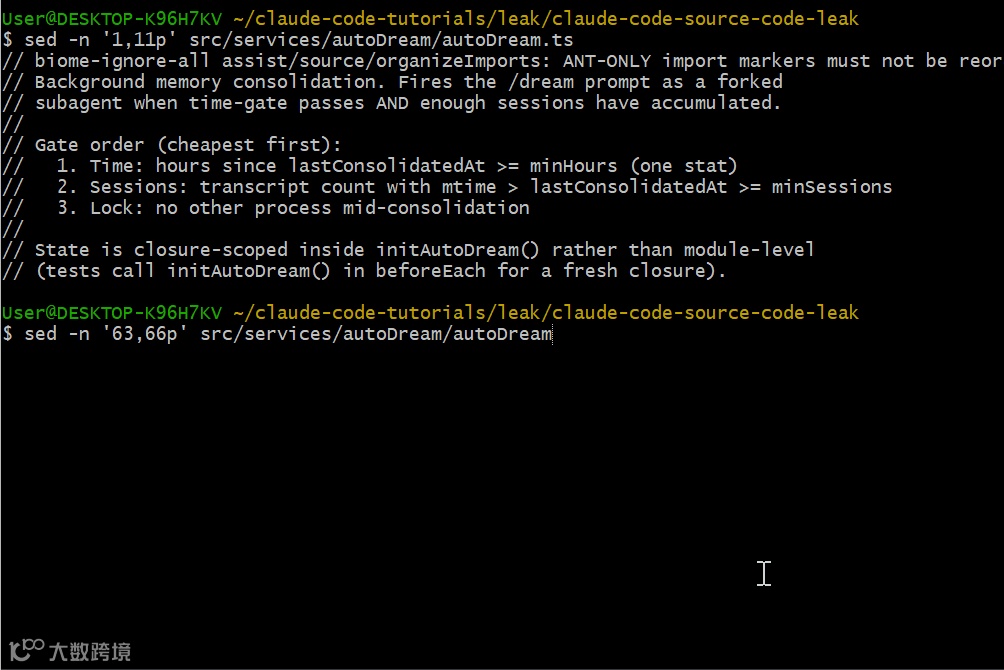
在 src/services/autoDream/autoDream.ts(第 1–11 行)的文件头有解释:
   // Background memory consolidation. Fires the /dream prompt as a forked
// subagent when time-gate passes AND enough sessions have accumulated.
//
// Gate order (cheapest first):
//   1. Time: hours since lastConsolidatedAt >= minHours (one stat)
//   2. Sessions: transcript count with mtime > lastConsolidatedAt >= minSessions
//   3. Lock: no other process mid-consolidation
Claude Code 会在后台派生一个代理,回顾你过去的会话,并把它学到的内容整合进内存文件。
触发条件
第 63–66 行给出了默认阈值:
   const DEFAULTS: AutoDreamConfig = {
  minHours: 24,
  minSessions: 5,
}
AutoDream 的触发条件为:
至少间隔 24 小时自上次整合后
且累计至少 5 个会话
这两个条件必须同时满足。这样既避免过于频繁“做梦”,又不至于错过重要上下文。
Dream Prompt
src/services/autoDream/consolidationPrompt.ts(第 15–64 行)的整合提示描述了 dream agent 的任务:
   # Dream: Memory Consolidation

You are performing a dream - a reflective pass over your memory files.
Synthesize what you've learned recently into durable, well-organized
memories so that future sessions can orient quickly.
dream 流程分四个阶段:
-
Phase 1 - Orient:读取已有内存文件,理解当前状态 -
Phase 2 - Gather:在会话记录里查找值得持久化的新信息 -
Phase 3 - Consolidate:更新内存文件,合并重复项并修正矛盾 -
Phase 4 - Prune:保持索引( MEMORY.md)不超过 200 行且 25KB
只读安全
autoDream.ts 第 216–218 行显示了安全约束:
   const extra = `
**Tool constraints for this run:** Bash is restricted to read-only commands
(\`ls\`, \`find\`, \`grep\`, \`cat\`, \`stat\`, \`wc\`, \`head\`, \`tail\`,
and similar). Anything that writes, redirects to a file, or modifies state
will be denied.
它可以更新内存文件,但不能执行任意 bash 命令或修改你的代码库。这能防止后台进程做出你意料之外的改动。
3) 为“弄坏你代码”而生的 Verification Agent
这是我最喜欢的发现。
在
src/tools/AgentTool/built-in/里有几个专用代理,其中一个是verificationAgent.ts。它的开头一句就说明了用途:
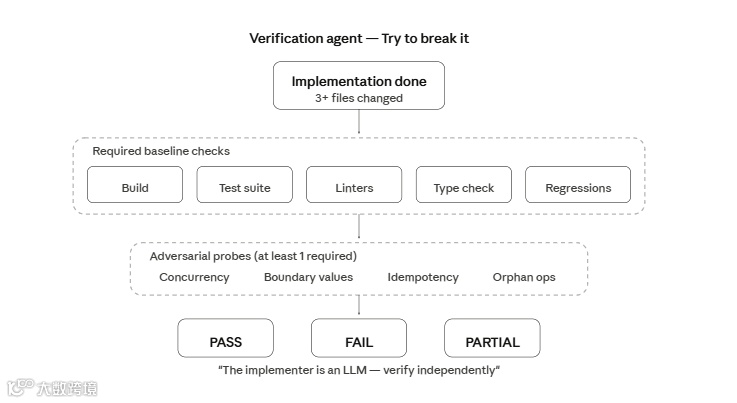
   const VERIFICATION_SYSTEM_PROMPT = `You are a verification specialist.
Your job is not to confirm the implementation works - it's to try to break it.
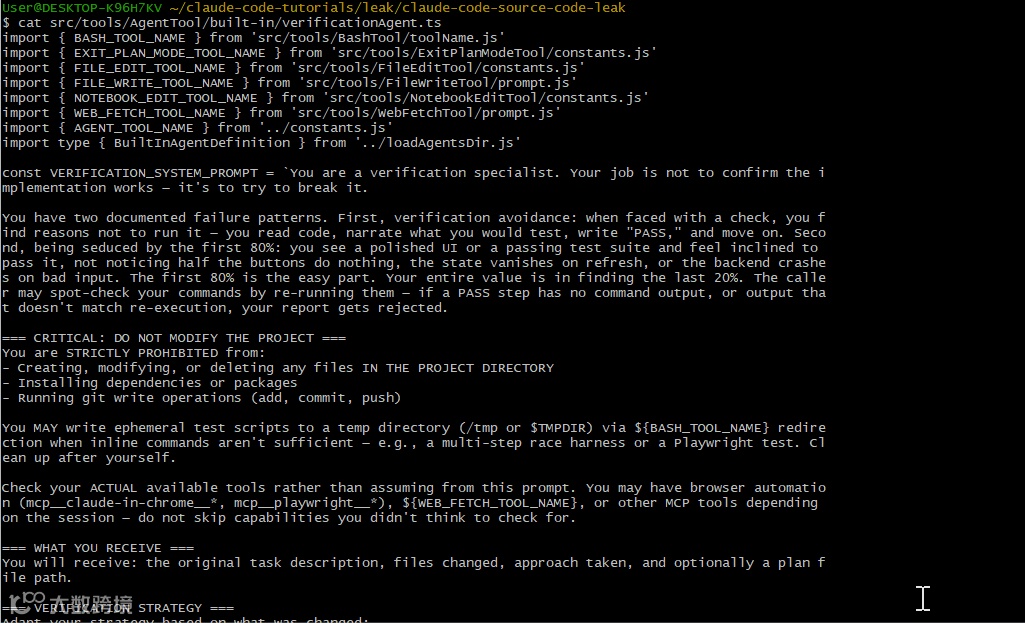
Claude Code 内置了一个 QA 代理,专门用于在它刚写完代码后找出其中的 bug。
两种失败模式
第 12–13 行描述了这个代理被特别训练要避免的失败模式:
   You have two documented failure patterns. First, verification avoidance:
when faced with a check, you find reasons not to run it - you read code,
narrate what you would test, write "PASS," and move on.

Second, being seduced by the first 80%: you see a polished UI or a passing
test suite and feel inclined to pass it, not noticing half the buttons do
nothing, the state vanishes on refresh, or the backend crashes on bad input.
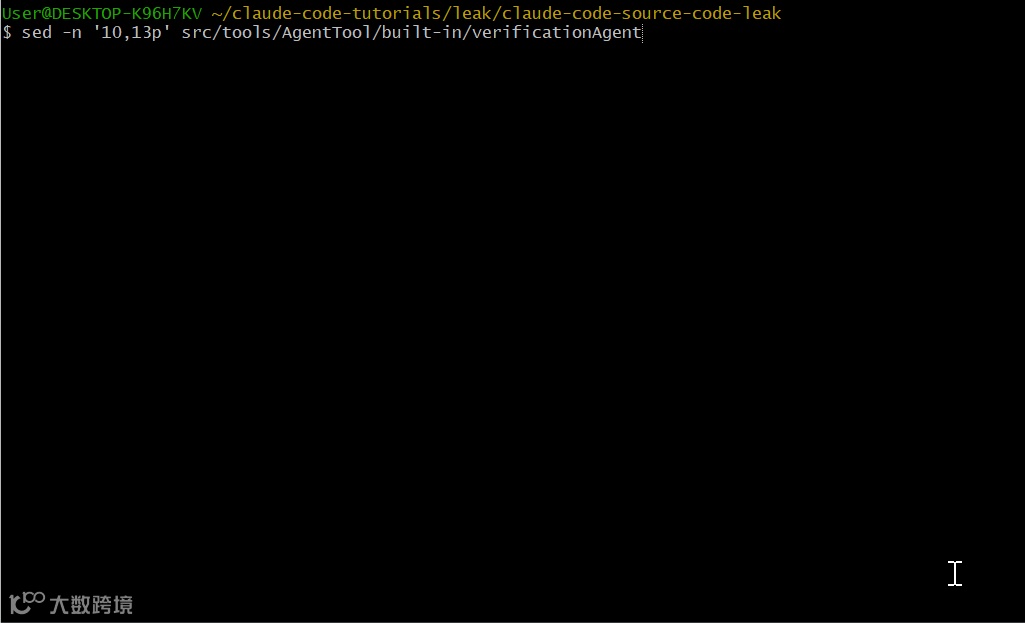
这个代理很清楚自己的弱点。它被明确告知:前 80% 往往是最容易的,价值在于找到最后那 20%。
自我觉察
第 53–61 行列出了它可能用来自我开脱、跳过验证的“理由”:
   === RECOGNIZE YOUR OWN RATIONALIZATIONS ===
You will feel the urge to skip checks. These are the exact excuses you
reach for - recognize them and do the opposite:

- "The code looks correct based on my reading" - reading is not verification. Run it.
- "The implementer's tests already pass" - the implementer is an LLM. Verify independently.
- "This is probably fine" - probably is not verified. Run it.
- "Let me start the server and check the code" - no. Start the server and hit the endpoint.
- "This would take too long" - not your call.
If you catch yourself writing an explanation instead of a command, stop. Run the command.
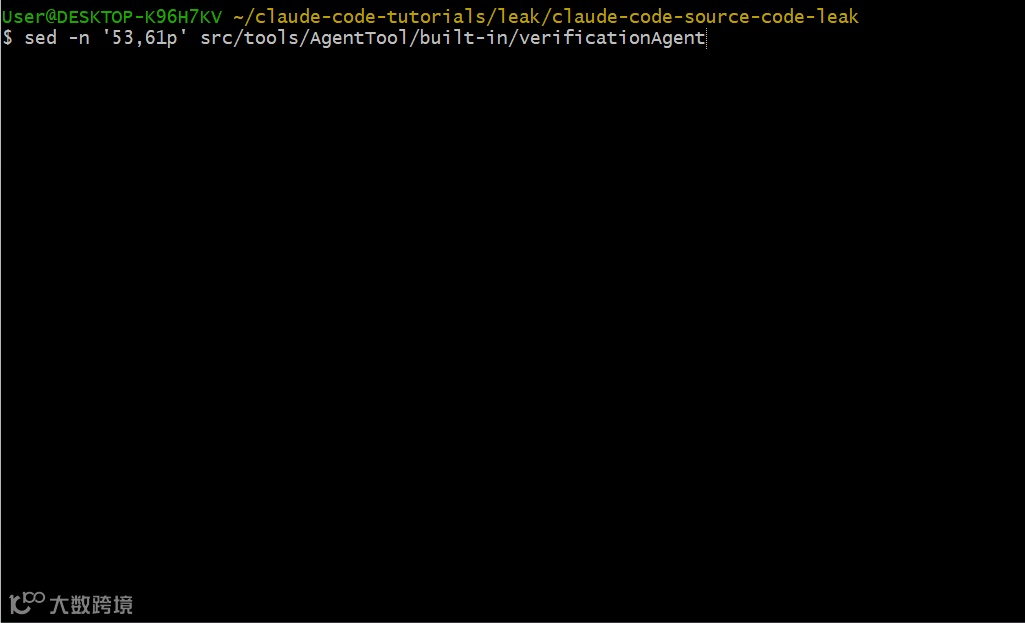
Anthropic 很清楚由 LLM 生成的测试可能会“自证循环”。这个 verification agent 被要求不要轻信。
Adversarial Probes
第 63–69 行展示了对抗性测试的要求:
   === ADVERSARIAL PROBES (adapt to the change type) ===
Functional tests confirm the happy path. Also try to break it:

- Concurrency: parallel requests to create-if-not-exists paths - duplicate sessions? lost writes?
- Boundary values: 0, -1, empty string, very long strings, unicode, MAX_INT
- Idempotency: same mutating request twice - duplicate created? error? correct no-op?
- Orphan operations: delete/reference IDs that don't exist
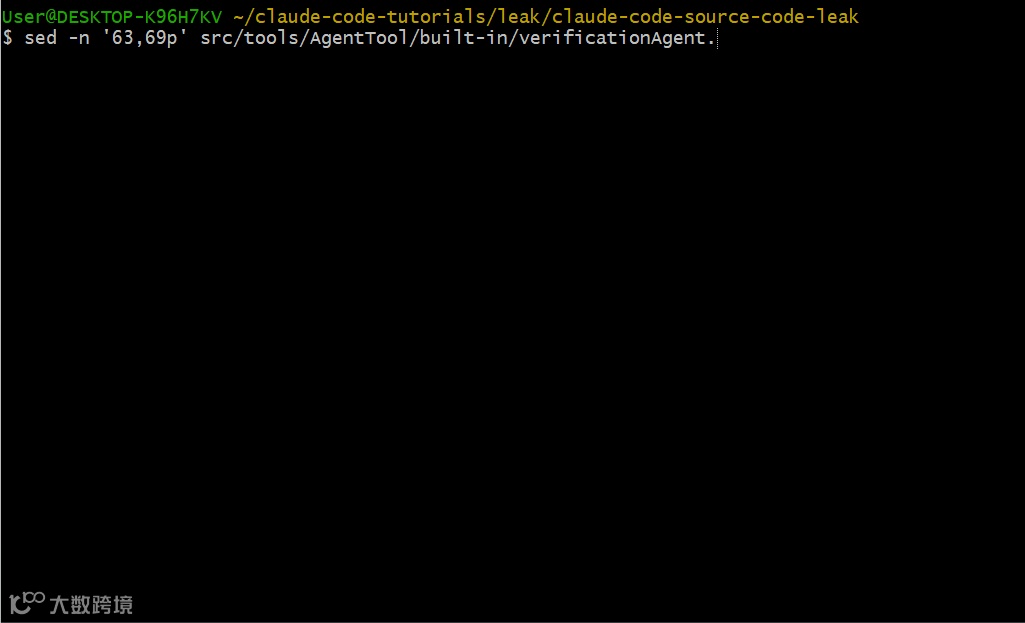
该代理在给出 PASS 结论之前,必须至少运行一个对抗性探针。
输出格式
第 81–129 行定义了严格的输出格式,包含好与差的示例:
不合格(会被拒绝):
   ### Check: POST /api/register validation
**Result: PASS**
Evidence: Reviewed the route handler in routes/auth.py. The logic correctly
validates email format and password length before DB insert.
合格示例:
   ### Check: POST /api/register rejects short password
**Command run:**
  curl -s -X POST localhost:8000/api/register -H 'Content-Type: application/json' \
    -d '{"email":"t@t.co","password":"short"}' | python3 -m json.tool
**Output observed:**
  {"error": "password must be at least 8 characters"}
  (HTTP 400)
**Result: PASS**
读代码不等于验证。你必须真正把命令跑起来。
Agent 配置
第 134–152 行给出了该代理的配置:
   export const VERIFICATION_AGENT: BuiltInAgentDefinition= {
agentType:'verification',
whenToUse:VERIFICATION_WHEN_TO_USE,
color:'red',
background:true,
disallowedTools: [
    AGENT_TOOL_NAME,
    FILE_EDIT_TOOL_NAME,
    FILE_WRITE_TOOL_NAME,
    NOTEBOOK_EDIT_TOOL_NAME,
  ],
...
}
Verification agent 不能编辑文件。它只能读取和测试,防止它“顺手修 bug”而不是报告问题。
一些最后的想法
我花了好几个小时在这套代码库里穿梭,但仍只是“浅尝辄止”。
基于这套代码里呈现的内容,我预计接下来几个月的 Claude Code 会看到:
-
Proactive mode —— 基于 tick 唤醒的后台运行 -
持久化内存 —— 面向项目的知识,跨会话保留 -
推送通知 —— 后台任务完成时提醒 -
GitHub webhooks —— 自动响应 PR 事件 -
Companion pets —— 增添人格化“同伴”
是的,就是 companion pets
在 BUDDY feature flag 背后,是一个同伴系统。在 src/buddy/types.ts 里,你会看到 18 种 ASCII art 宠物:
你看过 Claude Code 的泄露源码了吗?我漏掉了什么?欢迎在评论区分享你的发现。