


关注「索引目录」公众号,获取更多干货。
要为您的项目添加多语言支持,您需要在 React 中实现国际化。我们使用基于 i18next 的 react-i18next 模块。
该模块提供组件,用于在语言切换时渲染翻译后的内容。它可以与任何 UI 框架(Angular、React、Vue 等)配合使用。
https://www.i18next.com/我们将在 React 项目中使用 i18next。本地化和翻译将存储在 React 端。
首先,在您的 React 项目中安装此软件包。创建一个名为 i18n.js 的文件,其中包含以下代码。
import i18n from "i18next";
import LanguageDetector from "i18next-browser-languagedetector";
import Backend from "i18next-xhr-backend";
import { initReactI18next } from "react-i18next";

const fallbackLng = ["en"];

i18n
  .use(Backend) // used to load data from othe directory
  .use(LanguageDetector) // detects the current language
  .use(initReactI18next) // passes i18n down to react-i18next
  .init({
    fallbackLng, // default language
    detection: {
      checkWhitelist: true,
    },
    debug: false,
    interpolation: {
      escapeValue: false, // no need for react. it escapes by default
    },
  });

export default i18n;
在你的 App.js 文件中导入 i18n.js 文件
import "./i18n";
在上面的代码中,我们使用了 react-i18next-browser-languagedetector 中的 LanguageDetector,它可以自动检测所选语言;同样地,我们使用了 react-i18next-xhr-backend 中的 Backend 来加载我们的数据。
在这里,我们将增加对英语和法语两种语言的支持。
在 Public 文件夹下创建一个名为 locale 的文件夹,并在其中创建一个名为 language code 的子文件夹,例如“en”和“fr”,每个子文件夹都包含一个名为 translation.json 的文件。
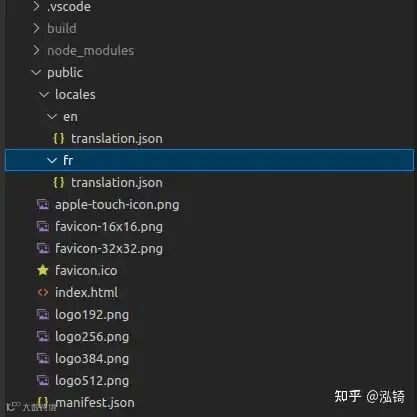
translation.json 文件包含键值对,其中键代表一个单词,值代表该单词对应的翻译。以下是一些示例。
如果您需要将文件存储在默认路径以外的其他路径,则可以在初始化时指定该路径。
例如,我在这里将文件存储在 assets 文件夹中。
backend: {
      loadPath: "/assets/locale/{{lng}}/translate.json",
    },
在 en/translation.json 中
{
  "hello": "Hello",
  "cancel": "Cancel",
  "continue": "Comtinue"
}
fr/translation.json
{
  "hello": "Salut",
  "cancel": "Annuler",
  "continue": "Continuez"
}
现在,要在您的应用程序中使用这些翻译,我们使用 react-i18next 中的 useTranslation hook。
我们主要会使用 useTranslation 钩子提供的 t 函数和 i18n 实例。
i18n 实例提供了一个 changeLanguage() 函数,该函数接受语言代码,用于指定需要在我们的 React 应用程序中渲染的语言。
import { Menu, Transition } from "@headlessui/react";
import { GlobeAltIcon } from "@heroicons/react/24/outline";
import { Fragment } from "react";
import { useTranslation } from "react-i18next";

function classNames(...classes) {
  return classes.filter(Boolean).join(" ");
}

let countries = [
  {
    code: "fr",
    name: "Français",
    country_code: "fr",
  },
  {
    code: "en",
    name: "English",
    country_code: "gb",
  },
];

const LanguageSelector = () => {
  const { t, i18n } = useTranslation();

  return (
    <>
      <div>
        <Menu
          as="div"
          className="px-3 pl-0 relative flex"
          aria-label="usermenu"
        >
          <Menu.Button
            className="group w-full  text-sm text-left font-medium text-gray-700 focus:outline-none"
            aria-label="usermenu-button"
          >
            <span className="flex w-full justify-between items-center">
              <GlobeAltIcon className="h-7 w-7 cursor-pointer  text-blue-600" />
            </span>
          </Menu.Button>
          <Transition
            as={Fragment}
            enter="transition ease-out duration-100"
            enterFrom="transform opacity-0 scale-95"
            enterTo="transform opacity-100 scale-100"
            leave="transition ease-in duration-75"
            leaveFrom="transform opacity-100 scale-100"
            leaveTo="transform opacity-0 scale-95"
          >
            <Menu.Items
              aria-label="menu-item-container"
              className="z-10 mx-3 origin-top absolute left-[-36px] sm:left-[-25px] md:left-[-25px] top-[42px] xl:left-[-80px] right-0 min-w-max mt-1 rounded-md shadow-lg bg-white ring-1 ring-black ring-opacity-5 divide-y divide-gray-200 focus:outline-none"
            >
              <div className="px-1 py-1 " aria-label="menu-items">
                {countries.map((lng) => {
                  return (
                    <Menu.Item key={lng.code}>
                      <button
                        className={classNames(
                          "flex items-center space-x-2 px-4 py-2 text-sm cursor-pointer"
                        )}
                        onClick={() => i18n.changeLanguage(lng.code)} // used to change language that needs to be rendered
                        disabled={i18n.language === lng.code}
                      >
                        <span class={`fi fi-${lng.country_code}`}></span>
                        <span>{lng.name}</span>
                      </button>
                    </Menu.Item>
                  );
                })}
              </div>
            </Menu.Items>
          </Transition>
        </Menu>
      </div>
    </>
  );
};

export default LanguageSelector;
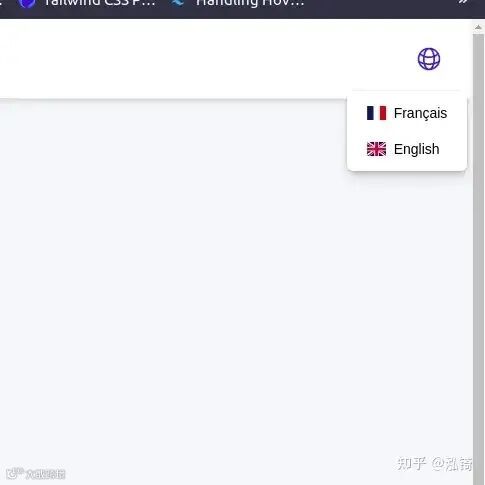
在上面的组件中,下拉菜单显示了语言和国家/地区旗帜选项。选择后,该语言将应用于整个应用程序。我们使用函数 `i18n.changeLanguage(languageCode)` 来更改应用程序语言。
在我们的 SampleForm 组件中,我们正在渲染基于本地化的标签。这里使用了 `t` 函数,并将所需的单词或语句的键作为参数提供,以便以当前选定的语言渲染该标签。
import ModuleContainer from "components/shared/moduleContainer/ModuleContainer";
import { useTranslation } from "react-i18next";

function SampleForm() {
  const { t } = useTranslation();
  return (
    <>
      <ModuleContainer title={"Sample Form"} hideBackButton={true}>
        <p>{t("hello")}</p>
        <p>{t("cancel")}</p>
      </ModuleContainer>
    </>
  );
}

export default SampleForm;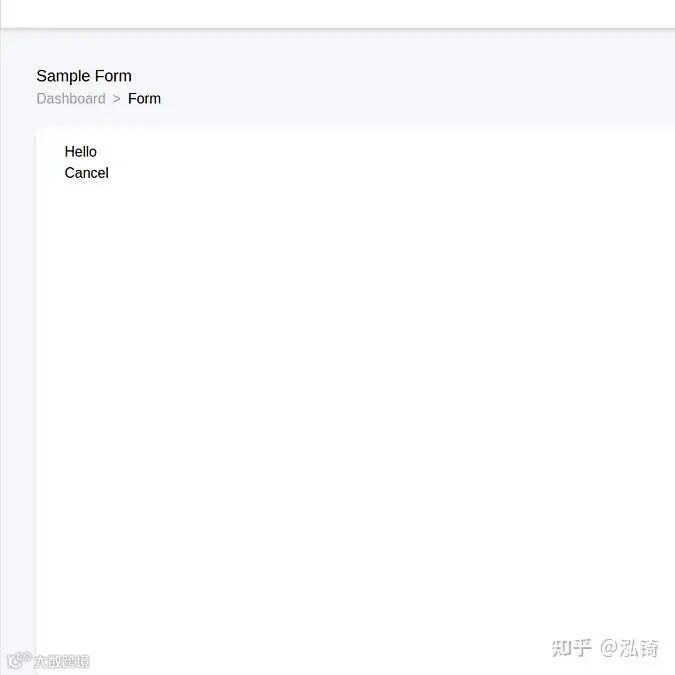
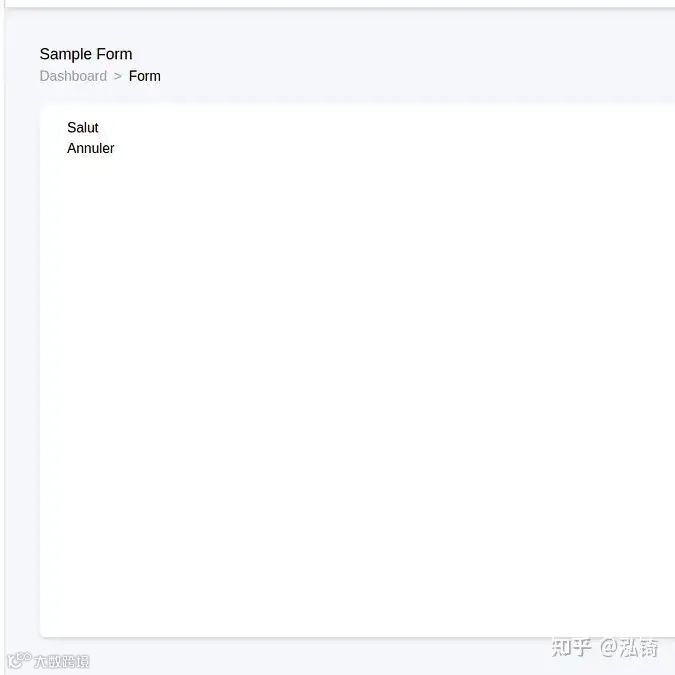
在这里,根据所选语言渲染翻译,这样,整个应用程序中的标签和消息就可以转换为任何所需的语言进行渲染。
关注「索引目录」公众号,获取更多干货。