向AI转型的程序员都关注公众号 机器学习AI算法工程
你每天都要处理各种"乱七八糟"的文本:保险公司发来的邮件东一句西一句、房产中介的listing格式五花八门、医生手写的处方扫描件歪歪扭扭……
想从中抠出关键信息,比如保单号、房价、用药剂量,往往得靠手动复制粘贴,或者写一堆规则去匹配。结果一换格式,规则全崩。
我见过太多人把大把时间浪费在这上面。其实,用对工具,几行代码就能搞定。
今天介绍Google最新开源的LangExtract,一个基于大语言模型的智能信息提取库。它专门解决"非结构化文本→结构化数据"的最后一公里问题。
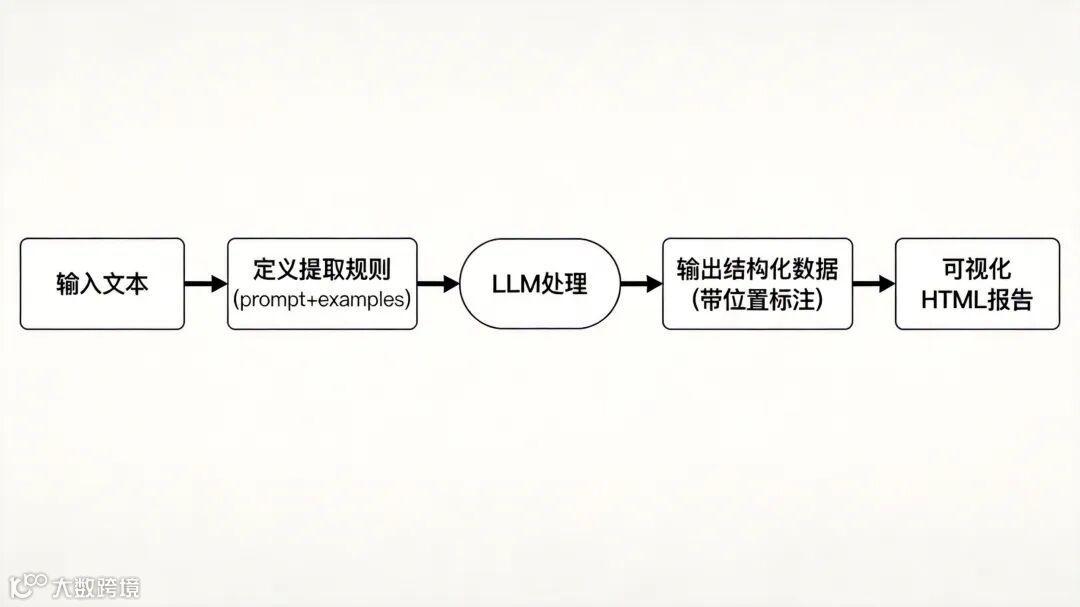
简单说,LangExtract是一个Python库,用LLM(如Gemini、GPT)把非结构化文本转成结构化信息,而且每条结果都能精确定位到原文位置。
传统工具(如基于模板的提取器或纯OCR)假设文档有固定布局。保险公司的报价单A公司是表格,B公司是纯文本;医生的处方有的打印,有的潦草手写。一变格式,规则全废,得重新写。
OCR能把图片转文本,但转出来的是"脏"数据:错字、换行乱、入错列。想再结构化,往往还得加一堆正则、关键词匹配,维护成本爆炸。
LangExtract直接用大模型"读懂"文本含义,而不是死盯位置和格式。它有6大核心优势:
这是LangExtract最核心的竞争力。它为每个提取出的实体、关系或结构化字段,自动标注其在原文本中的起止位置(行号、字符偏移量),并关联上下文片段。
这意味着提取结果可直接回溯到原文验证,完全解决了LLM提取"黑盒"问题。我在医疗病历提取测试中,提取患者的"既往病史"字段后,LangExtract直接标注了该信息来自病历第12行"既往有高血压病史5年,规律服药",后续审核人员可快速核对。
LangExtract支持通过少量示例(Few-shot)定义输出格式,无需编写复杂的Prompt,也无需微调模型。只需提供1-2条文本及其对应的结构化结果,工具就能自动学习格式要求,适配特定领域需求。
例如在法律案例提取中,我仅提供了一条案例的"案件编号、原告、被告、判决结果"结构化示例,LangExtract就能自动按照该格式,提取其他案例的对应信息。同时支持通过控制生成技术(如Gemini的结构化输出能力),强制结果符合JSON、CSV等格式,避免LLM输出格式混乱。
针对长文档处理,LangExtract内置了智能分块策略:根据文本语义(段落、章节)自动拆分文档,确保每一块的信息完整性,同时避免跨越语义边界导致的提取错误。拆分后采用并行处理模式,大幅提升长文档的提取效率。
实测处理一篇50页的科研论文(约2万字),LangExtract自动拆分为12个语义块,并行调用Gemini模型提取核心观点,全程耗时仅8分钟,比手动分块处理快了3倍以上,且提取结果无遗漏。
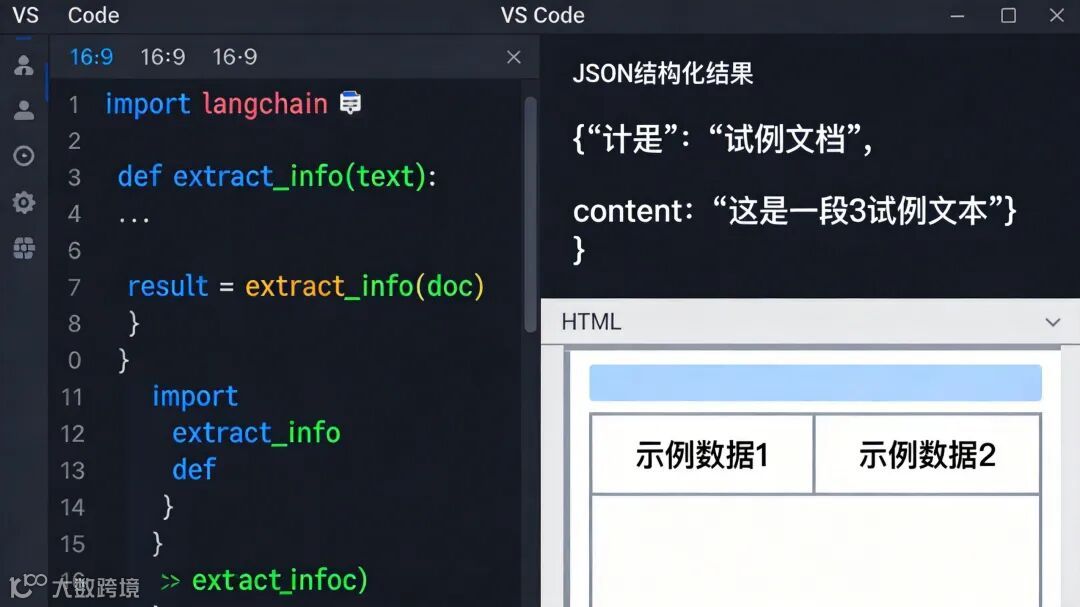
提取完成后,LangExtract会自动生成交互式HTML报告,包含原文本、提取的结构化结果、每条结果的溯源信息及上下文。支持高亮显示提取实体、筛选字段、跳转查看原文位置,非常适合团队协作中的结果审核与调试。
这种可视化能力,让非技术背景的业务人员(如医生、律师)也能参与到结果校验中,降低了跨角色协作的门槛。
LangExtract不绑定特定LLM,支持灵活集成各类模型:既可以调用谷歌Gemini、OpenAI GPT等云端模型,也能接入本地部署的模型(如通过Ollama部署的Llama 3、Mistral)。这对于处理敏感数据(如医疗病历、涉密法律文档)的场景至关重要——可完全在本地运行,避免数据外泄。
得益于少样本学习与LLM的通用语言理解能力,LangExtract无需对模型进行领域微调,仅通过示例和简单配置,就能快速适配医疗、法律、金融等不同场景。这对于资源有限的团队或科研人员来说,极大降低了使用门槛,真正实现"拿来即用"。
安装超级简单,推荐使用Python 3.10版本。
# 方式1:直接安装(推荐) pip install langextract # 方式2:清华源加速(国内用户) pip install -i https://pypi.tuna.tsinghua.edu.cn/simple langextract # 方式3:开发模式(可修改源码) git clone https://github.com/google/langextract.git cd langextract pip install -e .
默认使用Google Gemini。你需要从Google AI Studio获取Key(免费)。
# 方式1:环境变量(Linux/Mac) export LANGEXTRACT_API_KEY="your-api-key-here" # 方式2:.env文件(推荐) cat >> .env << 'EOF' LANGEXTRACT_API_KEY=your-api-key-here EOF echo '.env' >> .gitignore # 保护密钥安全
如果你用本地模型(如Ollama),无需配置API密钥,确保Ollama服务已启动:
# 安装Ollama(macOS) brew install ollama # 启动服务 ollama serve # 拉取模型(另一个终端) ollama pull gemma2:2b
最核心的是`lx.extract()`函数。你需要:
2. 提供示例(Few-shot Examples)
import langextract as lx # 1. 定义提取任务描述 prompt = """ Extract characters, emotions, and relationships in order of appearance. Use exact text for extractions. Do not paraphrase or overlap entities. """ # 2. 提供示例(Few-shot) examples = [ lx.data.ExampleData( text="ROMEO: But soft! What light through yonder window breaks?", extractions=[ lx.data.Extraction( extraction_class="character", extraction_text="ROMEO", attributes={"emotional_state": "wonder"} ), lx.data.Extraction( extraction_class="emotion", extraction_text="But soft!", attributes={"feeling": "gentle awe"} ) ] ) ] # 3. 调用提取接口 input_text = "Juliet gazed at stars, her heart longing for Romeo." result = lx.extract( text_or_documents=input_text, prompt_description=prompt, examples=examples, model_id="gemini-2.5-flash" # 推荐默认模型 ) # 4. 输出结果 print(f"Extracted {len(result.extractions)} entities:") for entity in result.extractions: print(f"• {entity.extraction_class}: {entity.extraction_text}") if entity.char_interval: pos = entity.char_interval print(f" Position: {pos.start_pos}-{pos.end_pos}")
Extracted 2 entities: • character: Juliet Position: 0-6 • emotion: longing for Romeo Position: 31-48
`result`是一个`AnnotatedDocument`对象,包含所有抽取的实体、属性、类别,且每个抽取都指向原文位置。
- `gemini-2.5-flash`:推荐默认,速度快、成本低、质量好
- `gemini-2.5-pro`:复杂任务需要深度推理时使用
- `gpt-4o`:使用OpenAI模型(需额外配置)
- `gemma2:2b`:本地Ollama模型(需先启动Ollama)
- `text_or_documents`:输入文本
LangExtract可以将抽取结果保存为`.jsonl`,并自动生成交互式HTML报告:
# 保存结果为JSONL lx.io.save_annotated_documents( [result], output_name="results.jsonl", output_dir="." ) # 生成交互式HTML可视化 html_content = lx.visualize("results.jsonl") with open("visualization.html", "w") as f: if hasattr(html_content, 'data'): f.write(html_content.data) # Jupyter/Colab环境 else: f.write(html_content) # 普通环境
打开`visualization.html`即可查看每条实体在原文中的位置高亮显示,支持交互式探索。
LangExtract针对长文档做了深度优化,支持并行处理和多轮提取。
# 处理整本《罗密欧与朱丽叶》(14.7万字符) result = lx.extract( text_or_documents="https://www.gutenberg.org/files/1513/1513-0.txt", prompt_description=prompt, examples=examples, model_id="gemini-2.5-flash", # 长文档优化参数 extraction_passes=3, # 多轮提取,提高召回率 max_workers=20, # 并行处理,提升速度 max_char_buffer=1000 # 每块字符数,越小精度越高 )
- `extraction_passes`:多轮提取
- 合并策略:第一轮优先,后续只添加不重叠的新实体
- 根据API限流调整(Gemini Tier 2支持更高并发)
- 输入:14.7万字符(整本《罗密欧与朱丽叶》)
LangExtract支持多种模型提供者,根据成本、隐私、性能灵活选择。
import os import langextract as lx result = lx.extract( text_or_documents=input_text, prompt_description=prompt, examples=examples, model_id="gpt-4o", # 自动选择OpenAI provider api_key=os.environ.get('OPENAI_API_KEY'), fence_output=True, # OpenAI必须设为True use_schema_constraints=False # OpenAI必须设为False )
注意:OpenAI模型需要`fence_output=True`和`use_schema_constraints=False`,因为LangExtract尚未为OpenAI实现schema约束。
result = lx.extract( text_or_documents=input_text, prompt_description=prompt, examples=examples, model_id="gemma2:2b", # 自动选择Ollama provider model_url="http://localhost:11434", fence_output=False, use_schema_constraints=False )
完全免费,数据不出本地,适合处理敏感信息(如医疗病历、涉密文档)。但需要硬件支持,8B模型至少需要16GB内存。
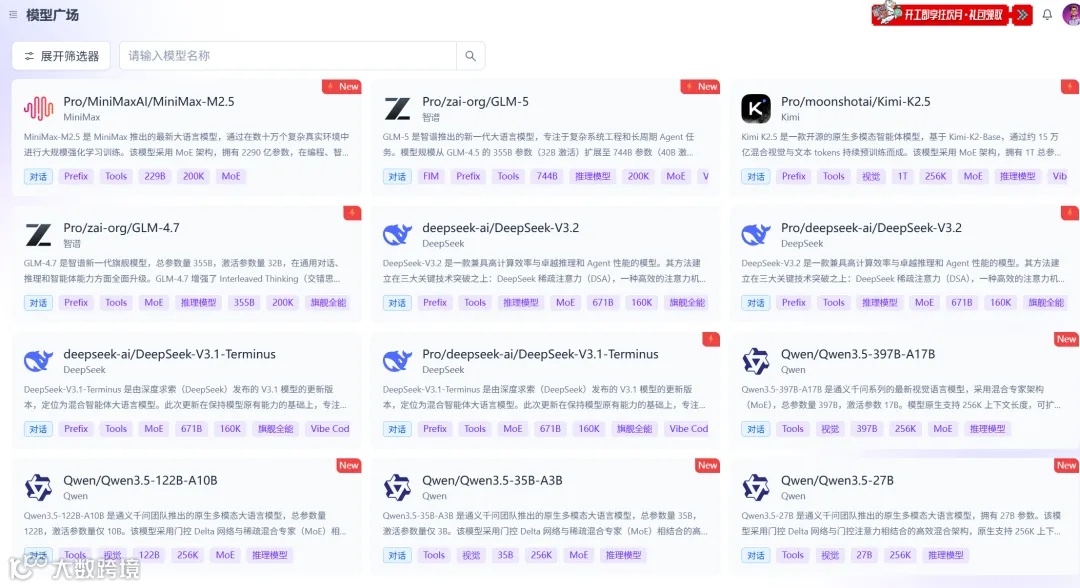
LangExtract支持所有兼容OpenAI协议的国产大模型:
# DeepSeek V3/R1 result = lx.extract( text_or_documents=text, prompt_description=prompt, examples=examples, model_id="deepseek-chat", api_key="your-api-key", language_model_params={ "base_url": "https://api.deepseek.com/v1" }, fence_output=True, use_schema_constraints=False ) # 阿里通义千问 result = lx.extract( text_or_documents=text, prompt_description=prompt, examples=examples, model_id="qwen-turbo", # 或 qwen-plus, qwen-max api_key="sk-...", # 阿里云DashScope API Key language_model_params={ "base_url": "https://dashscope.aliyuncs.com/compatible-mode/v1" }, fence_output=True, use_schema_constraints=False )
已实测支持:DeepSeek(V3, R1)、字节豆包、阿里千问、智谱GLM-4、MiniMax等。
让我们通过一个真实案例,完整演示从混乱文本到完美JSON的转换过程。
假设我们有一段混乱的医疗笔记,需要提取患者信息、用药记录、诊断结果等结构化数据。
Patient: John Smith, Age: 45, Gender: Male Visit Date: 2025-03-15 Chief Complaint: Persistent cough for 3 weeks History of Present Illness: Patient reports productive cough with yellow sputum for 3 weeks. No fever, no chest pain. History of hypertension for 5 years. Physical Exam: BP: 135/85 mmHg, HR: 78 bpm, Temp: 37.2°C Lungs: Clear to auscultation bilaterally Diagnosis: 1. Acute bronchitis 2. Hypertension, well-controlled Treatment Plan: Azithromycin 500mg PO once daily for 5 days Lisinopril 10mg PO daily (continue) Follow-up in 1 week if symptoms persist
目标输出:提取为结构化JSON,包含患者信息、诊断、用药等。
import langextract as lx prompt = """ Extract patient demographics, diagnoses, and medications in order of appearance. Use exact text for extractions. Group related information using attributes. """ # 提供高质量示例 examples = [ lx.data.ExampleData( text="Patient: Jane Doe, Age: 32. Diagnosis: Diabetes Mellitus. Medication: Metformin 500mg twice daily.", extractions=[ # 患者信息 lx.data.Extraction( extraction_class="patient_name", extraction_text="Jane Doe", attributes={"info_type": "demographics"} ), lx.data.Extraction( extraction_class="age", extraction_text="32", attributes={"info_type": "demographics"} ), # 诊断 lx.data.Extraction( extraction_class="diagnosis", extraction_text="Diabetes Mellitus", attributes={"info_type": "diagnosis"} ), # 用药 lx.data.Extraction( extraction_class="medication", extraction_text="Metformin 500mg twice daily", attributes={ "info_type": "medication", "medication_name": "Metformin" } ) ] ) ]
input_text = """ Patient: John Smith, Age: 45, Gender: Male Visit Date: 2025-03-15 Chief Complaint: Persistent cough for 3 weeks History of Present Illness: Patient reports productive cough with yellow sputum for 3 weeks. No fever, no chest pain. History of hypertension for 5 years. Physical Exam: BP: 135/85 mmHg, HR: 78 bpm, Temp: 37.2°C Lungs: Clear to auscultation bilaterally Diagnosis: 1. Acute bronchitis 2. Hypertension, well-controlled Treatment Plan: Azithromycin 500mg PO once daily for 5 days Lisinopril 10mg PO daily (continue) Follow-up in 1 week if symptoms persist """ result = lx.extract( text_or_documents=input_text, prompt_description=prompt, examples=examples, model_id="gemini-2.5-flash" )
from collections import defaultdict # 按信息类型分组 structured_data = { "demographics": {}, "diagnoses": [], "medications": [] } demographics = {} diagnoses = [] medications = [] for extraction in result.extractions: entity_class = extraction.extraction_class entity_text = extraction.extraction_text if entity_class == "patient_name": demographics["name"] = entity_text elif entity_class == "age": demographics["age"] = entity_text elif entity_class == "diagnosis": diagnoses.append(entity_text) elif entity_class == "medication": medications.append(extraction.text) structured_data["demographics"] = demographics structured_data["diagnoses"] = diagnoses structured_data["medications"] = medications # 输出JSON import json print(json.dumps(structured_data, indent=2, ensure_ascii=False))
{ "demographics": { "name": "John Smith", "age": "45" }, "diagnoses": [ "Acute bronchitis", "Hypertension, well-controlled" ], "medications": [ "Azithromycin 500mg PO once daily for 5 days", "Lisinopril 10mg PO daily (continue)" ] }
# 保存结果 lx.io.save_annotated_documents( [result], output_name="medical_record_extraction.jsonl", output_dir="." ) # 生成可视化 html_content = lx.visualize("medical_record_extraction.jsonl") with open("medical_viz.html", "w") as f: if hasattr(html_content, 'data'): f.write(html_content.data) else: f.write(html_content) print("✓ Visualization saved to medical_viz.html")
打开`medical_viz.html`,你可以:
- 看到每个提取字段在原文中的精确位置(高亮显示)
"""LangExtract 实战案例:医疗病历信息提取从混乱文本到结构化JSON的完整演示"""import langextract as lxfrom collections import defaultdictimport jsonprompt = """Extract patient demographics, diagnoses, and medications in order of appearance.Use exact text for extractions. Group related information using attributes."""examples = [ lx.data.ExampleData( text="Patient: Jane Doe, Age: 32. Diagnosis: Diabetes Mellitus. Medication: Metformin 500mg twice daily.", extractions=[ lx.data.Extraction( extraction_class="patient_name", extraction_text="Jane Doe", attributes={"info_type": "demographics"} ), lx.data.Extraction( extraction_class="age", extraction_text="32", attributes={"info_type": "demographics"} ), lx.data.Extraction( extraction_class="diagnosis", extraction_text="Diabetes Mellitus", attributes={"info_type": "diagnosis"} ), lx.data.Extraction( extraction_class="medication", extraction_text="Metformin 500mg twice daily", attributes={ "info_type": "medication", "medication_name": "Metformin" } ) ] )]input_text = """Patient: John Smith, Age: 45, Gender: MaleVisit Date: 2025-03-15Chief Complaint: Persistent cough for 3 weeksHistory of Present Illness:Patient reports productive cough with yellow sputum for 3 weeks.No fever, no chest pain. History of hypertension for 5 years.Physical Exam:BP: 135/85 mmHg, HR: 78 bpm, Temp: 37.2°CLungs: Clear to auscultation bilaterallyDiagnosis:1. Acute bronchitis2. Hypertension, well-controlledTreatment Plan:Azithromycin 500mg PO once daily for 5 daysLisinopril 10mg PO daily (continue)Follow-up in 1 week if symptoms persist"""print("开始提取病历信息...")result = lx.extract( text_or_documents=input_text, prompt_description=prompt, examples=examples, model_id="gemini-2.5-flash")print(f"✓ 提取完成,共找到 {len(result.extractions)} 个实体\n")structured_data = { "demographics": {}, "diagnoses": [], "medications": []}demographics = {}diagnoses = []medications = []for extraction in result.extractions: entity_class = extraction.extraction_class entity_text = extraction.extraction_text if entity_class == "patient_name": demographics["name"] = entity_text elif entity_class == "age": demographics["age"] = entity_text elif entity_class == "diagnosis": diagnoses.append(entity_text) elif entity_class == "medication": medications.append(extraction.text)structured_data["demographics"] = demographicsstructured_data["diagnoses"] = diagnosesstructured_data["medications"] = medicationsprint("=" * 50)print("提取结果(JSON格式):")print("=" * 50)print(json.dumps(structured_data, indent=2, ensure_ascii=False))print("\n" + "=" * 50)print("生成交互式可视化报告...")print("=" * 50)lx.io.save_annotated_documents( [result], output_name="medical_record_extraction.jsonl", output_dir=".")html_content = lx.visualize("medical_record_extraction.jsonl")with open("medical_viz.html", "w", encoding="utf-8") as f: if hasattr(html_content, 'data'): f.write(html_content.data) else: f.write(html_content)print("✓ 可视化报告已保存到 medical_viz.html")print("\n打开 medical_viz.html 可查看:")print(" - 每个提取字段在原文中的精确位置(高亮显示)")print(" - 点击实体查看详细信息(位置、属性、上下文)")print(" - 筛选特定类型的实体(只看诊断、只看用药)")print(" - 导出为其他格式(CSV、JSON)")
- 开发测试:`gemini-2.5-flash`(速度快、成本低)
- 复杂任务:`gemini-2.5-pro`(推理能力强)
- 敏感数据:本地Ollama模型(gemma2:2b)
# ❌ 太模糊 prompt = "Extract information from text." # ✅ 清晰具体 prompt = """ Extract patient demographics (name, age, gender), diagnoses, and medications in order of appearance. Use exact text from input for extraction_text. Group related medications using 'medication_group' attribute. """
result = lx.extract( ..., extraction_passes=3 # 提升召回率 )
result = lx.extract( ..., max_char_buffer=1000 # 太大可能遗漏,太小增加成本 )
- 使用`extraction_passes=2-3`提升召回率
- `max_char_buffer`推荐500-2000
- 开发用`gemini-2.5-flash`(便宜)
- 生产启用Vertex AI Batch API(省50%成本)
- 增加并行数(`max_workers=20-50`)
- 减少分块(`max_char_buffer=2000`)
- 使用`gemini-2.5-flash`(比pro快2-3倍)
- LangExtract vs spaCy:LangExtract适合快速定制,spaCy适合通用NLP
- LangExtract vs LangChain:LangExtract专注提取,LangChain是编排框架
- LangExtract vs Docling:Docling做文档解析,LangExtract做语义提取
- 最佳实践:Docling解析PDF → LangExtract提取信息 → 向量数据库存储
LangExtract官方文档:https://github.com/google/langextract
https://cloud.siliconflow.cn/i/OmyFKL4n
机器学习算法AI大数据技术
搜索公众号添加: datanlp
长按图片,识别二维码
阅读过本文的人还看了以下文章:
最强一键抠图19Kstar 的 Rembg 开源神器
实时语义分割ENet算法,提取书本/票据边缘
整理开源的中文大语言模型,以规模较小、可私有化部署、训练成本较低的模型为主
《大语言模型》PDF下载
动手学深度学习-(李沐)PyTorch版本
YOLOv9电动车头盔佩戴检测,详细讲解模型训练
TensorFlow 2.0深度学习案例实战
基于40万表格数据集TableBank,用MaskRCNN做表格检测
《基于深度学习的自然语言处理》中/英PDF
Deep Learning 中文版初版-周志华团队
【全套视频课】最全的目标检测算法系列讲解,通俗易懂!
《美团机器学习实践》_美团算法团队.pdf
《深度学习入门:基于Python的理论与实现》高清中文PDF+源码
《深度学习:基于Keras的Python实践》PDF和代码
特征提取与图像处理(第二版).pdf
python就业班学习视频,从入门到实战项目
2019最新《PyTorch自然语言处理》英、中文版PDF+源码
《21个项目玩转深度学习:基于TensorFlow的实践详解》完整版PDF+附书代码
《深度学习之pytorch》pdf+附书源码
PyTorch深度学习快速实战入门《pytorch-handbook》
【下载】豆瓣评分8.1,《机器学习实战:基于Scikit-Learn和TensorFlow》
《Python数据分析与挖掘实战》PDF+完整源码
汽车行业完整知识图谱项目实战视频(全23课)
李沐大神开源《动手学深度学习》,加州伯克利深度学习(2019春)教材
笔记、代码清晰易懂!李航《统计学习方法》最新资源全套!
《神经网络与深度学习》最新2018版中英PDF+源码
将机器学习模型部署为REST API
FashionAI服装属性标签图像识别Top1-5方案分享
重要开源!CNN-RNN-CTC 实现手写汉字识别
yolo3 检测出图像中的不规则汉字
同样是机器学习算法工程师,你的面试为什么过不了?
前海征信大数据算法:风险概率预测
【Keras】完整实现‘交通标志’分类、‘票据’分类两个项目,让你掌握深度学习图像分类
VGG16迁移学习,实现医学图像识别分类工程项目
特征工程(一)
特征工程(二) :文本数据的展开、过滤和分块
特征工程(三):特征缩放,从词袋到 TF-IDF
特征工程(四): 类别特征
特征工程(五): PCA 降维
特征工程(六): 非线性特征提取和模型堆叠
特征工程(七):图像特征提取和深度学习
如何利用全新的决策树集成级联结构gcForest做特征工程并打分?
Machine Learning Yearning 中文翻译稿
不断更新资源
深度学习、机器学习、数据分析、python
搜索公众号添加: datayx