


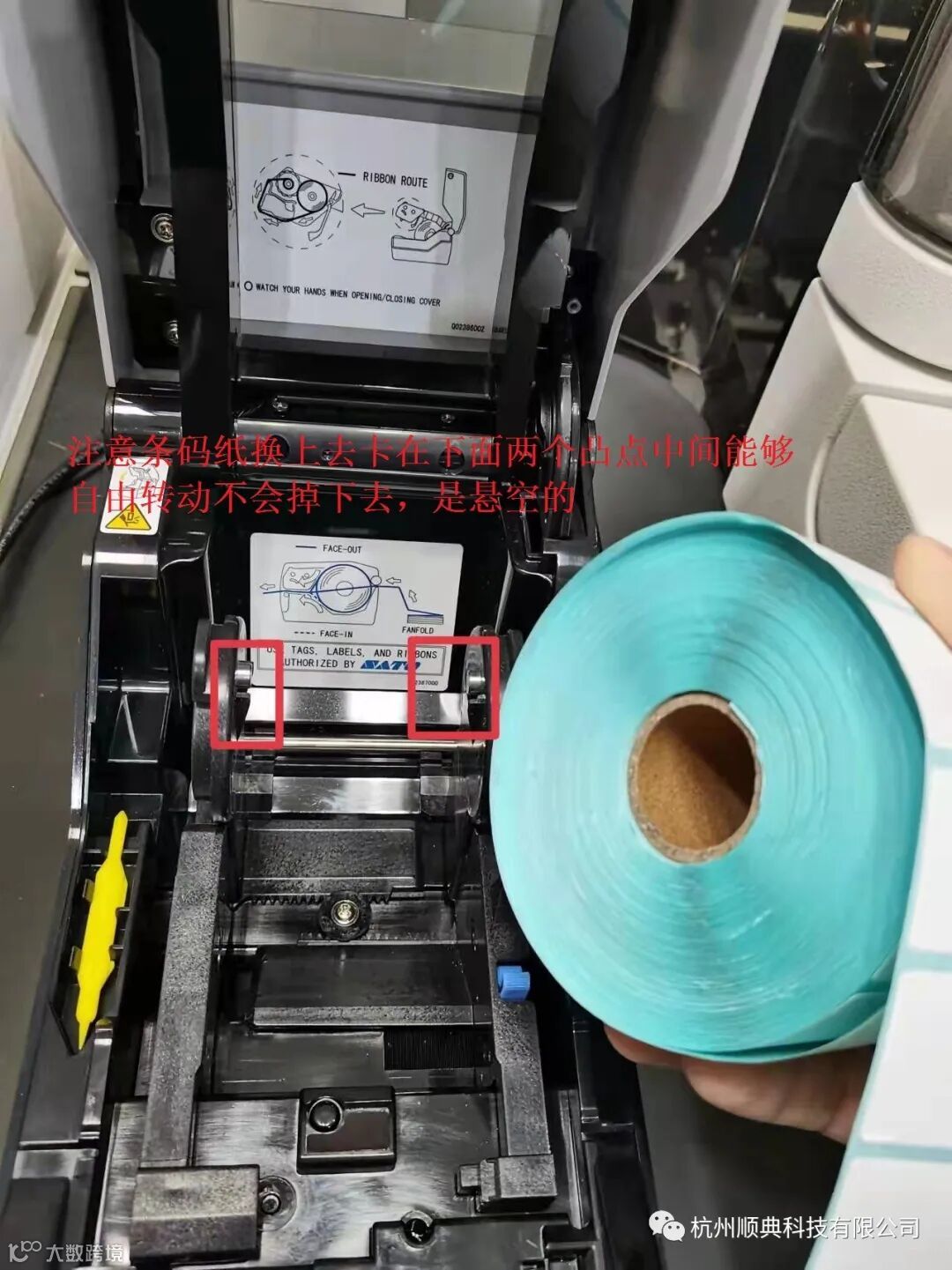
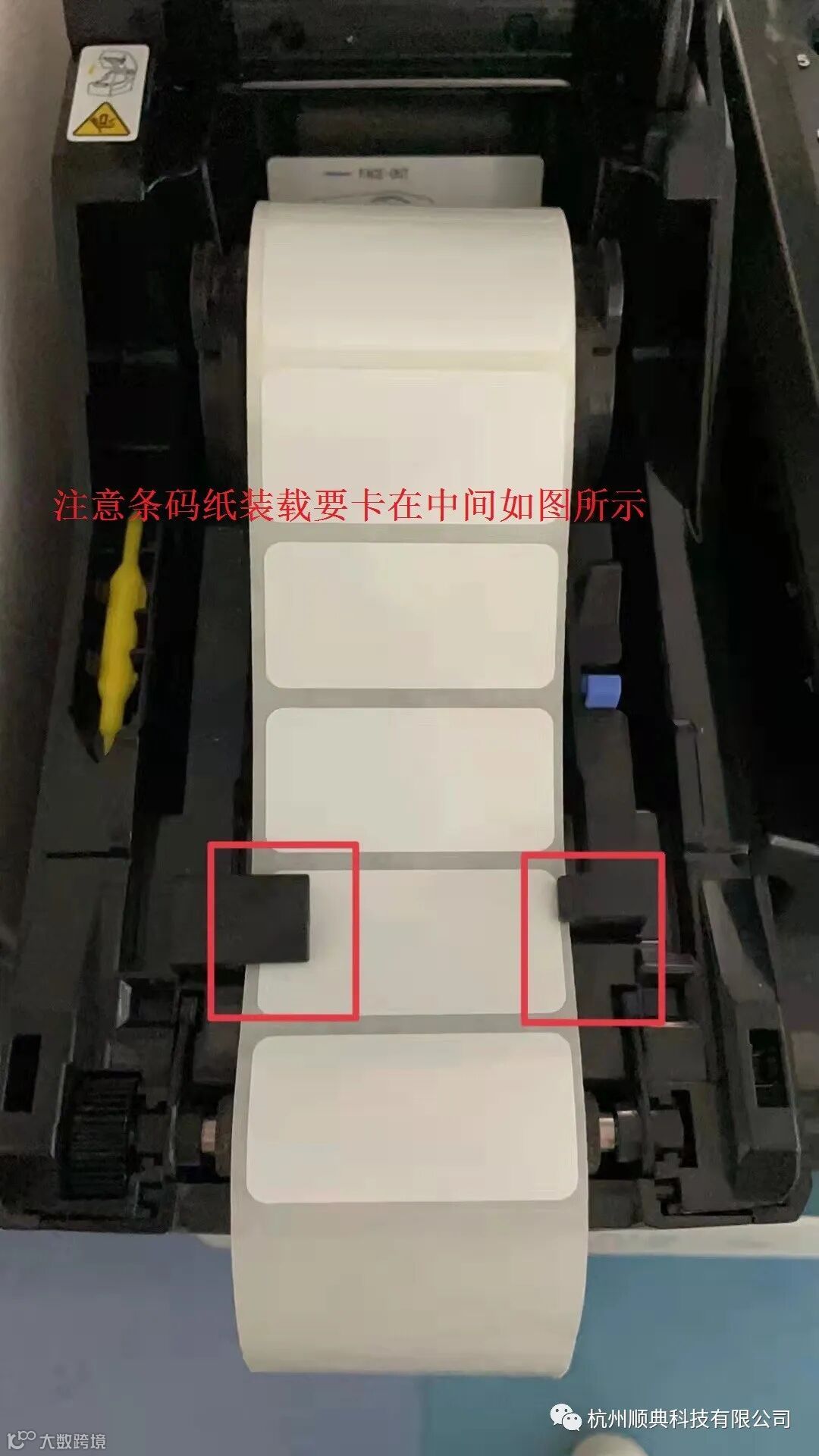
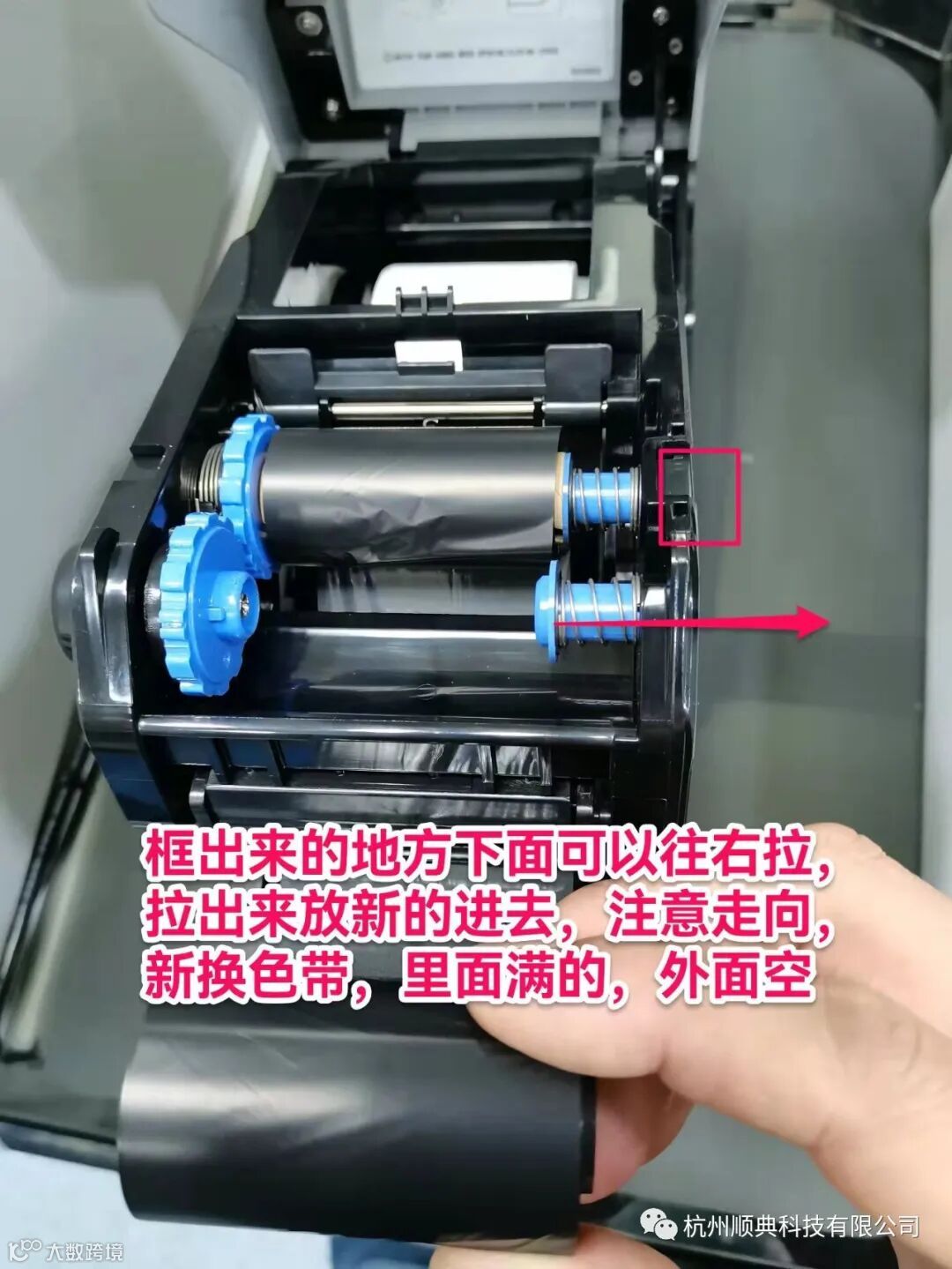
在装载新的条码纸的时候要注意滚筒卡在两个金属凸点中间,条码纸拉出来后开在两个卡削中间。具体如下图所示:
下面是打印机恢复出厂设置步骤:
1. Confirm that the printer power is OFF.
2. Open the cover on the printer.
3. Press and hold the Feed/Line key, at the same time press and release the Power button,
4. Once the LED starts blinking and returns to solid red (about 15 seconds), release the Feed/Line key.
5. Press the Feed/Line key two times until the LED blinks between green and red.
6. Press and hold the Feed/Line key until the LED goes off (about 3 seconds),
7. Close the cover. The green LED will be solid and then change to a blinking green once the reset process is complete.
8. Press and hold Feed/Line key for 3 or more seconds, then release.
9. The printer will print out a factory test print. Press the Fed/Line key to stop the test prirw.
10. Press the Power key to power off the printer.
11.Press the Power key return to the normal operating status.