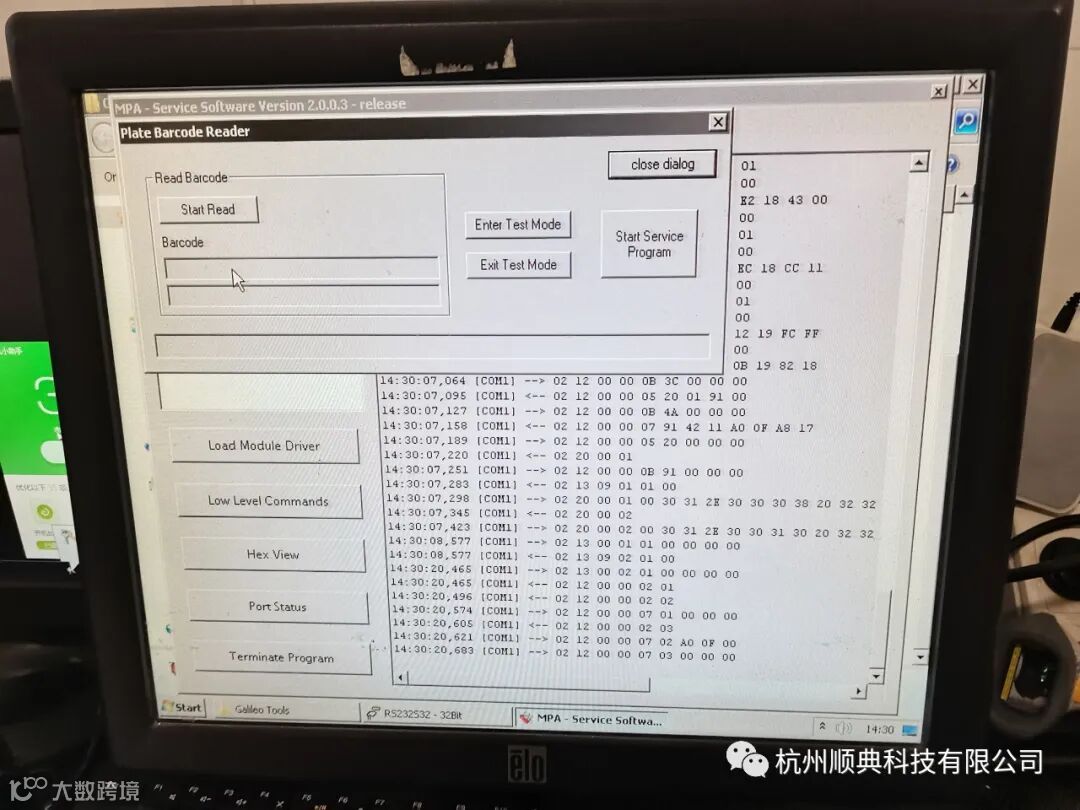
当仪器正常加载微孔板时有时候会报扫不到微孔板条码时候,可以通过微调微孔板扫描位置来改善:
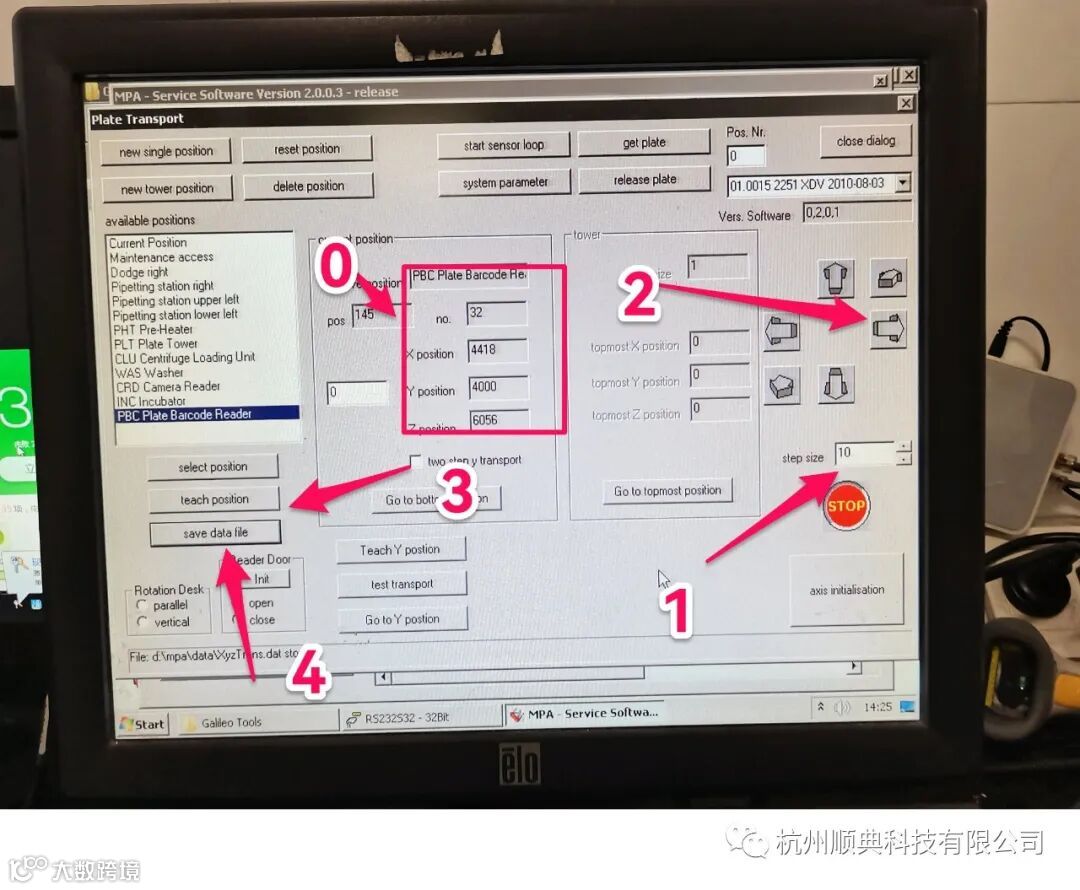
一 先观察仪器扫描时候扫描出来的红线位置偏移情况,然后进入service sytem-plate Transport-右下角axis initialistion初始化-双击PBC Plate Barcode Reader-然后拍照记录原始数据0,按照下图0-4调整即可。调整之前可以手动先加载一块微孔板到传送架,方便后面扫描测试,这边位置调整好关闭,进入Plate Barcode Reader测试(后面有英文详细步骤参考)
1.4.2 Teaching at the Barcode Scanner Position
32. Start the service software (see chapter 'Software' / 'Service Software').
33. Load the barcode scanner service software module (see chapter 'Plate Bar Code Scanner' / 'Service Software').
34. Press the Enter Test Mode button.The barcode scanner switches on.
35. Put a transport carrier including a micro-plate with a fixed plate barcode into the plate transport case.To do this, e.g. put the transport carrier with the plate into a taught position and get this plate (see chapter 'Plate Transport System' / 'Functions of the Transport System Service Software').
36. Move the transport to the Barcode single position.
37. Teach the transport system to a reading distance of about 90 mm (3.5 inch).
38. At least four laser scan lines have to cover the bar code to read