





如何给TiDB集群的
prometheus更换端口
背景
在部署TiDB集群的时候,由于9090端口被操作系统的某个进程占用,在部署TiDB时,只能先将prometheus的端口设置为9091,将原本占用9090端口的进程调整为其它端口后,需要将prometheus的端口从9091改为9090,这就涉及到TiDB集群组件端口的更换。
经过研究,最终发现如果要更改prometheus 组件的监听端口,可以通过tiup 缩容prometheus 组件,然后在扩容prometheus 组件,这样就实现了prometheus端口的更改。

注意事项
通过 tiup 直接缩容 prometheus组件会导致 prometheus 监控数据丢失。
如果是生产环境的话,需要评估下prometheus监控数据的丢失是否能够接受,如果不能够接受prometheus监控数据的丢失,可在缩容prometheus之前,先将prometheus的数据目录备份,在扩容prometheus 之后,再将备份的数据进行还原。
本文并没有备份prometheus的监控数据,而是直接缩容prometheus组件。
因为grafana组件也依赖prometheus的ip和port提供数据源去展示,所以更改 prometheus端口后,grafana需要重新配置prometheus的数据源。
还有一种方法,可以把grafana和prometheus通过tiup一起缩容,然后通过tiup把 grafana和prometheus一起扩容,这样grafana就不需要重新配置prometheus的数据源了。
本文采用的方案就是把grafana和prometheus通过 tiup 一起缩容,然后扩容。
# 1
tiup缩容prometheus和grafana组件
1-1 tiup缩容prometheus组件
· 假设集群名称是tidb-test
tiup cluster display tidb-test -R prometheus
· 获取prometheus组件的ip和port
tiup cluster scale-in tidb-test -N 172.16.1.3:9091
· 假设promethues组件的ip和port分别是172.16.1.3和9091,执行tiup 缩容命令缩容prometheus组件
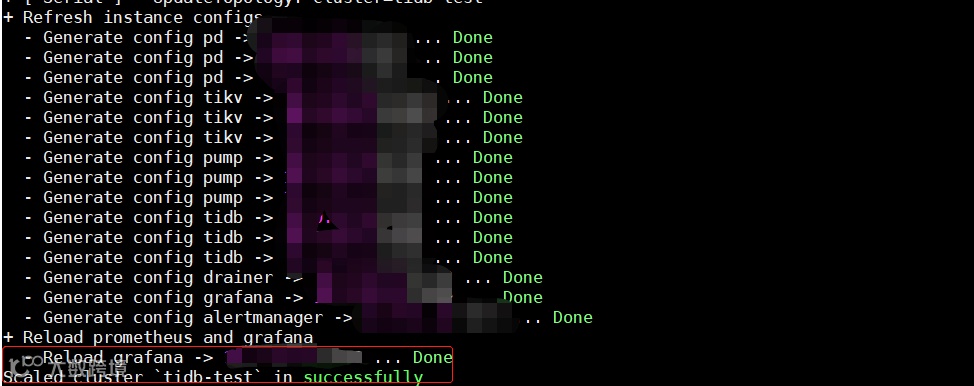
· 执行命令后,如果出现Scaled cluster `tidb-test` in successfully,则代表缩容prometheus组件成功。
1-2 tiup缩容grafana组件
· 假设集群名称是tidb-test
tiup cluster display tidb-test -R grafana
· 获取grafana组件的ip和port
tiup cluster scale-in tidb-test -N 172.16.1.3:3000
· 假设grafana组件的ip和port分别是172.16.1.3和3000,执行tiup 缩容命令缩容grafana组件
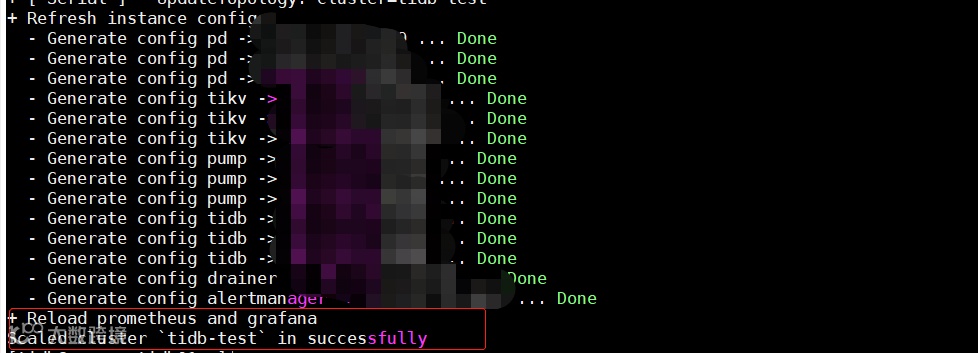
· 执行命令后,如果出现Scaled cluster `tidb-test` in successfully,则代表缩容grafana组件成功。
# 2
tiup扩容prometheus和grafana组件
2-1 tiup扩容prometheus组件
通过tiup 扩容prometheus组件,首先需要写一份yaml 文件 ⬇
prometheus_scaleout.yaml 文件说明 ⬇
host: 172.16.1.3
#扩容prometheus 组件的服务器ip,由于需要把prometheus扩容到172.16.1.3上,host就是172.16.1.3;
port: 9090
#扩容prometheus 组件的端口,由于需要把prometheus运行在9090端口上,port就是9090;
rule_dir: /home/tidb/prometheus
#如果prometheus的告警配置文件做了一些修改,可以把修改后的prometheus告警配置文件放到rule_dir 定义目录下
其他配置项可以根据实际情况填写
· 假设集群名称是tidb-test
tiup cluster scale-out tidb-test prometheus_scaleout.yaml
· 执行tiup 扩容命令扩容prometheus
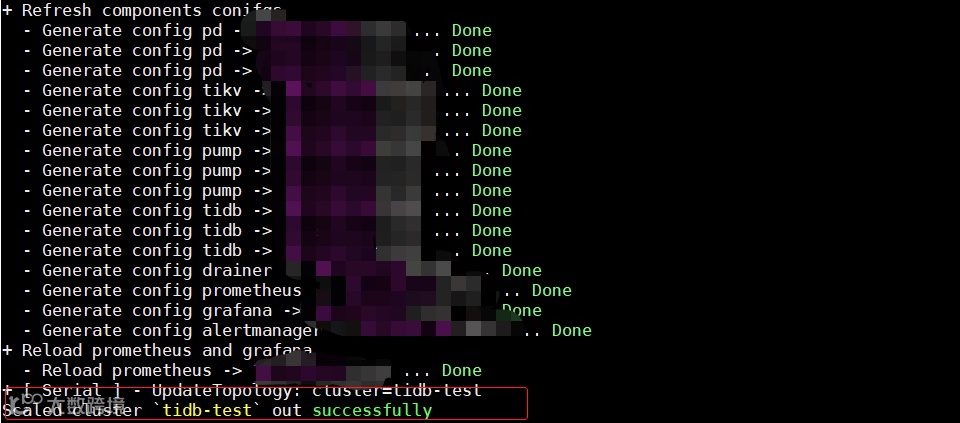
· 执行命令后,如果出现Scaled cluster `tidb-test` out successfully,则代表扩容prometheus组件成功
tiup cluster display tidb-test -R prometheus
· 扩容prometheus后,检查下扩容的prometheus组件状态是否正常
2-2 tiup扩容grafana组件
通过tiup 扩容grafana组件,首先需要写一份yaml 文件 ⬇
grafana_scaleout.yml 文件说明 ⬇
grafana_servers:
host: 172.16.1.3
#扩容grafana组件的服务器ip,由于需要把grafana扩容到172.16.1.3上,host就是172.16.1.3
其他配置项目例如port等信息可以根据实际情况填写
· 假设集群名称是tidb-test
tiup cluster scale-out tidb-test grafana_scaleout.yaml
· 执行tiup 扩容命令扩容grafana组件
· 执行命令后,如果出现Scaled cluster `tidb-test` out successfully,则代表扩容grafana组件成功
tiup cluster display tidb-test -R grafana
· 扩容grafana后,检查下扩容的grafana组件状态是否正常
# 3 检查prometheus和grafana
工作是否正常
在通过对prometheus和grafana 组件进行缩容和扩容后,
登录(http://172.16.1.3:3000/) grafana ,
检查下grafana监控面板是否能够从prometheus 采集数据进行展示,
如果扩缩容步骤能够顺利执行,prometheus和grafana的工作状态是正常的。

写在最后
虽然更换promethues的监听端口这种操作并不是很频繁,但是有时候也可能碰到这样的需求。
通过tiup,我们可以将prometheus进行缩容和扩容,这样实现了更换prometheus的监听端口。
而且步骤比较简单,如果需要更换TiDB集群其它组件的端口,也可以采取类似的步骤进行操作。


以上就是关于通过tiup
实现更换prometheus的监听端口
如果你对此内容感兴趣或有疑问
欢迎入群探讨 ⬇


更多精彩内容



了解云基地,就现在!
IT技术哪家强
神州数码最在行
行业新星,后起之秀
历史虽不长,但是实 力 强