




1.Word文档批量转PDF格式

  import os
import win32com.client
from docx import Document
def convert_word_to_pdf(source_directory, target_directory):
    word_app = win32com.client.Dispatch("Word.Application")
    word_app.Visible = False

    # 创建目标文件夹
    os.makedirs(target_directory, exist_ok=True)
    for filename in os.listdir(source_directory):
        if filename.endswith(".docx"):
            docx_file = os.path.join(source_directory, filename)
            pdf_file = os.path.splitext(filename)[0] + ".pdf"
            pdf_path = os.path.join(target_directory, pdf_file)
            doc = word_app.Documents.Open(docx_file)
            doc.SaveAs(pdf_path, FileFormat=17)
            doc.Close()
    word_app.Quit()

# 指定源目录和目标目录的路径
source_directory = r"D:\系统桌面(勿删)\Desktop\合同文件"
target_directory = r"D:\系统桌面(勿删)\Desktop\PDF文件转化"

# 调用函数并传入源目录和目标目录的路径
convert_word_to_pdf(source_directory, target_directory)
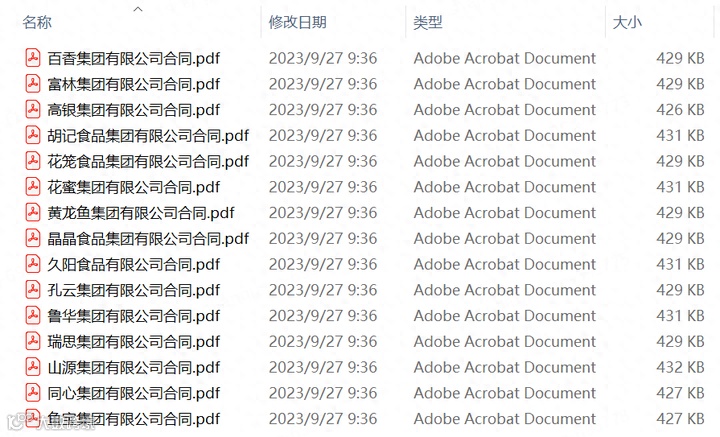
2.批量合并PDF文档为一个
  import os
from PyPDF2 import PdfMerger
def merge_pdfs(source_directory, output_file):
    merger = PdfMerger()
    for filename in os.listdir(source_directory):
        if filename.endswith(".pdf"):
            pdf_path = os.path.join(source_directory, filename)
            merger.append(pdf_path)
    merger.write(output_file)
    merger.close()

# 获取当前目录路径
current_directory = os.getcwd()

# 指定源目录和输出文件的路径
source_directory = r"D:\系统桌面(勿删)\Desktop\PDF文件转化"
output_file = os.path.join(current_directory, r"D:\系统桌面(勿删)\Desktop\PDF文件合并.pdf")

# 调用函数并传入源目录和输出文件的路径
merge_pdfs(source_directory, output_file)
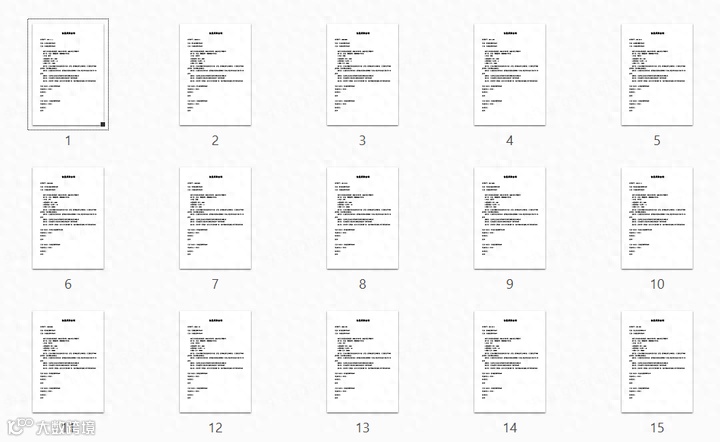
3.批量提取PDF信息存为Excel
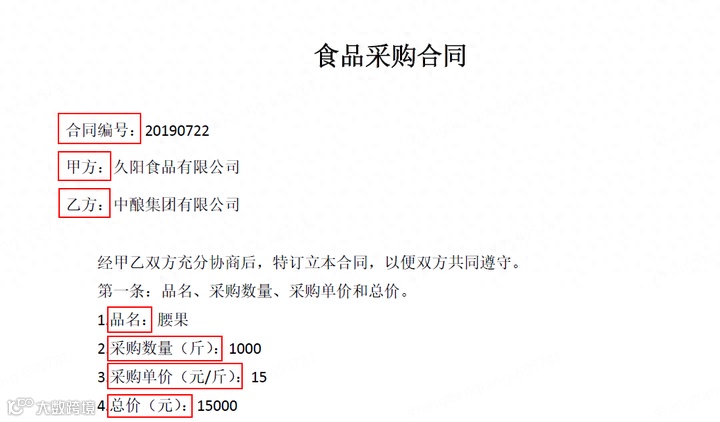
  import re
import pandas as pd
import PyPDF2

# 打开PDF文件
with open(r'D:\系统桌面(勿删)\Desktop\PDF文件合并.pdf', 'rb') as file:
    reader = PyPDF2.PdfFileReader(file)
    num_pages = reader.numPages

    # 通过每一页提取信息
    info = []
    for page_num in range(num_pages):
        page = reader.getPage(page_num)
        text = page.extractText()
        print(text)
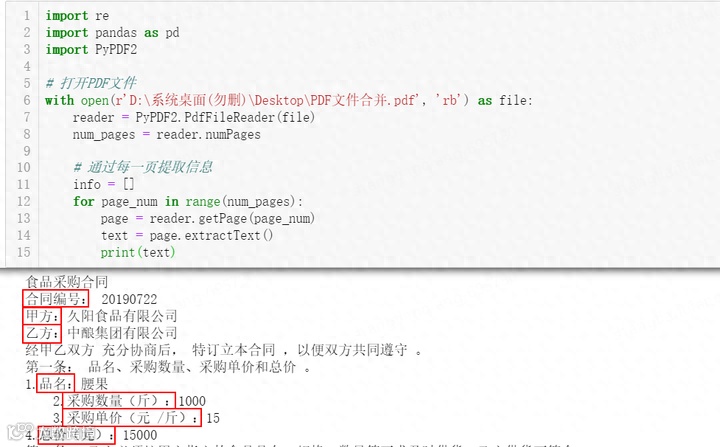
  import re
import pandas as pd
import PyPDF2

# 打开PDF文件
with open(r'D:\系统桌面(勿删)\Desktop\PDF文件合并.pdf', 'rb') as file:
    reader = PyPDF2.PdfFileReader(file)
    num_pages = reader.numPages

    # 通过每一页提取信息
    info = []
    for page_num in range(num_pages):
        page = reader.getPage(page_num)
        text = page.extractText()

        # 使用正则表达式匹配所需信息
        HT_No = re.findall(r'合同编号:\s*(.*)', text)
        name1 = re.findall(r'甲方:\s*(.*)', text)
        name2 = re.findall(r'乙方:\s*(.*)', text)
        catege = re.findall(r'品名:\s*(.*)', text)
        weight = re.findall(r'采购数量(斤):\s*(.*)', text)
        price = re.findall(r'采购单价(元 /斤):\s*(.*)', text)
        price_sum = re.findall(r'总价(元):\s*(.*)', text)

        # 将信息添加到列表中
        info.append({'合同编号': HT_No[0] if HT_No else '',
                     '甲方': name1[0] if name1 else '',
                     '乙方': name2[0] if name2 else '',
                     '品名': catege[0] if catege else '',
                     '采购数量': weight[0] if weight else '',
                     '采购单价': price[0] if price else '',
                     '总价': price_sum[0] if price_sum else ''}
                   )

        # 将信息保存为Excel文件
        df = pd.DataFrame(info)
        df.to_excel(r'D:\系统桌面(勿删)\Desktop\数据提取.xlsx', index=False)
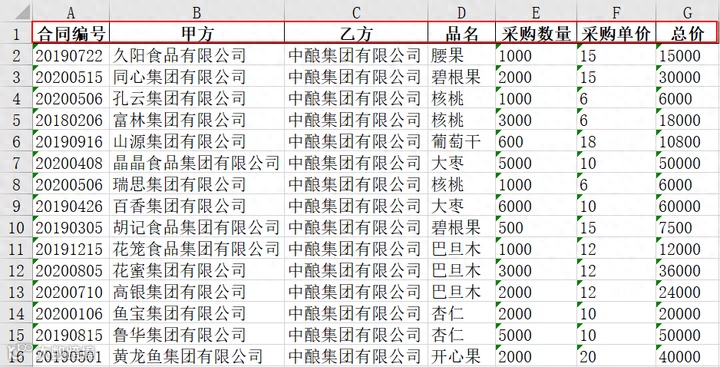
以上,我们使用Python成功解决Word批量转PDF格式、批量合并PDF文档、批量提取PDF内信息到Excel,使用Python轻松实现,不仅省时省力,而且可复用性强,只需部分修改即可应用其他文档操作,这对于信息获取、整理和分析具有重要的意义,如果你在代码编译过程中有任何疑问或建议,可在评论区留言,随时与我交流。
关注和星标『大话数据分析』
👆点击关注|设为星标|干货速递👆
三年互联网数据分析经验,擅长Excel、SQL、Python、PowerBI数据处理工具,数据可视化、商业数据分析技能,统计学、机器学习知识,持续创作数据分析内容,点赞关注,不迷路。