用到的模块PIL(安装:pip install pillow)
完整代码:
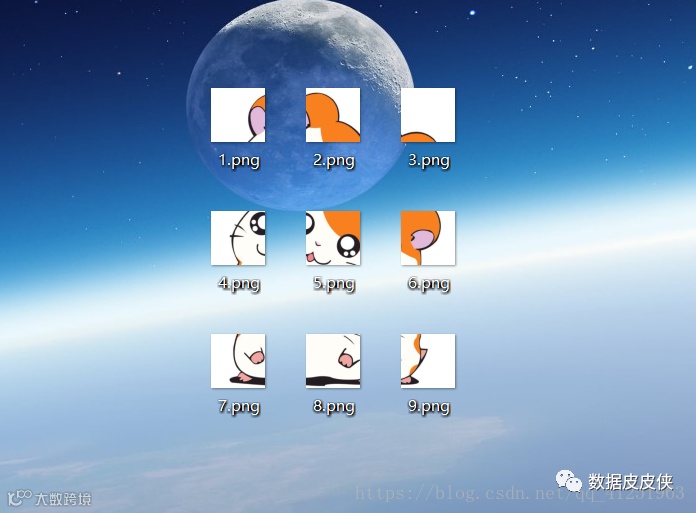
from PIL import Image import sys #先将 input image 填充为正方形 def fill_image(image): width, height = image.size #选取长和宽中较大值作为新图片的 new_image_length = width if width > height else height #生成新图片[白底] new_image = Image.new(image.mode, (new_image_length, new_image_length), color='white') #注意这个函数! #将之前的图粘贴在新图上,居中 if width > height:#原图宽大于高,则填充图片的竖直维度 #(x,y)二元组表示粘贴上图相对下图的起始位置,是个坐标点。 new_image.paste(image, (0, int((new_image_length - height) / 2))) else: new_image.paste(image, (int((new_image_length - width) / 2),0)) return new_image def cut_image(image): width, height = image.size item_width = int(width / 3) box_list = [] # (left, upper, right, lower) for i in range(0,3): for j in range(0,3): #print((i*item_width,j*item_width,(i+1)*item_width,(j+1)*item_width)) box = (j*item_width,i*item_width,(j+1)*item_width,(i+1)*item_width) box_list.append(box) image_list = [image.crop(box) for box in box_list] return image_list#保存 def save_images(image_list): index = 1 for image in image_list: image.save(str(index) + '.png', 'PNG') index += 1 if __name__ == '__main__': file_path = "***"#填入图片名 image = Image.open(file_path) #image.show() image = fill_image(image) image_list = cut_image(image) save_images(image_list)

运行程序后效果图: