Many compounds have “Sposter” lockers, where packages are stored for safe keeping. If you’ve seen one of these in your compound or neighborhood, it is likely that the delivery man will store your packages here. Follow the steps below to learn how to retrieve your packages from the Sposter lockers.
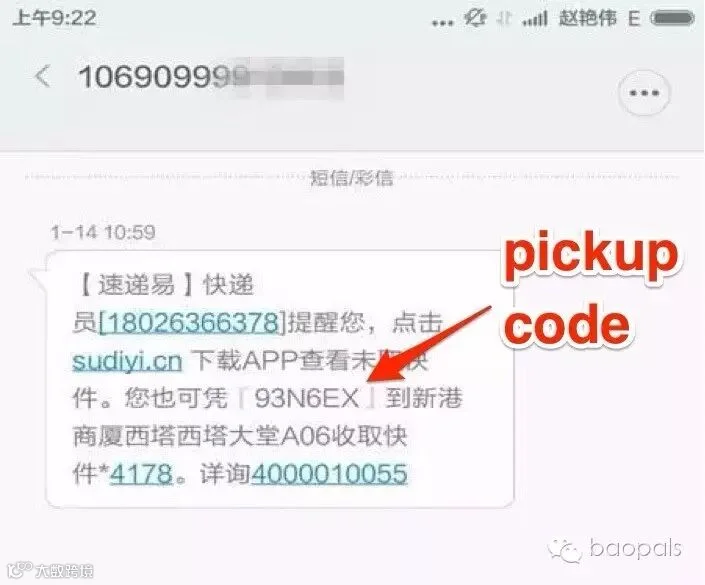
Step 1: When the delivery man stores your package in the locker, you will automatically be sent an SMS with a pickup code like the one below (code: 93N6EX). If you didn’t get an SMS with the pickup code, please see the bottom of this article for tips.
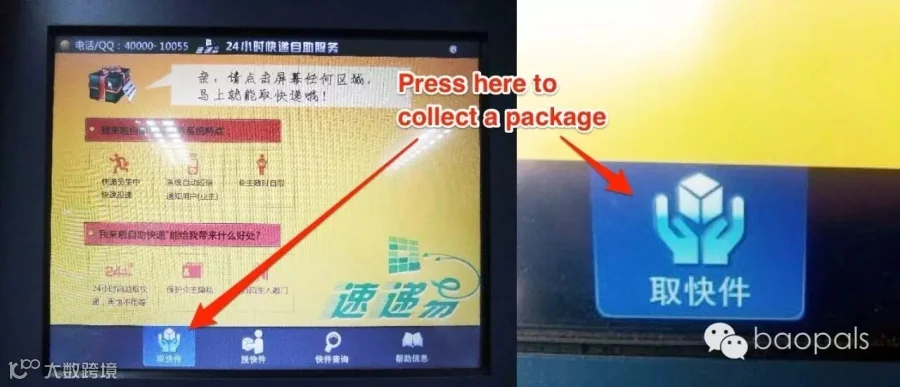
Step 2: Find your local Sposter machine and approach the touch screen interface. The interface is all in Chinese, but don’t worry, Baopals is here to walk you through it. First, press “取快件” (Get Your Package) in the bottom left of the screen.
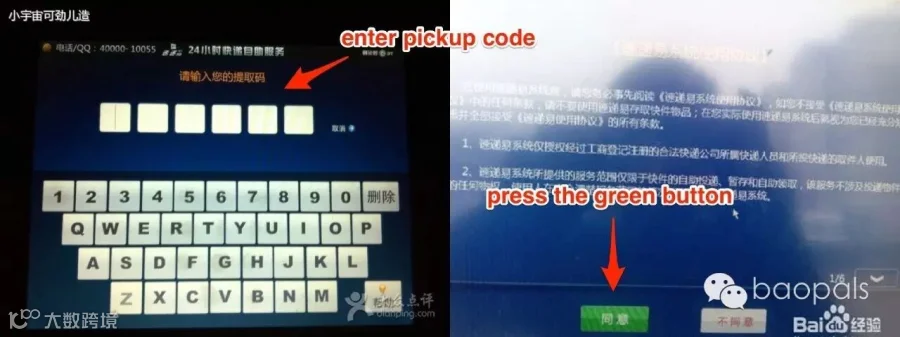
Step 3: Enter the verification code that was sent to your mobile. Then, on the following screen, select the green button “同意”,which means agree.
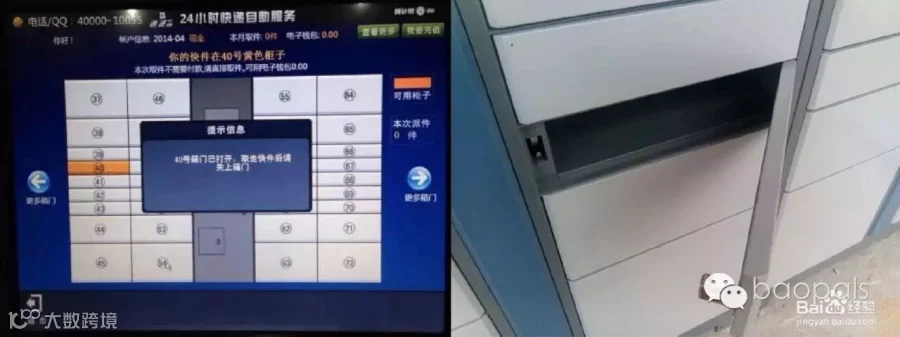
Upon clicking agree, the touch screen interface will highlight which locker your package is in and your locker will automatically open.
If you don’t have an SMS with the pickup code, you can take the below actions to retrieve it.
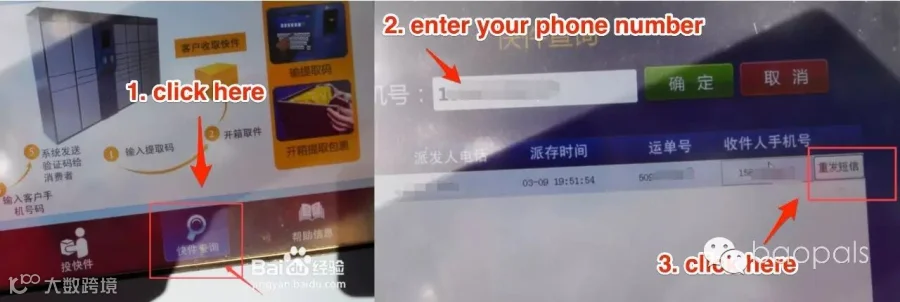
Select the magnifying glass with the text “快件查询” at the bottom of the touch screen. Then enter your mobile number and select the green button with the text “确定”. On the following screen select “重发短信” in the top right hand corner and your pickup code will be re-sent to your mobile phone.